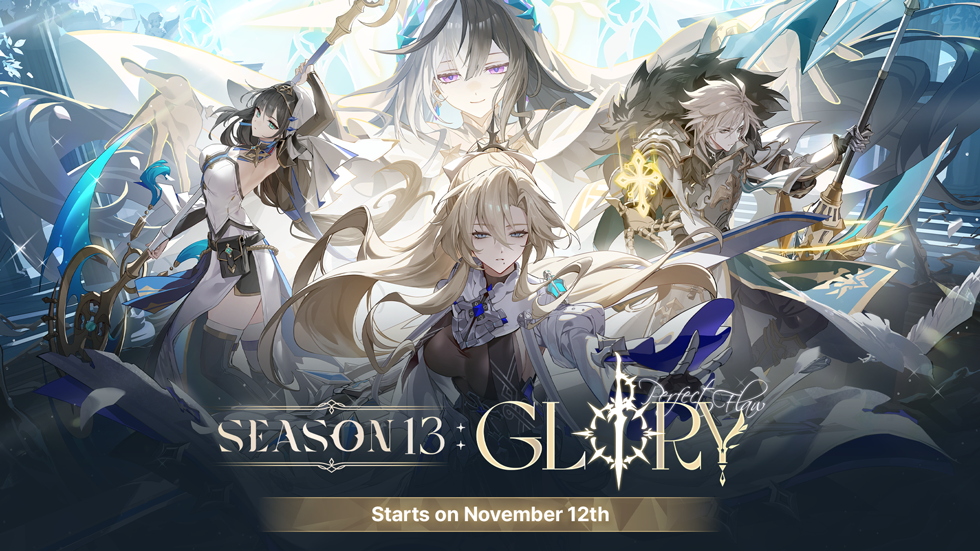
Servers will be temporarily offline for an estimated time of 6 hours on August 6th from 2 AM (UTC) to update Patch 12.0.
⚠️Saved Plans Reset⚠️
Due to changes in item spawn locations and new items, existing Saved Plans will be reset.
Be sure to set your Saved Plan before starting the game!
Season 12 Preseason Begins
After Season 11 wraps up, we're diving into a one-week preseason for Season 12!
Season 11 Ranked Rewards (including the Cadet Eleven Skin) will roll out at the start of Season 12, based on your final Season 11 RP.
For Immortal & Titan, rewards will be calculated based on your assigned server and will be distributed accordingly.
Season 11 Ranked Season will end on Wednesday, August 5th 23:59 (UTC).
Season 12 Ranked Season will start on Thursday, August 13th (UTC) after maintenance (12.1 Update).
At the start of Season 12, your ranked history during the preseason will get a soft reset based on your final scores.
Season Login Event
A new login event will be available during Season 12! Make sure to log in and collect all the special rewards we’ve prepared for you.
Rewards are given based on cumulative login days.
Attendance resets daily at 20:00 (UTC).
After getting the rewards for all 28 days, you’ll receive additional daily rewards whenever you log in to the game.
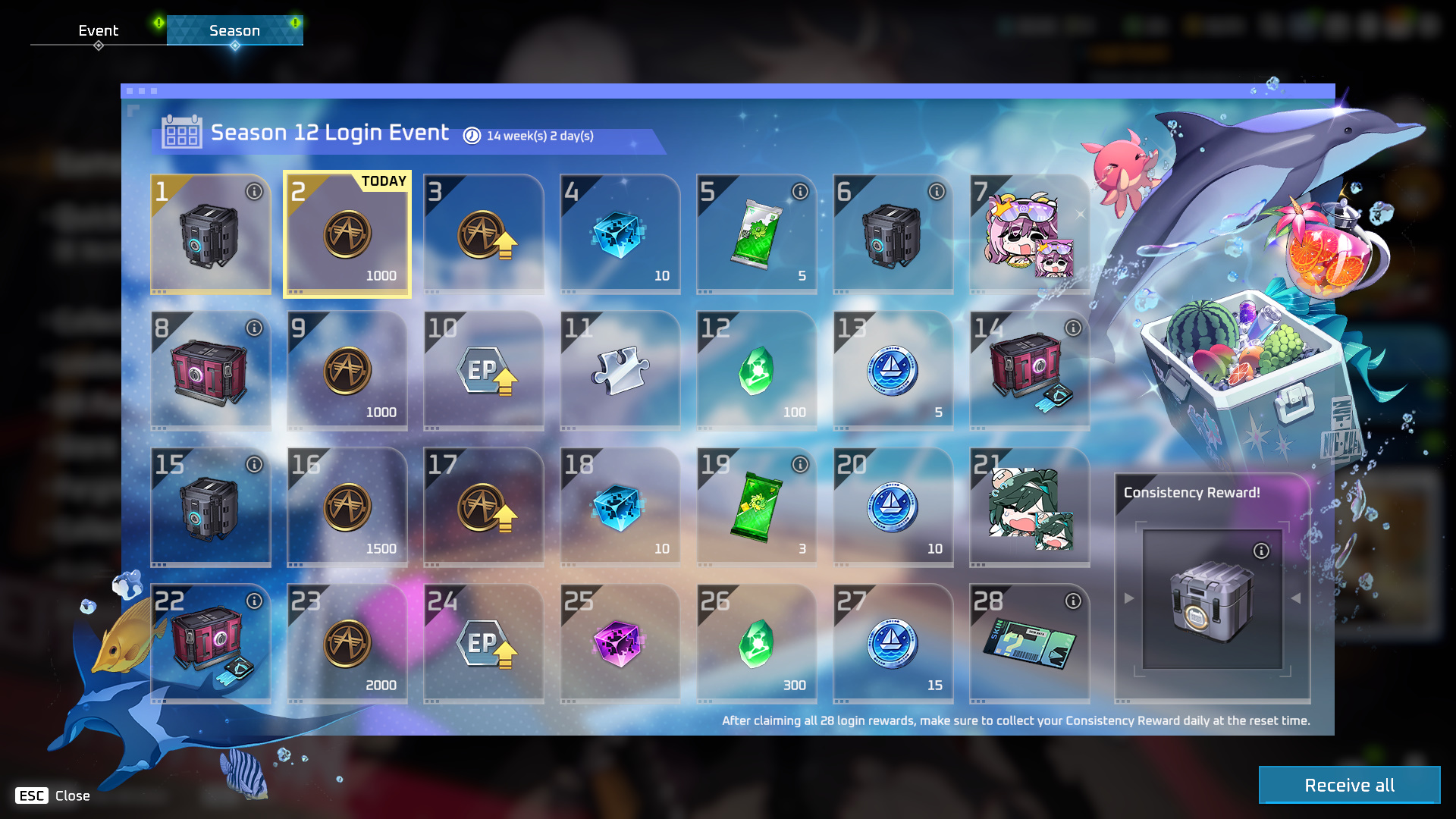
*Reward types are subject to change.
Season Pack: Sailing - Early Bird Sale
The sale for [S11’s Pack: Sailing] comes to an end while the new [Season Pack: Sailing], featuring content from Season 12, enters the Store at a discounted price!
Sale Period & Price
Thurs, Aug 6th after maintenance to Thurs, Aug 20th (UTC) before maintenance:
13,780 NP→ 5,800 NP (about 57% off)Thurs, Aug 20th (UTC) before maintenance until the End of Season 12:
13,780 NP→ 6,400 NP (about 53% off)
With our special Summer Sale, Season Pack: Sailing is available at an even bigger discount compared to previous season packs with the same contents (e.g., Season Pack: Royal Early Bird was 6,200 NP and Regular Price was 7,200 NP). Make sure to check out Season Pack: Sailing at this discounted price!
Contents
Season Pack: Sailing Exclusive Items
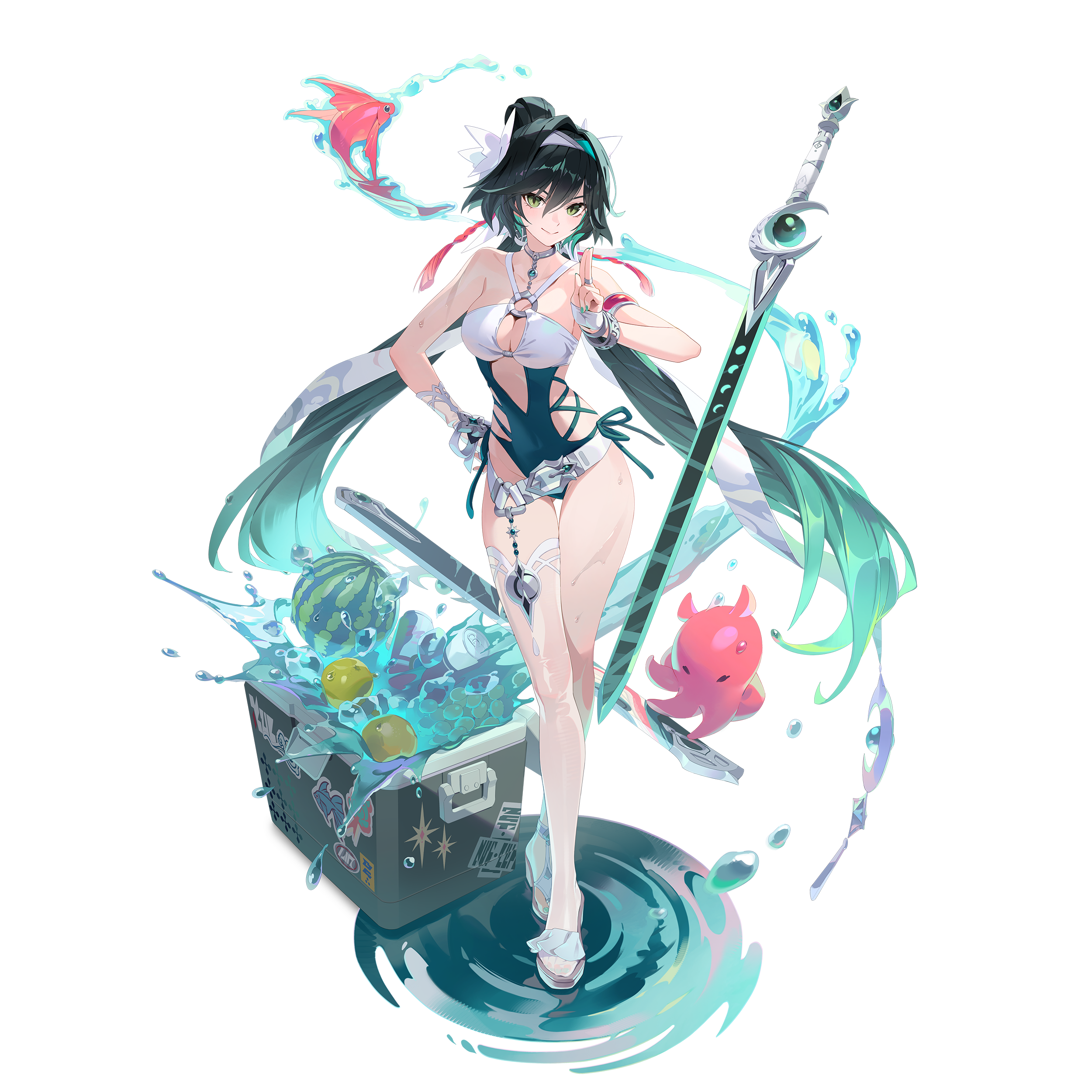
Tis Pack’s Skin: Wave Slasher Xuelin (Epic)
Wave Slasher Xuelin Come On! Emote
Sailor Rabbit Tombstone
2 New Characters released during Season 12
Lucia
Seres
6 New Skins released during the Season 12 (*Skin names are subject to change)
Edgy Love Garnet
Warrior Shoichi
Teen Spirit Bihyung
Tennis Club Priya
Ruthless Inquisitor Echion
Wild West Craver
100 Sailing Tokens and ER Point Boost (14 Days)
ER Pass (Level 1)
3 New Skins (including 1 Epic skin)
2 New Drones
3 New Tombstones
3 New Sprays
2 New Cameras
3 New Kill Announcement Icons
10 New Emotes
1 New Lobby Screen
3 New Profile Backgrounds and Borders
6 New Profile Icons
6 New Announcer Packs
Other goods and boost items, including 100 Sailing Tokens, 900 NP, 8,000 A-Coin, etc
[Season Pack - Sailing: See More]
Purchase the Season Pack to get Wave Slasher Xuelin (Epic)!
“No matter how high the waves get, they will never tear us apart.”
ER Pass “Sailing”
Purchasing a Season Pack during the preseason will grant immediate access to the ER Pass.
Claim the ER Pass from your mailbox right after purchasing the Season Pack.
Individual ER Pass purchases will be available starting from the 12.1 Update.
Gain ER Points (XP) by playing, purchasing, and clearing missions! Gathering ER points will help you level up your pass to unlock different rewards including 900 NP, skins, emotes and 100 Sailing Tokens.
Special discounts for ER Pass-related items will be applied as follows:
Sailing ER Pass Early Bird Period: Thurs, Aug 13th after maint. to Aug 27th (UTC) before maint.
ER Pass: 890 NP (1,250 NP after Early Bird ends)
ER Plus: 1,750 NP (2,550 NP after Early Bird ends)
Upgrade: 1,050 NP (1,450 NP after Early Bird ends)
The discounts for ER Plus and Upgrades are special offers for the Sailing season, and subsequent seasons may return to standard pricing.
ER Pass missions are divided into a total of 8 weeks. Missions for the week unlock every Wednesday at 15:00 (UTC).
Players who do not purchase the ER Pass can complete 5 missions per week.
Players who purchase the ER Pass can complete an additional 5 missions.
Even if the ER Pass is purchased late, credit for any previously completed additional missions will be granted.
Don’t ‘pass’ on this great deal!
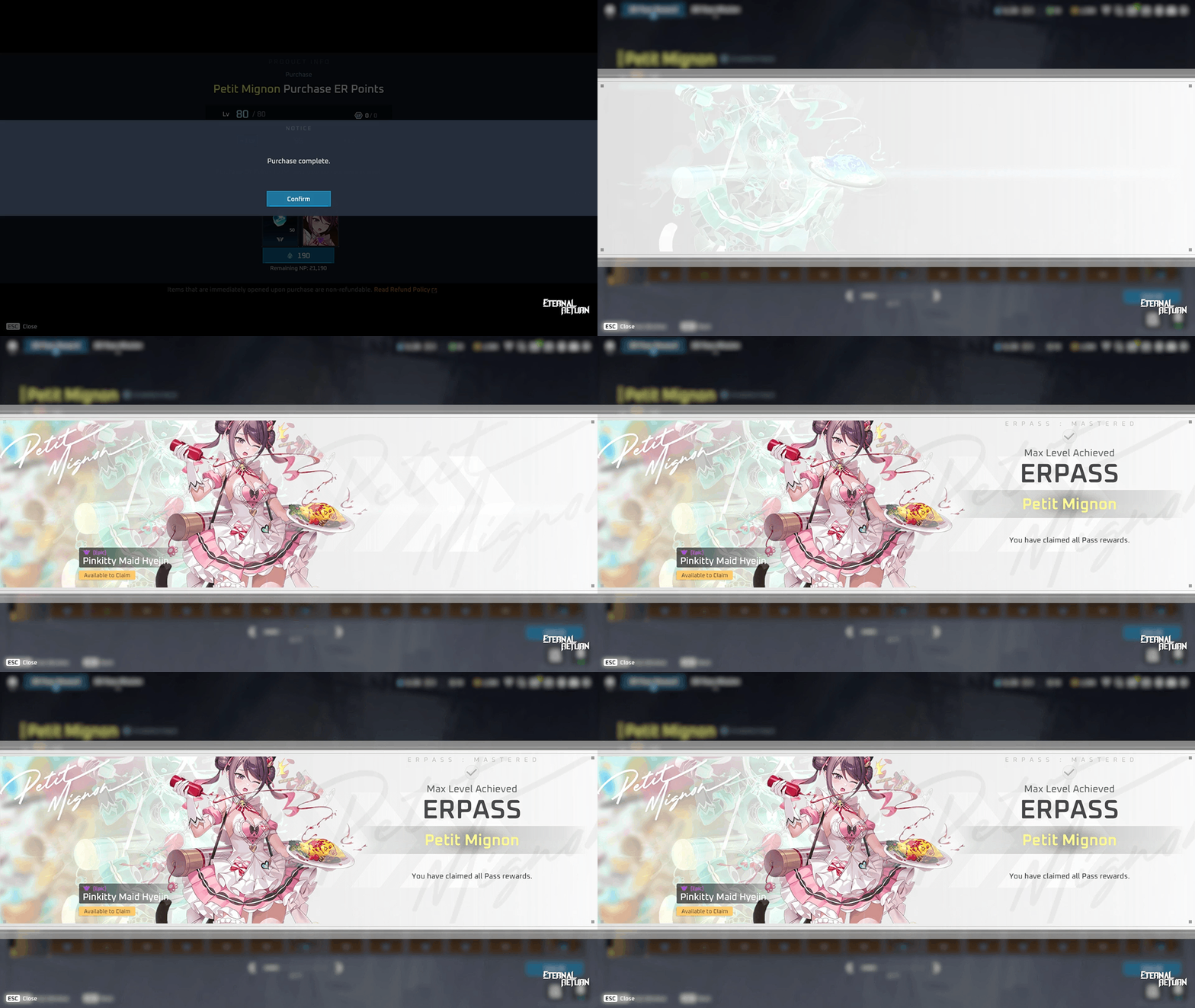
New ER Pass Max Level Screen
We’re adding a new special screen to celebrate the moment you reach the maximum level of your ER Pass!
Completing the ER Pass triggers a celebratory popup featuring a thematic season pass illustration, the max-level reward skin, accomplishment text, and special sound effects.
Reaching the max level through Match Rewards, Daily Missions, ER Point purchases, or Pass Missions will trigger the celebration sequence immediately upon returning to the lobby.
The celebration popup triggers once per season upon your first time reaching the max level.
You can click the "Go to ER Pass" button inside the popup to jump directly to the ER Pass screen.
Sailing ER Pass Skins
3 ER Pass Skins will be available!
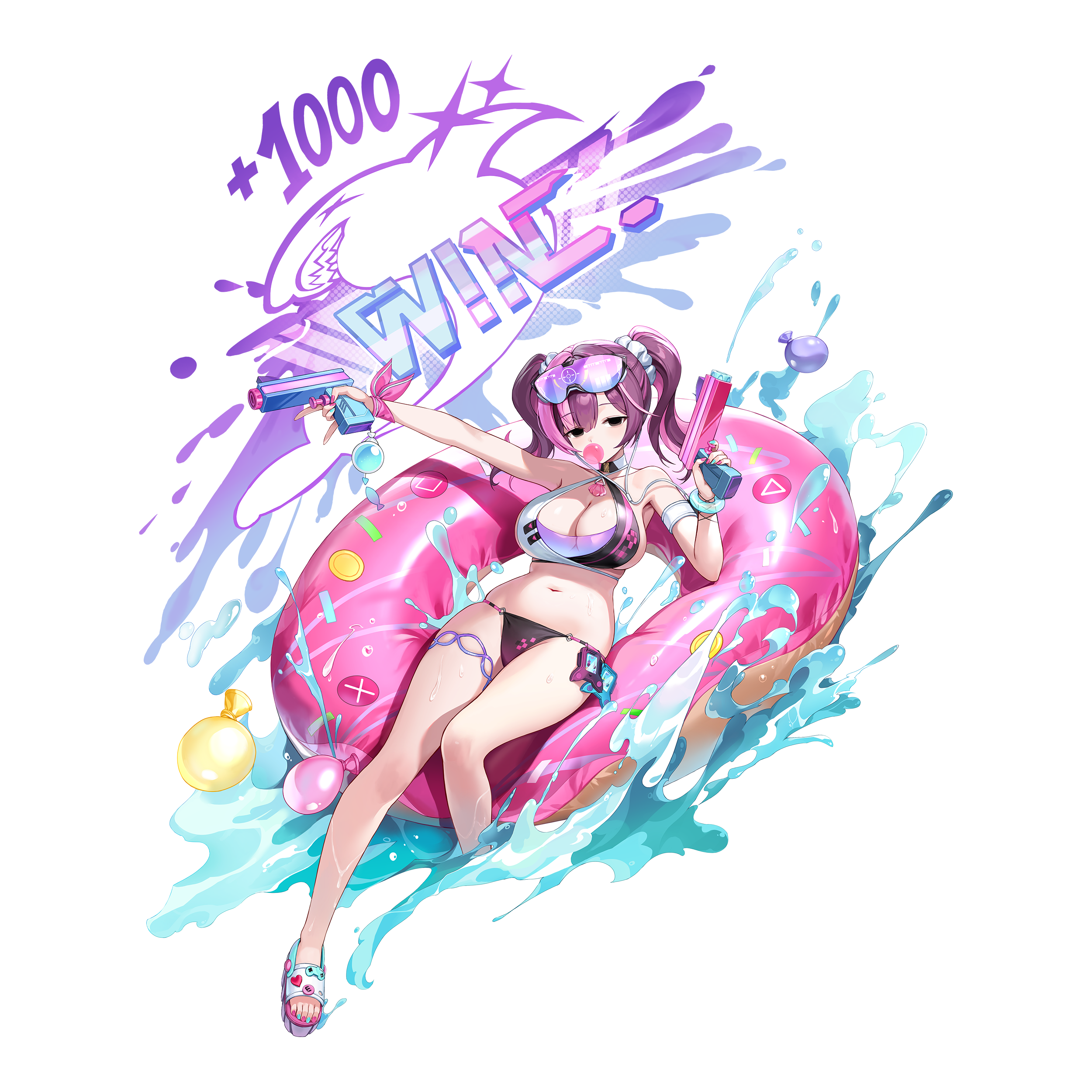
(Water Element) NiaH (Epic) - ER Pass Sailing Level 80 Reward
“Why a water gun? Hello? It's a swimsuit skin.”
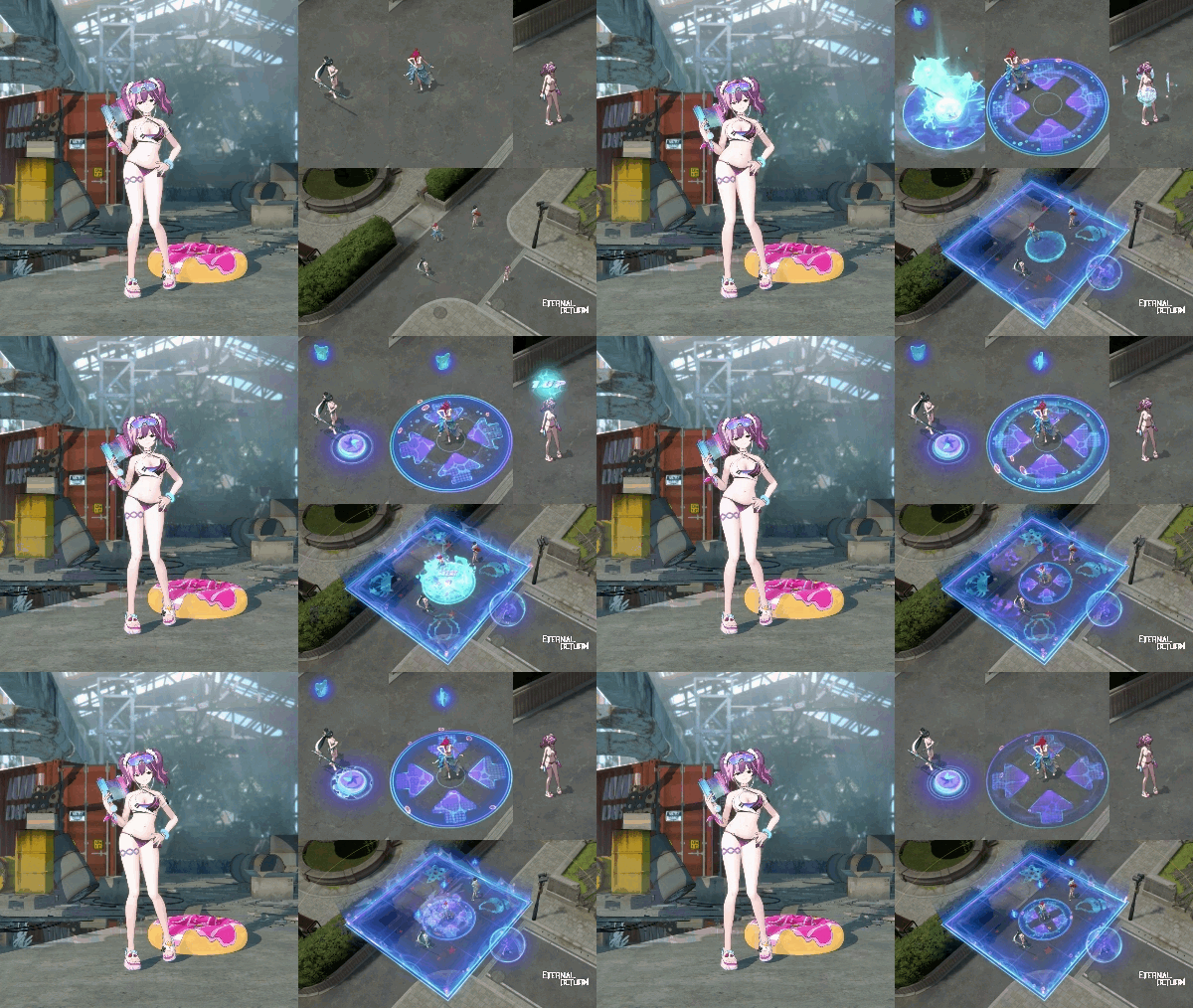
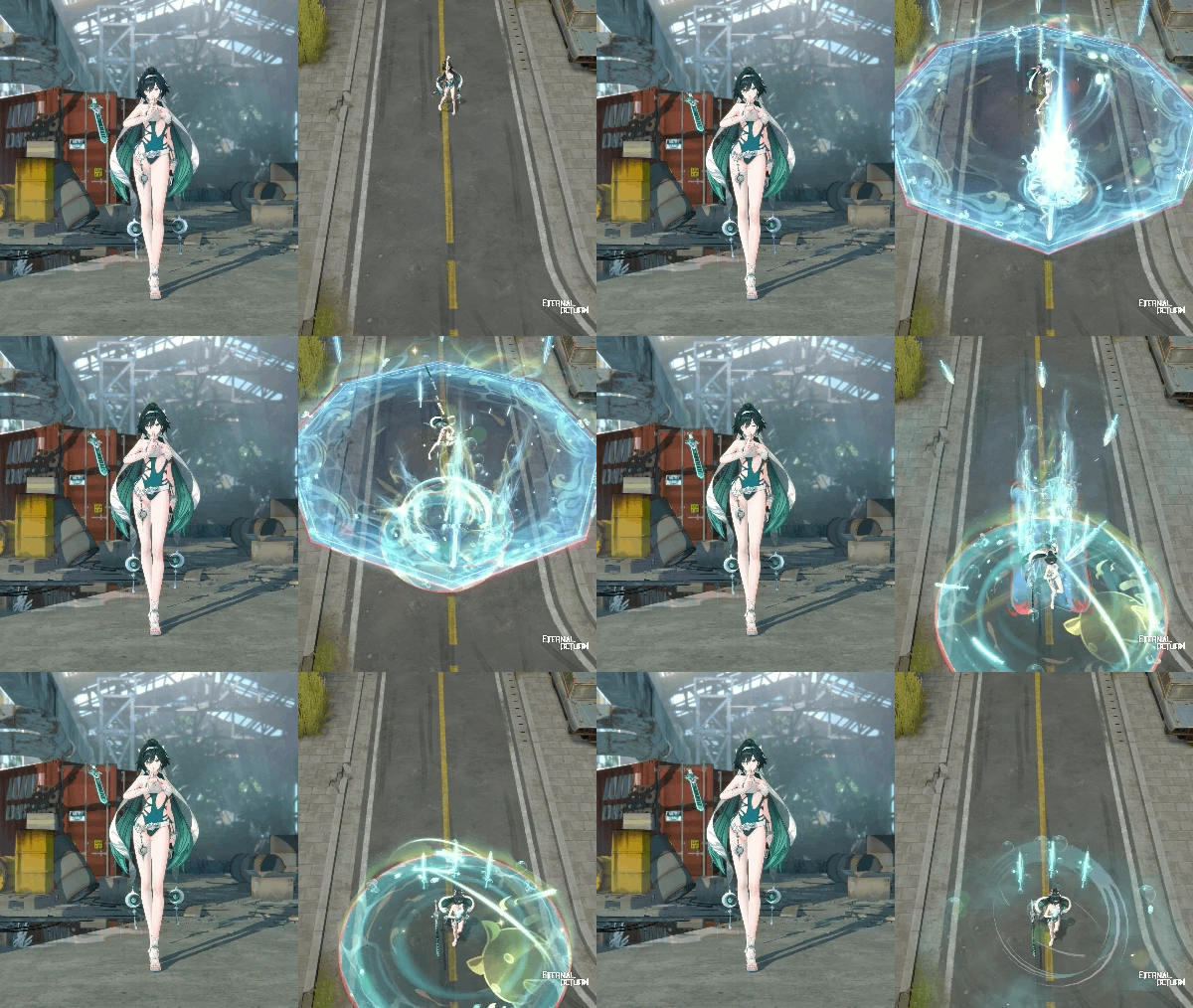
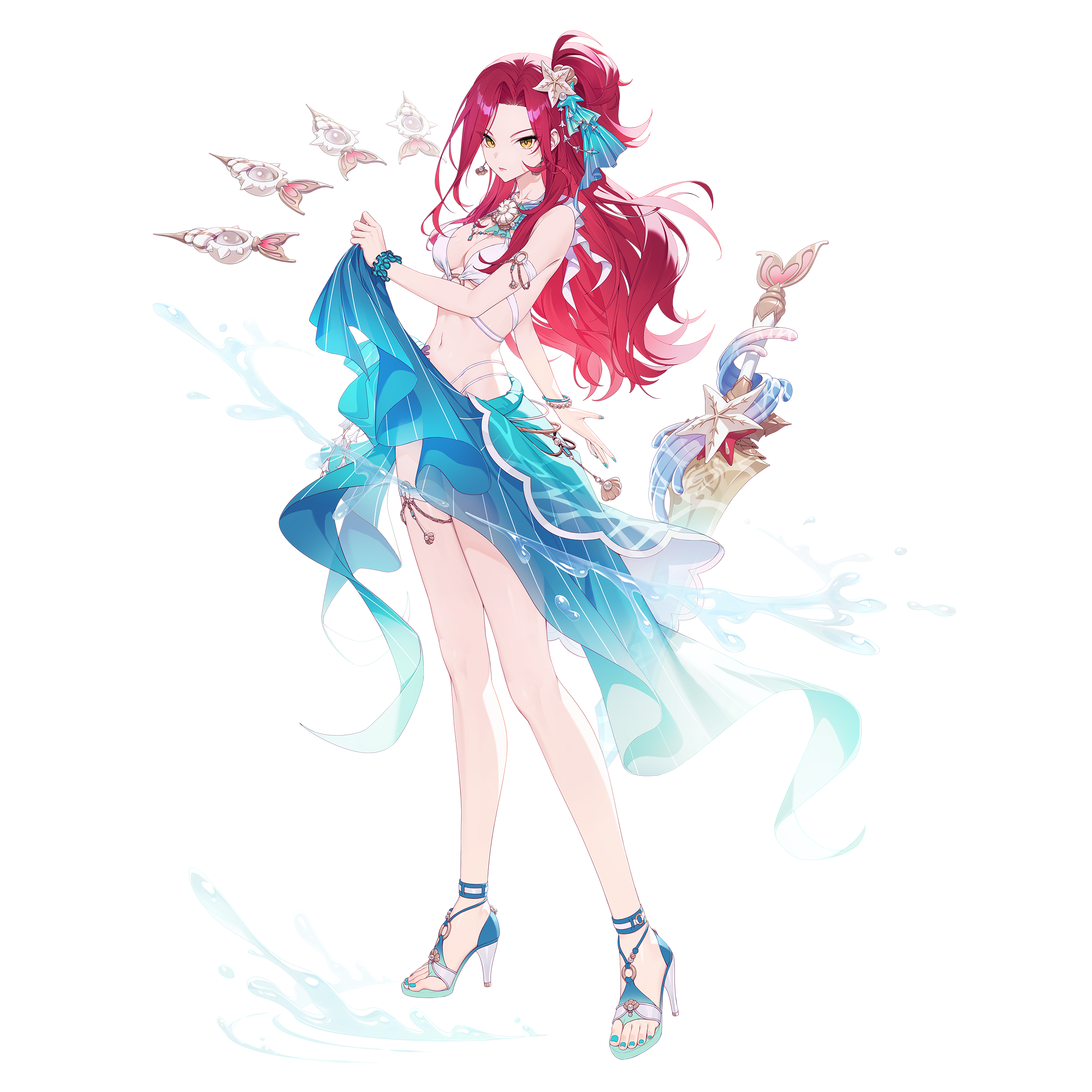
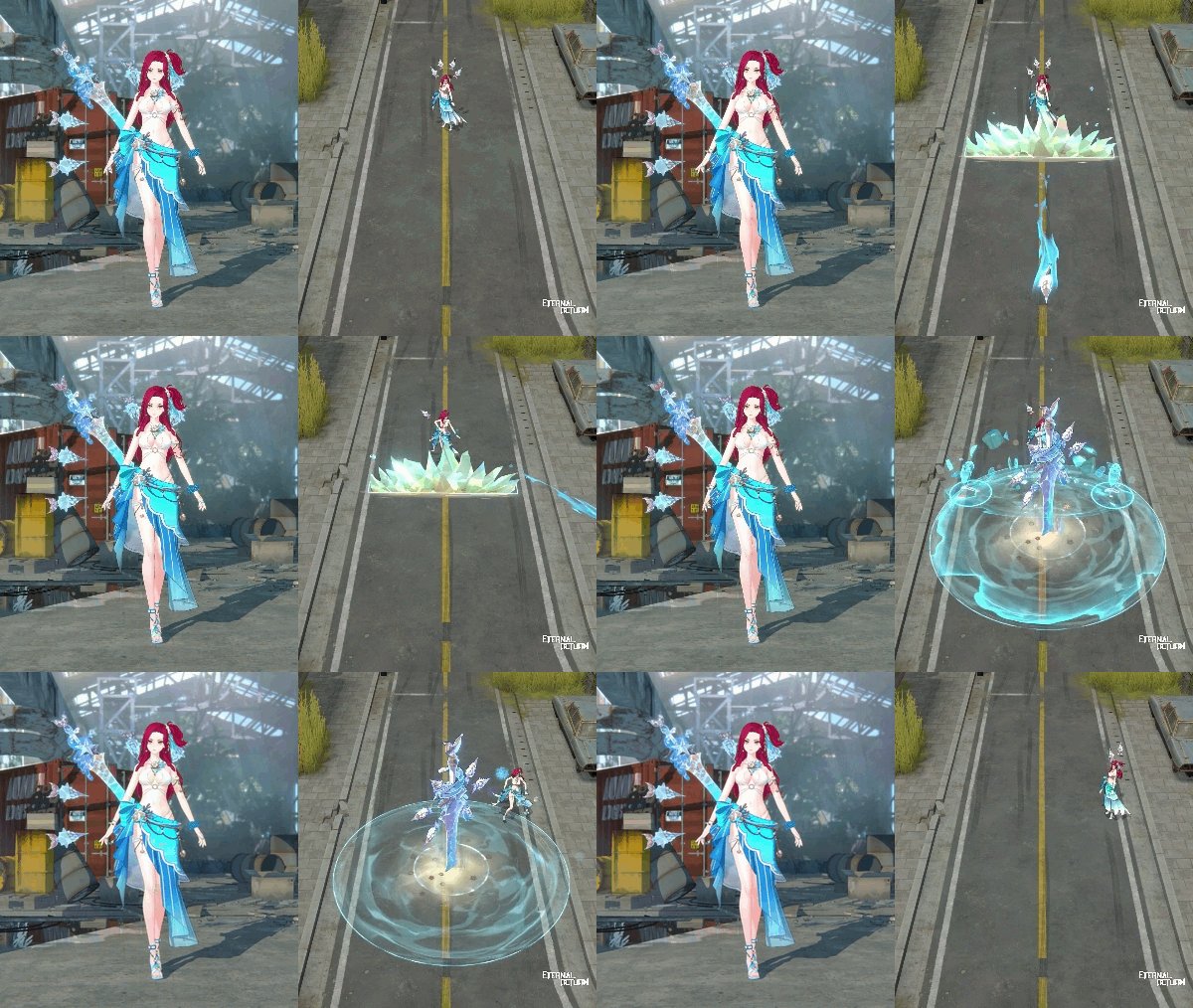
Crystal Waves Tazia(Rare) - ER Pass Sailing Level 20 Reward
“Under that bright sunlight, I will finally live free... in my paradise.”
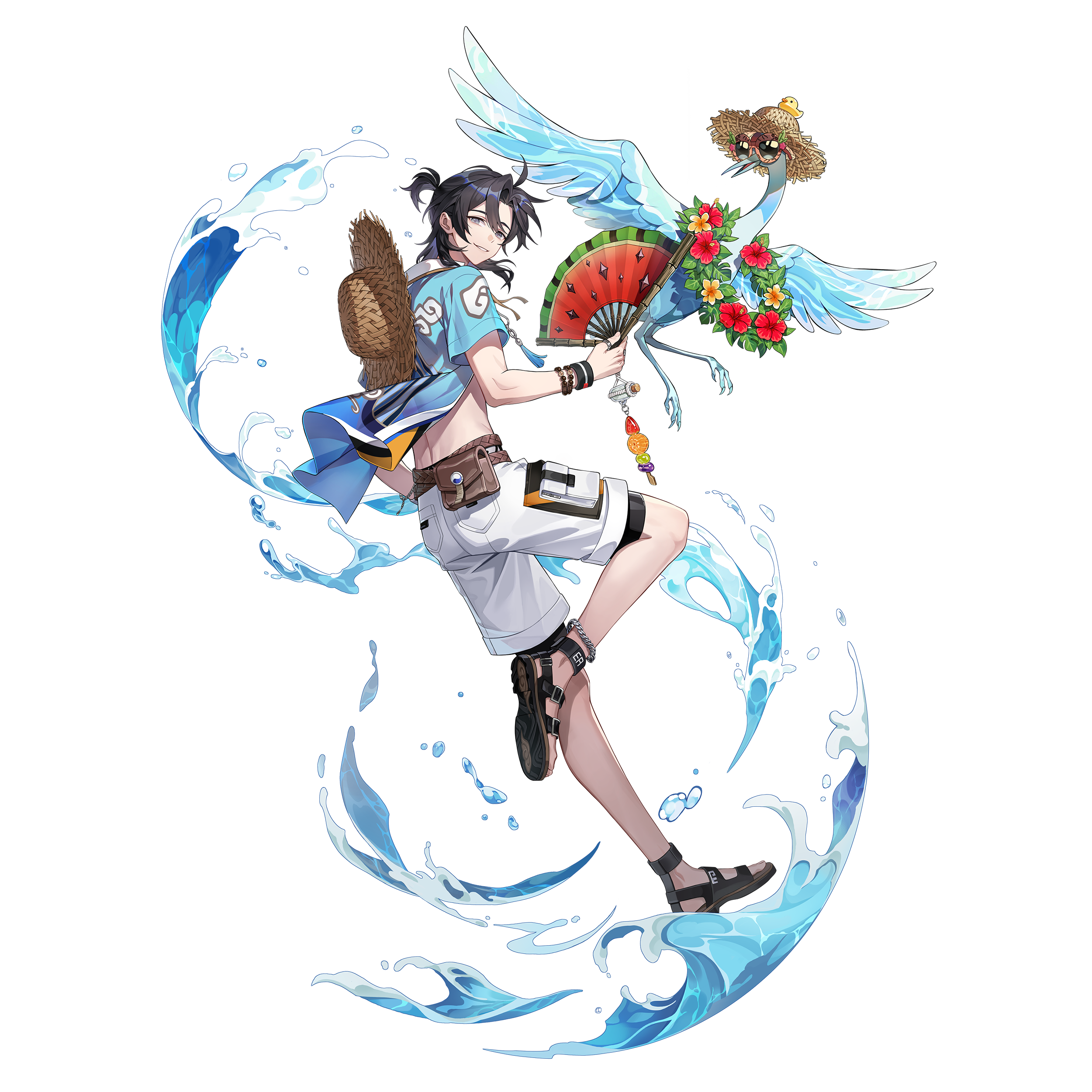
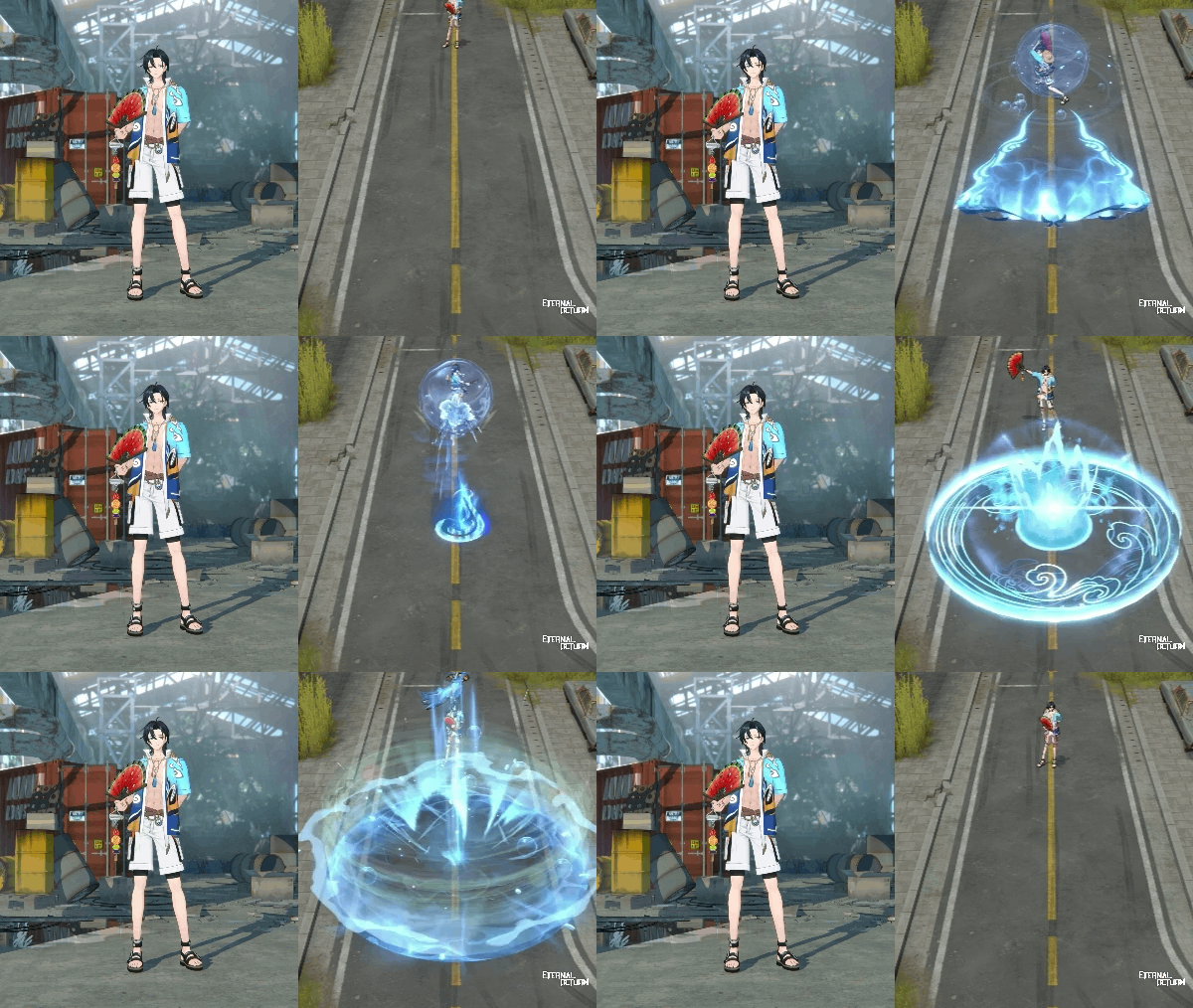
Storm Beacon Yumin (Rare) - ER Pass Sailing Level 40 Reward
“With a calm mind and a strong spirit, we ride the wind and break the waves.”
Box/Disassemble/Personal Store Probability & Item Changes
Season Tokens that you can get at a probability through daily boxes, season token random boxes and by disassembling complete items will be switched to Sailing Tokens on Thursday, August 6th during the 12.0 maintenance.
Check out the Box/Disassemble probabilities below.
Box To-Be Probabilities [See More]
[12.0] Daily Box, Season Fragment Pack, Common Season Fragment Pack, Uncommon Season Fragment Pack Items Update
Tokens received at a probability to Sailing Tokens Update
Disassemble To-Be Probabilities [See More]
[12.1] Tokens provided at a probability through disassembly of complete items to Sailing Tokens Update
Personal Store To-Be Probabilities [See More]
[12.0] Season Fragment Pack, Common Season Fragment Pack, Uncommon Season Fragment Pack Items Update
Tokens received at a probability to Sailing Tokens Update
Probabilities for items will also be adjusted
*These probabilities will be applied on August 6th.
Store Item Changes
ER Pass Royal Ending Notice
The ER Pass Royal will expire on Thursday, August 6th during the 12.0 maintenance.
For those who are eligible for rewards but haven’t received them, we will send them to your in-game mailbox on Thursday, August 6th during the 12.0 maintenance.
Mailbox Claiming Period: Until Thursday, November 6th 2026 14:59 (UTC)
Valid thru: Within 90 days after logging in
Royal Tokens Ending Notice
Products available for purchase with Royal Tokens will be discontinued on Thursday, August 6th during the 12.0 maintenance.
Make sure to use all your tokens to purchase different items in the Exchange menu before they expire.
The following bundle will no longer include Season Tokens:
Coraline Release Bundle
Petit Mignon Collection Ending Notice
A new Season Collection will be added and the previous Season Collection will be removed from the game on Thursday, August 6th during the 12.0 maintenance.
S11 Season Fragment Points & Exchange Fragments
The Season 11 Collection will only be available before the start of the 12.0 Update.
After the update, the collection will no longer be available and any unused Season Fragment Points & Exchange Fragments will no longer be available either.
Petit Mignon Collection Rewards
Unclaimed Season Collection Rewards will only be available for claiming before the 12.0 Update starts. After, they will all expire.
Make sure to claim all your rewards before the start of the 12.0 Update!
Fragment Packs (Fragment Vouchers)
Owned Season Fragment Vouchers & Packs, Common Season Fragment Vouchers & Packs and Uncommon Season Fragment Vouchers & Packs will still be available after the 12.0 Update.
Fragment Packs that are opened after the 12.0 Update will include currently ongoing season fragments.
*NOTE: MAKE SURE TO USE YOUR SEASON FRAGMENT POINTS AND EXCHANGE FRAGMENTS, AND CLAIM ALL YOUR SEASON COLLECTION REWARDS BEFORE THEY EXPIRE WITH THE START OF THE 12.0 UPDATE.
S11 Premium/Basic Token Books II Availability & Sale Ending Notice
The sale of the S11 Premium/Basic Token Books II will be carried out until Thursday, August 6th (UTC) before maintenance and will disappear after.
*Rewards that haven’t been claimed will be sent to your mailbox.
Season Collection Sailing Fragments
You can get Season Collection Fragments through Daily Boxes, Season Fragment Vouchers, Common Season Fragment Vouchers, and Uncommon Season Fragment Vouchers.
You can also receive Season Collection Fragments according to your results in Normals / Ranked / Cobalt Protocol matches.
Emotes
New Bianca emotes will be available.
Ranked Matchmaking
Matchmaking Changes
For the Preseason, the Ranked matchmaking range for the Asia 1 server will be significantly expanded. Ranked matchmaking for other servers will be temporarily closed.
Archive: New Episode
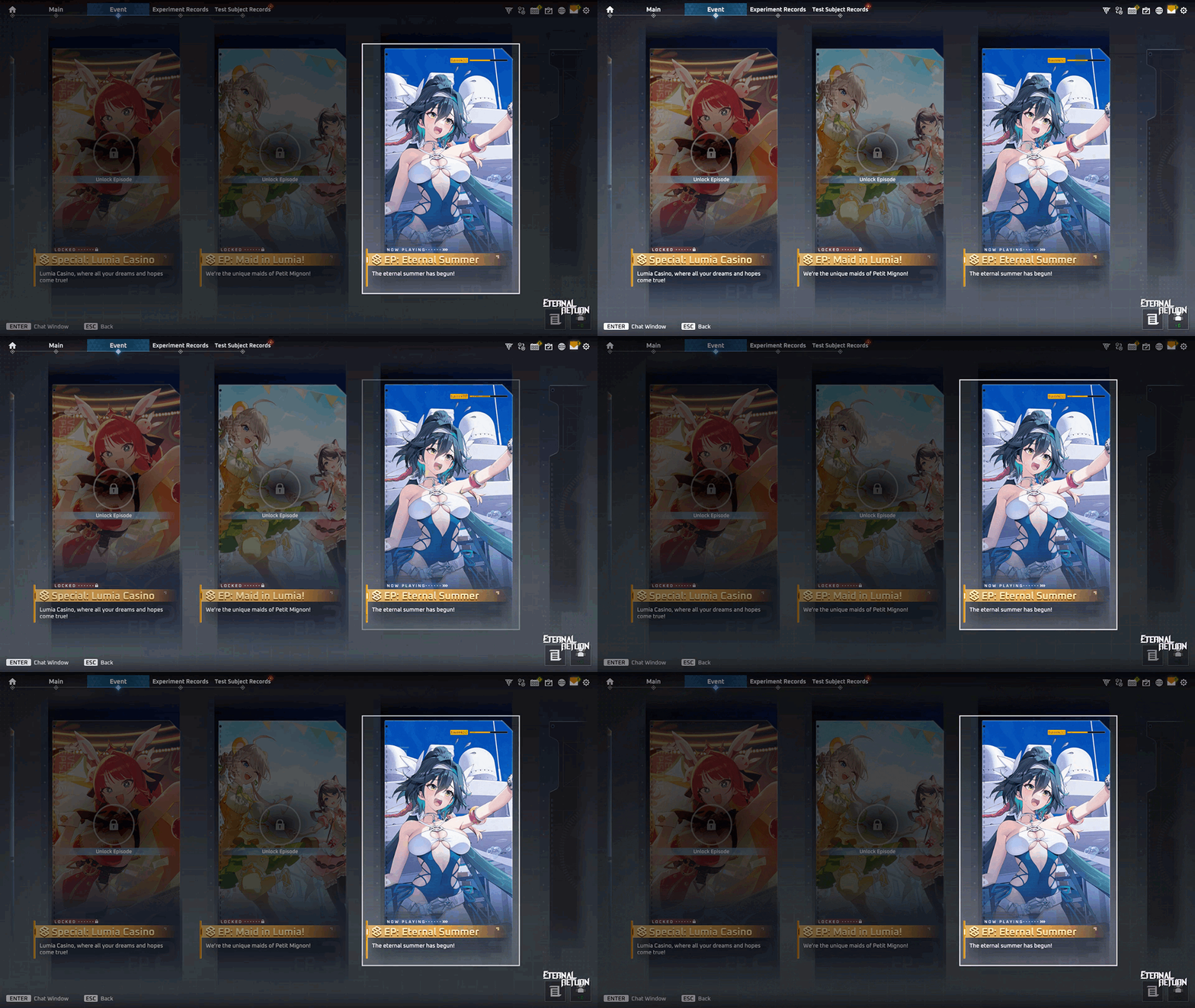
We’re adding a new episode with the theme of this season “Sailing.”
Event Episode - [Ep: Eternal Summer]
"The eternal summer has begun!"
Available for free: Until Thursday, September 17th before the 12.4 maintenance.
Price after: 1,000 A-Coin per Chapter
Unity 6 Engine Update
We updated the game to the Unity 6 engine to improve overall stability and performance. We made several key optimizations in this patch and will continue refining performance and stability in future updates.
Graphics Quality Improvements
We improved overall graphical rendering to deliver a sharper, more natural visual experience.
Frame Rate Performance
We optimized performance to maintain more stable frame rates during combat and in situations that include multiple objectives.
Loading Process Improvements
We redesigned the loading structure to align with the new engine, optimizing load times when entering the game and transitioning between screens.
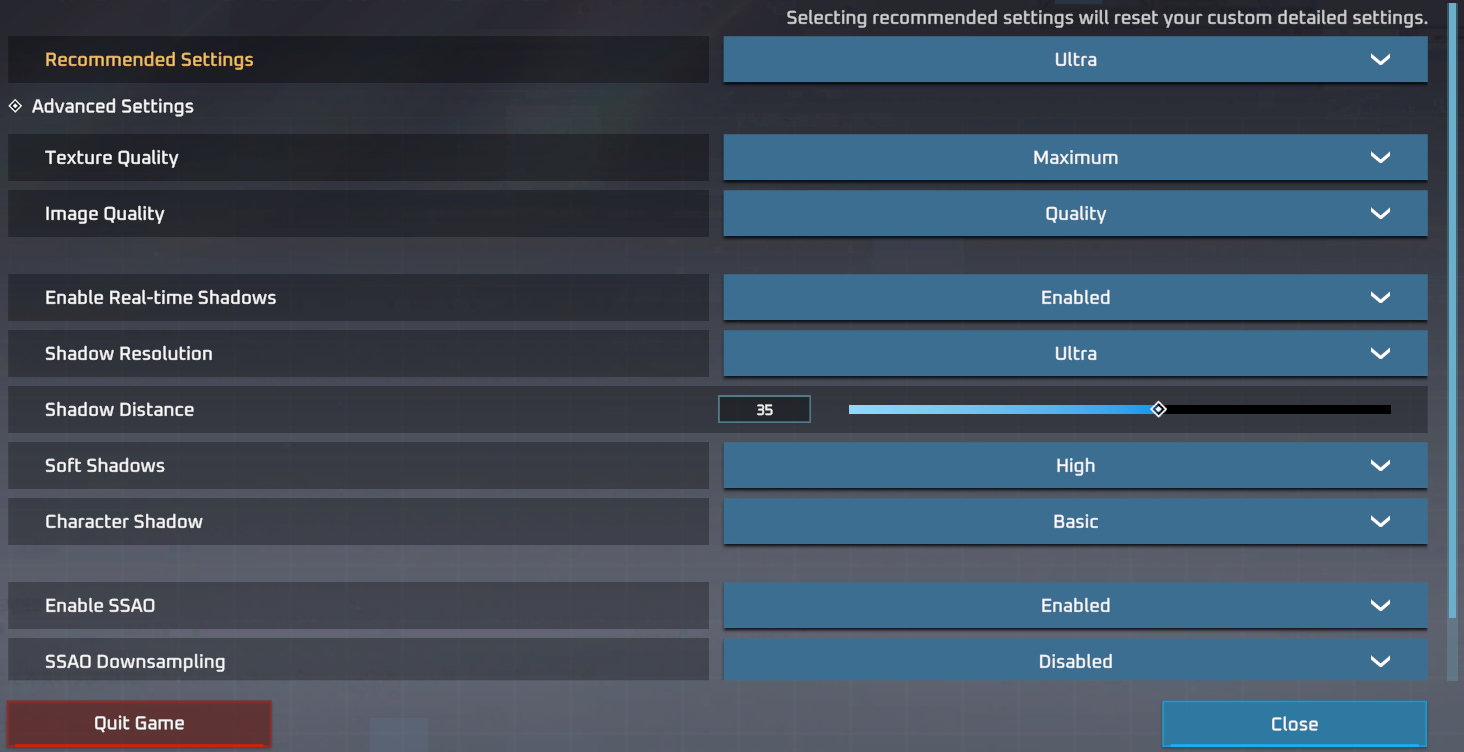
Custom Graphics Options
We added customizable graphics settings so players can adjust image quality, shadow processing, and other visual options to suit their setup.
Briefing Room
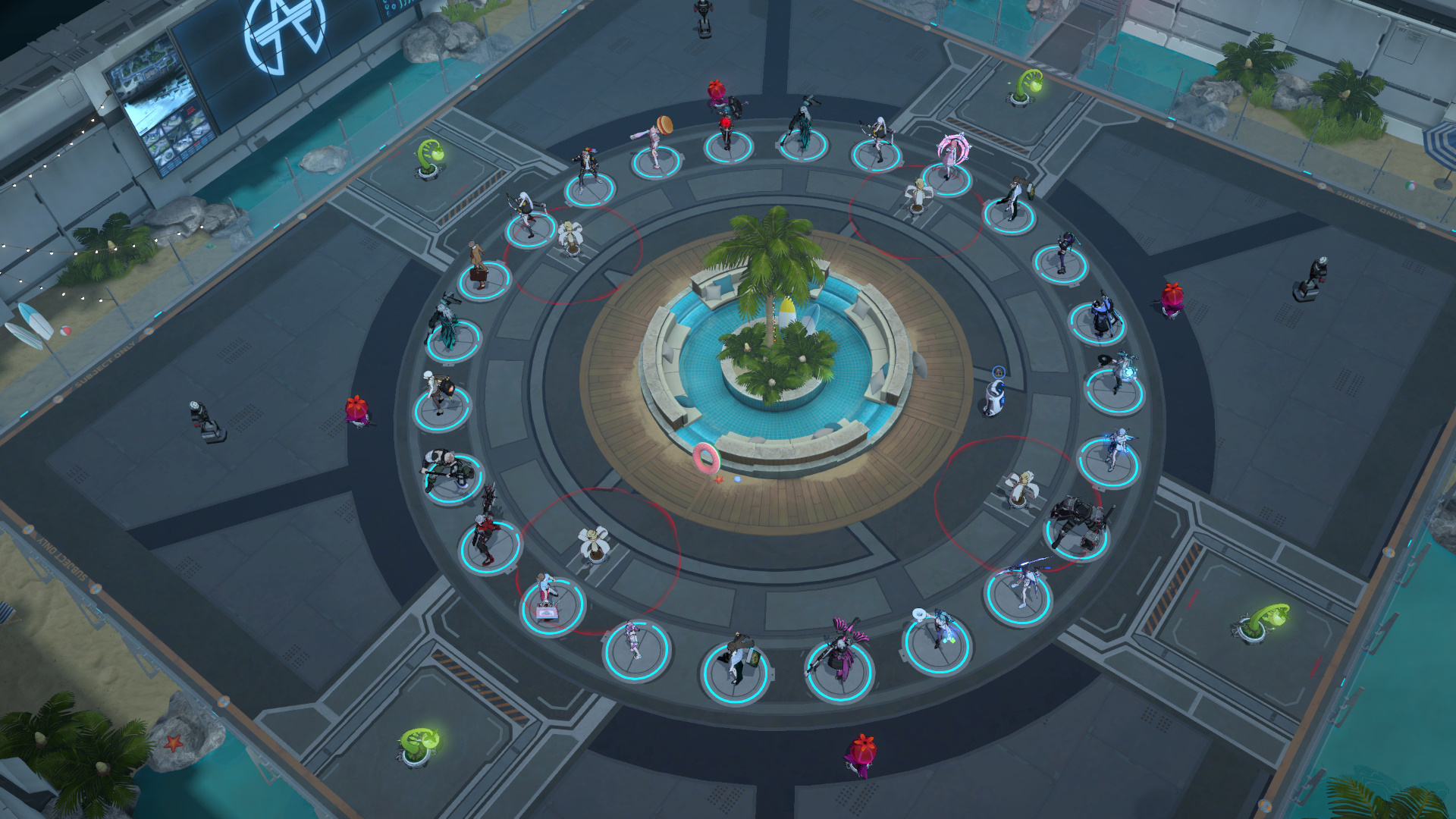
The lobby will be decorated in our new season’s Sailing theme!
S12 Highlight 1 - Rest System Improvements
The Resting system in Lumia Island has been completely reworked! You can now initiate Rest even in combat, giving you full control over risk and reward through a new multi-stage channeling system.
Rest Mechanics
Pressing the Rest hotkey (X by default) now begins Rest at any time, regardless of whether you are in combat. The previous non-combat restriction has been completely removed.
Rest now functions as a 3-stage casting, applying its recovery effect upon completing each stage. Canceling Rest while casting forfeits the recovery of the active stage, allowing you to react to combat situations and decide how long to maintain your rest.
Movement commands right before a stage completes (within 0.25 seconds) will be effective after the active recovery phase is done, ensuring smooth movement without wasting HP/SP recovery.
The resting animation and visual effects persist even after all casting stages are complete.
Rest & Recovery
Stage 1
Casting Duration 3s
Recovery 15% of all HP
Stage 2
Casting Duration 3s
Recovery 15% of all HP
Stage 3
Casting Duration 4s
Recovery 50% of all HP
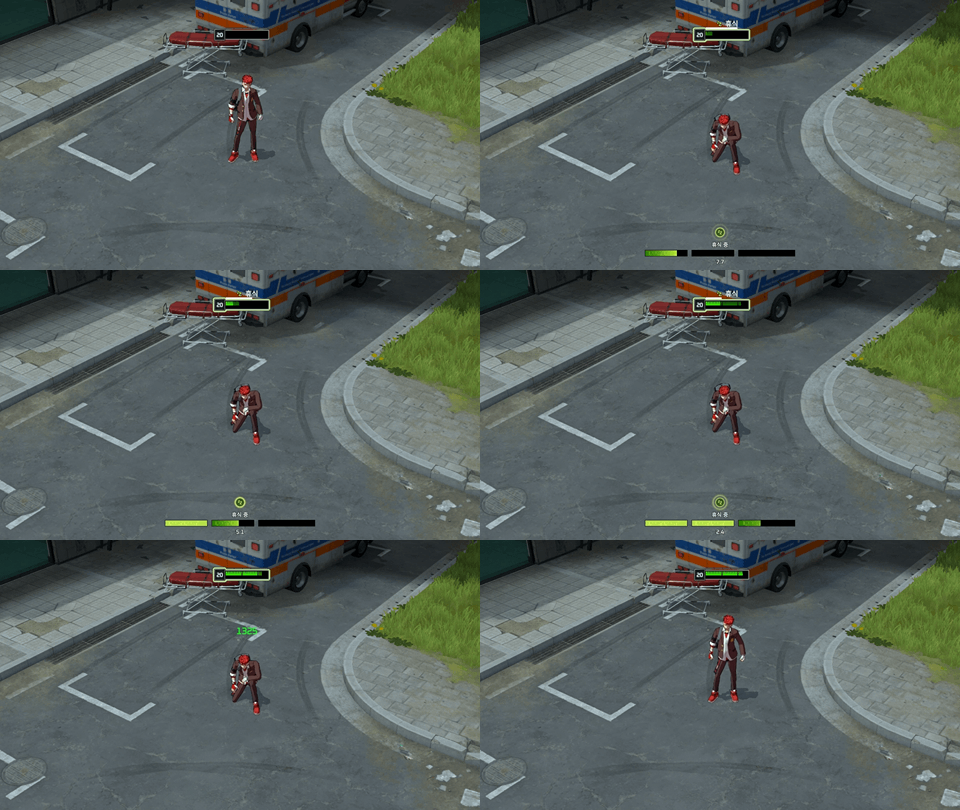
Rest Cancel Conditions
Pressing the Rest hotkey again or any movement commands while resting will cancel it.
Taking damage will cancel Rest. Crowd Control effects and skills that forcibly interrupt Rest (such as Mai's Ultimate - Exclusive (R)) will also cancel it.
When Rest is canceled, a 1 second cooldown is applied before it can be used again.
Rest UI Improvements
Character HP Bar: Characters who are resting now feature a highlighted HP bar border along with a Rest casting bar, making it easy to see the resting status of both allies and enemies at a glance. Additionally, the estimated HP recovery amount from Resting is now visually indicated on the HP bar.
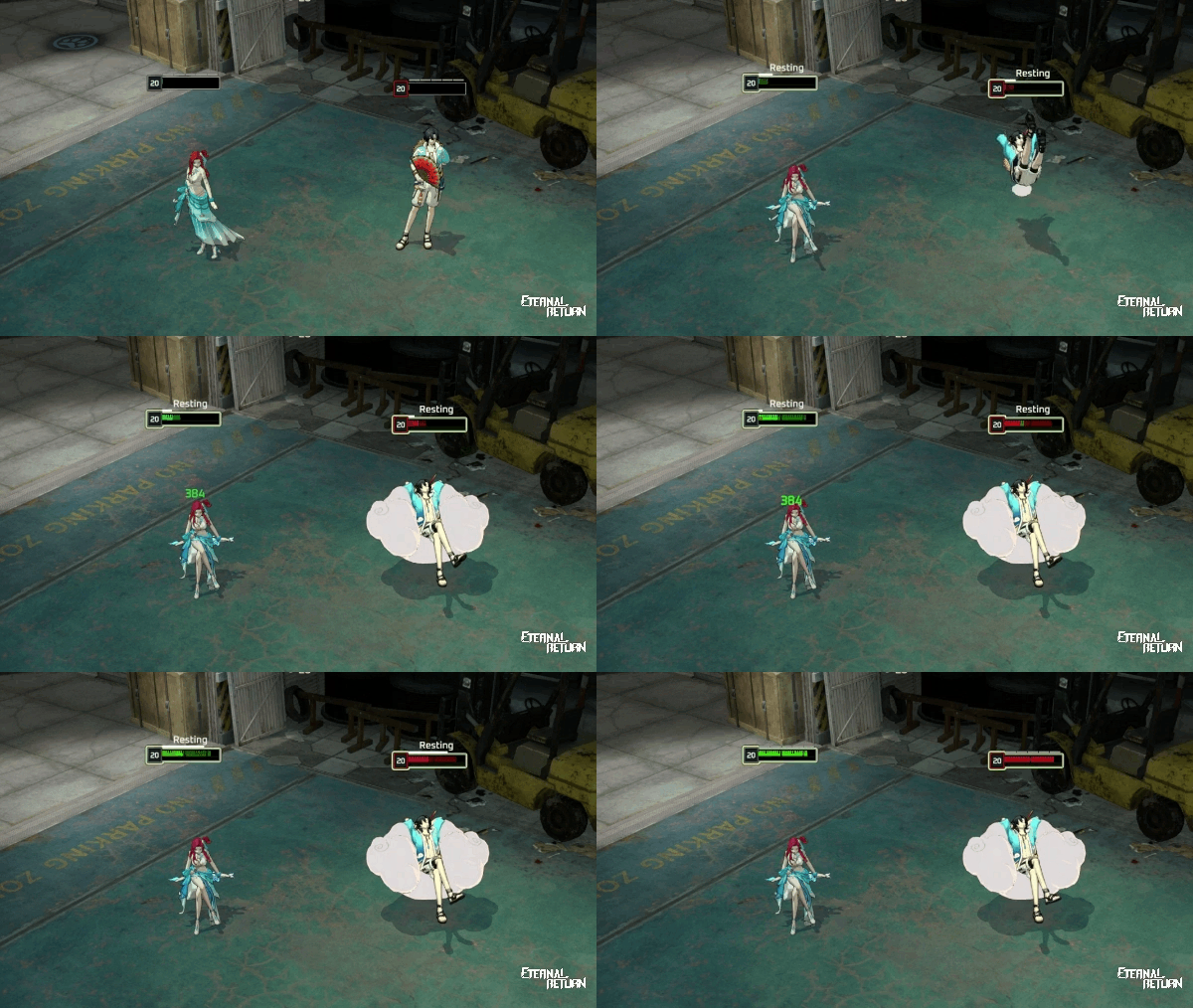
In-game HUD: You can now monitor your resting status and preview your estimated HP recovery directly from the HUD. The cooldown triggered when Rest is canceled is also tracked on the HUD display.
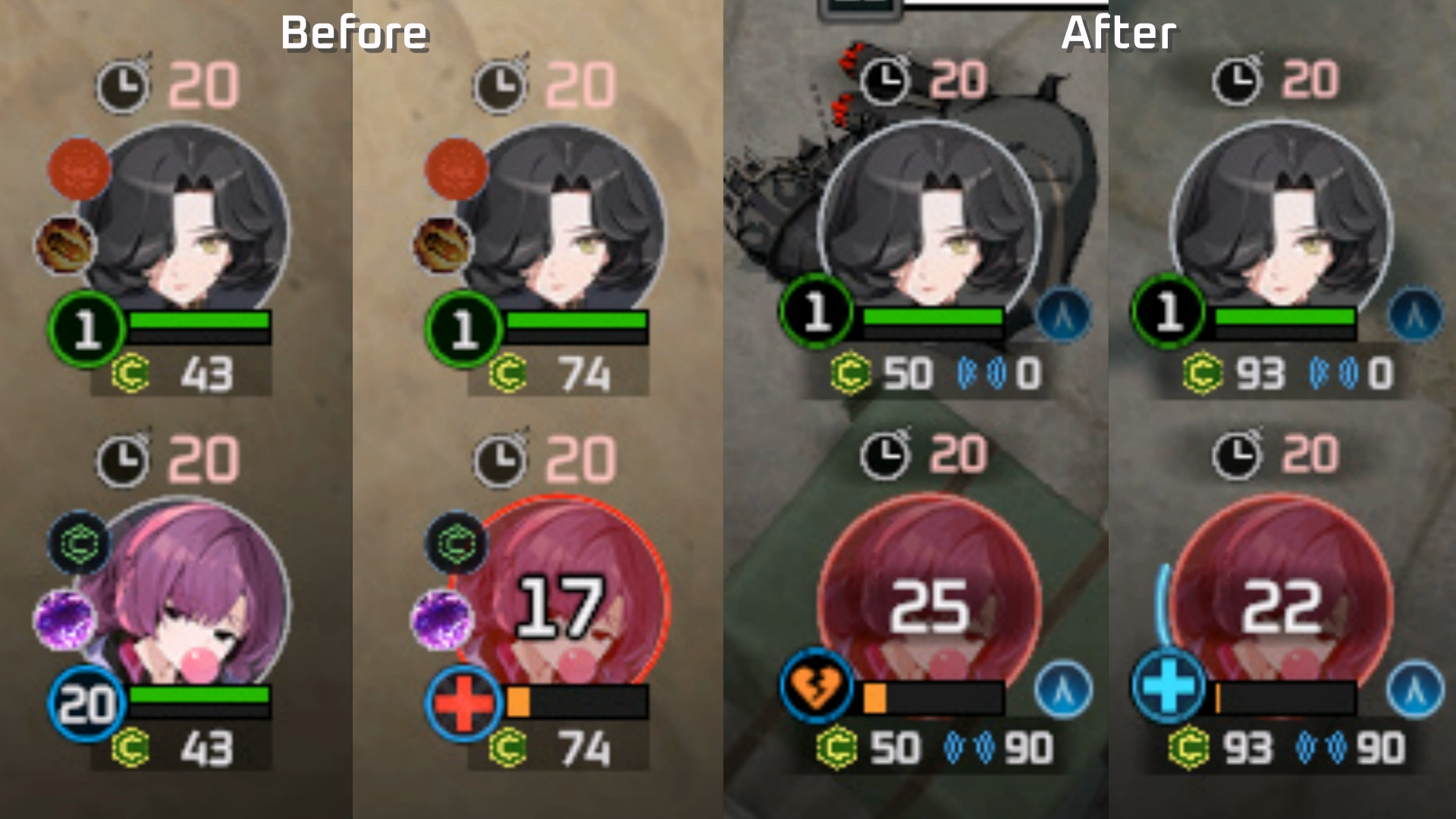
Teammate Info UI: Teammate status indicators have been updated for clearer real-time readability:
When an ally is casting Rest or performing a revive, a progress bar appears directly on their character portrait.
The icon for downed teammates has been updated from a red cross to a broken heart.
Teammate ultimate’s active status is now indicated using a common icon rather than individual icons.
S12 Spotlight 2 - Temporary Safe Zones: Chronospheres
Temporary Safe Zones are switching from area control to a Chronosphere system. This eliminates the learning curve caused by disparate rules between the temporary safe zones and the final temporary safe zones, allowing for more strategic skirmishes and localized fights inside the Chronosphere when multiple teams contest the same area.
The revival system for teammates of the winning team in the Temporary Safe Zone remains unchanged.
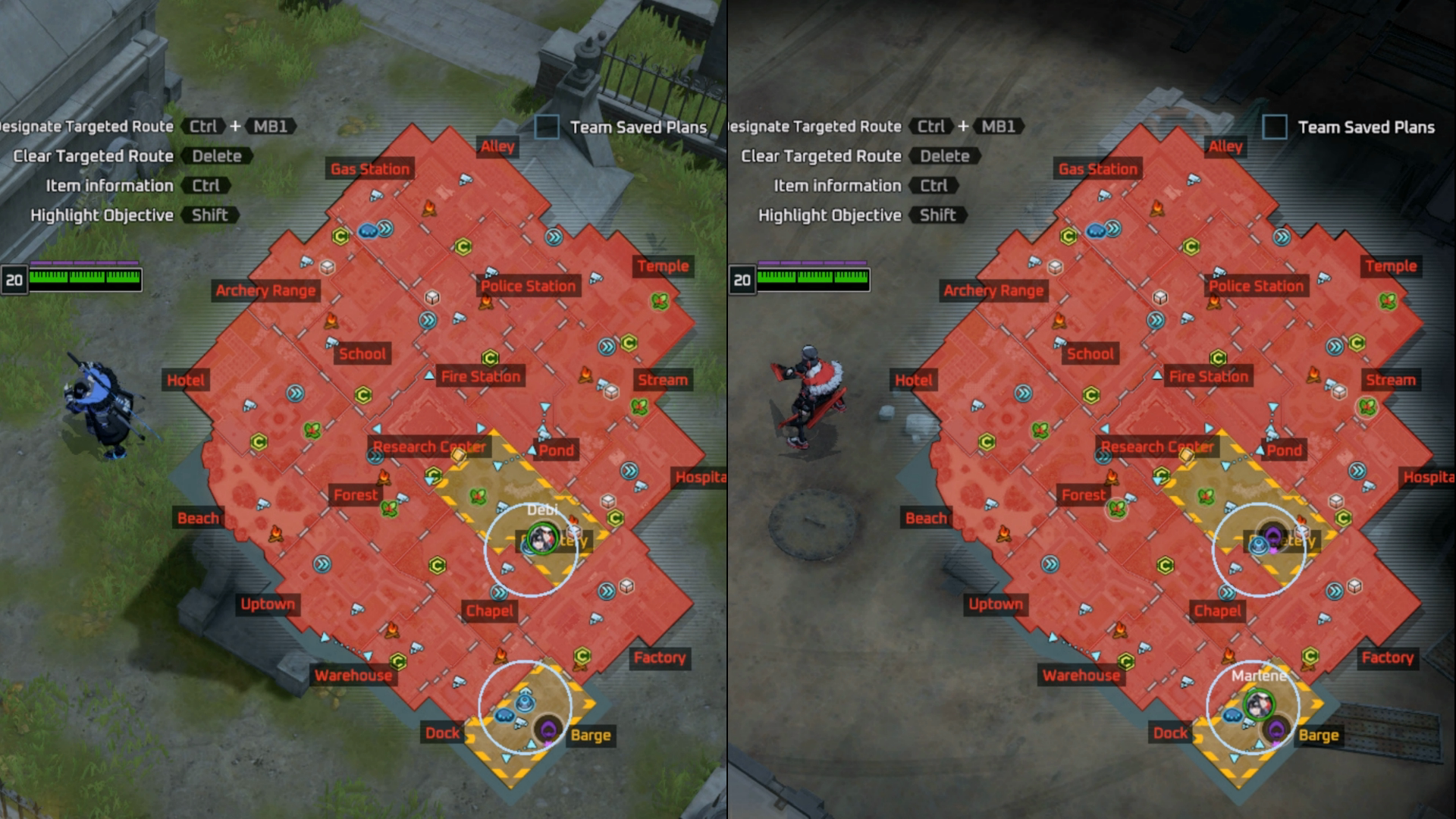
Minimap & Expanded Chronosphere Visibility Improvements
While previously only the border of the Chronosphere was marked with a white line, the active area and borders are both now distinctly highlighted. This allows you to easily see the exact range of the Chronosphere on both the Minimap and Expanded Map at a glance.
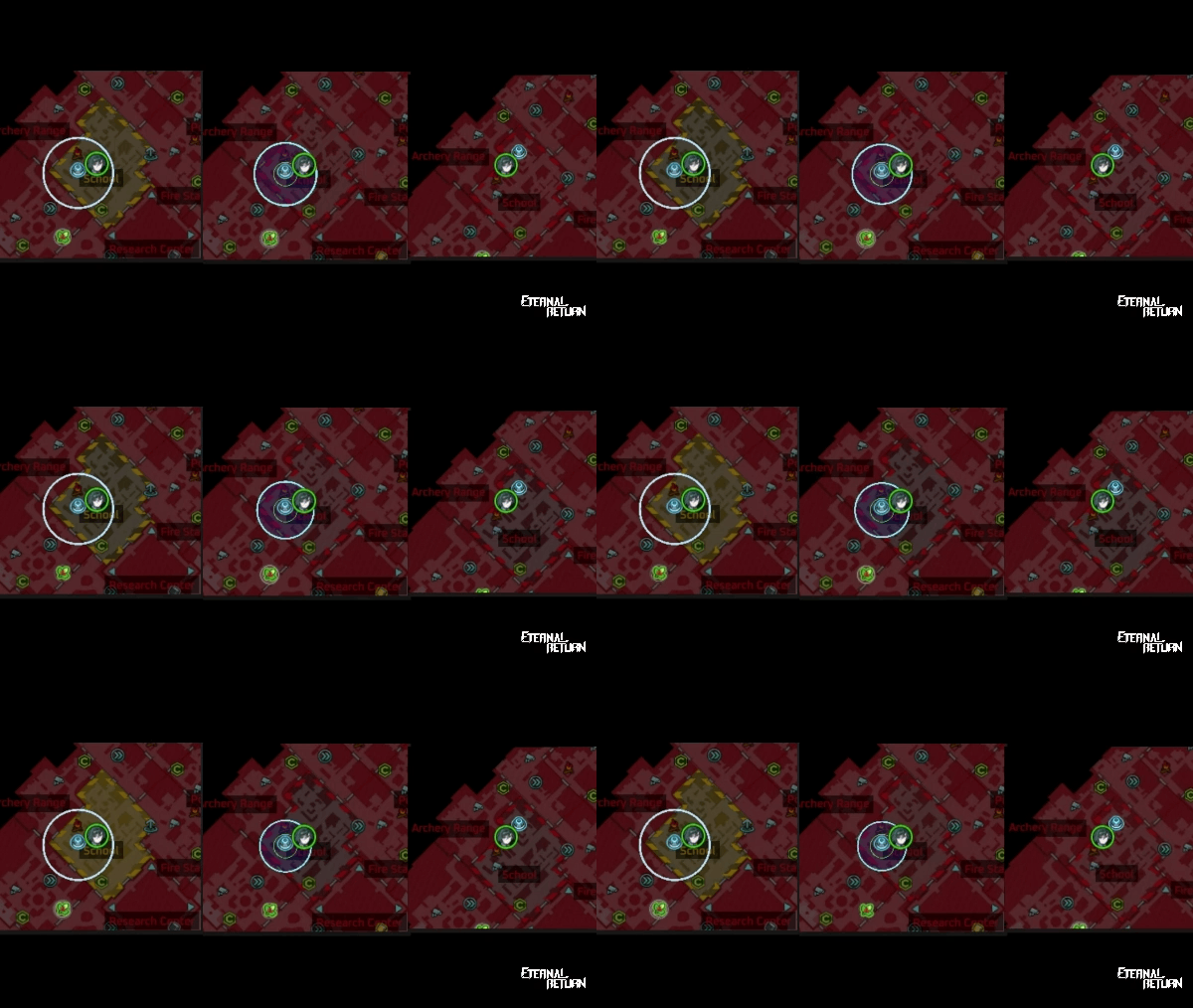
Elimination of Characters Outside the Temporary Safe Zone
To prevent characters who failed to enter a Temporary Safe Zone from interfering in combat from the outside, all characters remaining outside of Temporary Safe Zones (in Restricted Areas) will be instantly eliminated the moment Temporary Safe Zones become active.
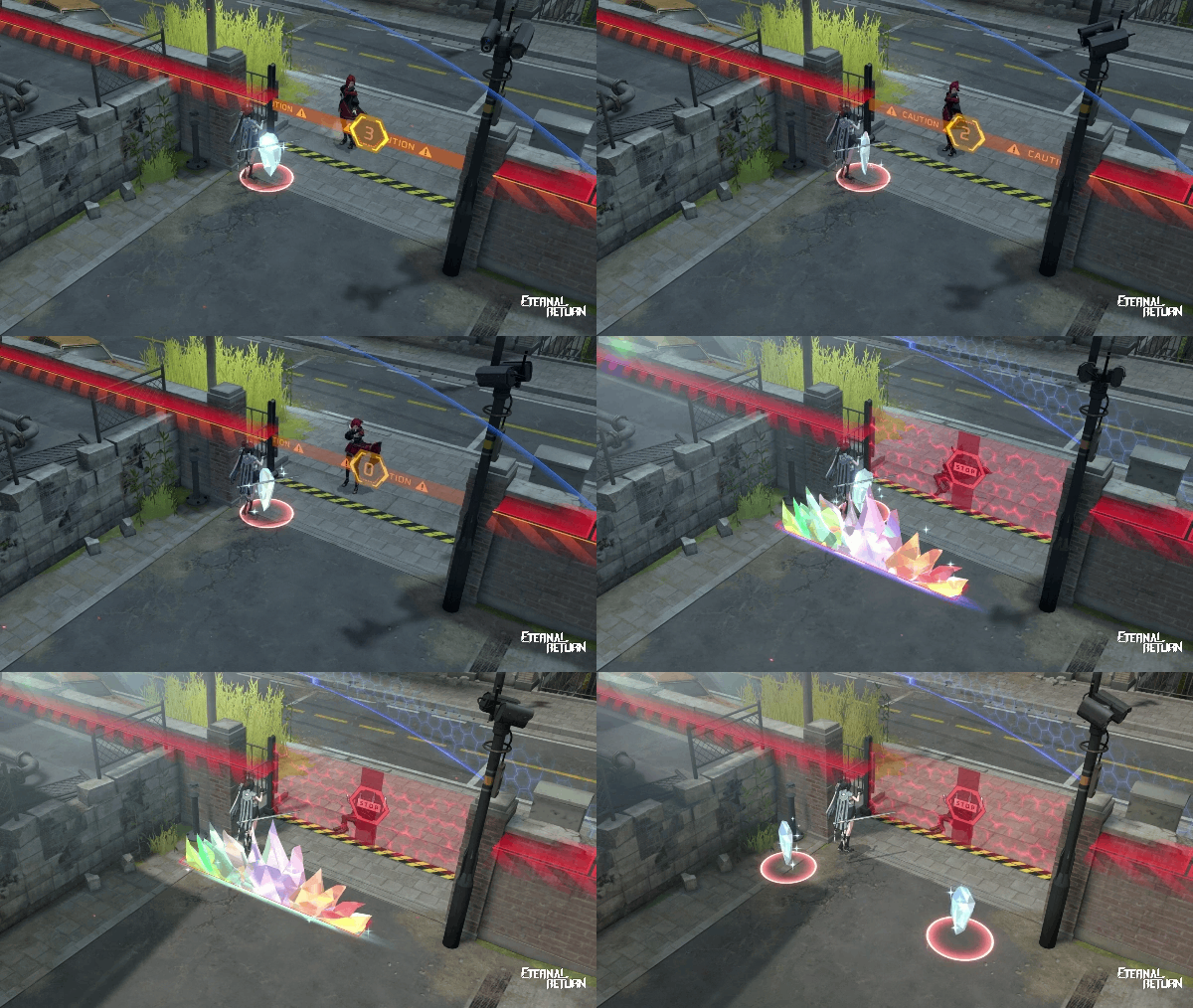
Temporary Safe Zone Barrier Crossing Prevention Improvements
Once a Temporary Safe Zone becomes active, movement skills can no longer bypass the outer barrier walls. Attempting to pass through the barrier using non-targeted movement skills will cause your character to collide with the wall and immediately end the skill movement.
However, attempting to cross the barrier using targeted movement skills, such as Estelle's Helitack Stat! (R) or Nicky's Pure Rage Uppercut!! (R), will result in immediate elimination upon crossing, as usual.
Temporary Safe Zone Chronosphere Timeline
Safe Zone Spawn
A Safe Zone spawns in a 30m radius area for 5 seconds.
1st Shrink
The Safe Zone slowly shrinks down to a 10m radius area over 20 seconds.
Standby
The next movement target point displays for 10s while you wait.
Movement
The Chronosphere moves toward the target point, shifting the Safe Zone along with it.
2nd Shrink
The Safe Zone slowly shrinks down to a 5m radius area over 15 seconds.
2nd Safe Zone Hold
The Safe Zone maintains its 5m radius for 40 seconds.
3rd Shrink & Deactivation
The Safe Zone shrinks down to a 0m radius over 5 seconds before fully dissolving.
Determining the Winner
The Chronosphere expands to its maximum safe area and persists until the Final Safe Zone phase.
S12 Spotlight 3 - Restricted Area Reopening System
We’re adding a new feature to allow players to reopen Restricted Areas under specific conditions. By giving teams partial control over previously locked-off zones, this system introduces fresh tactical options and strategic depth to late-game decision-making.
Lumi’s Restricted Area Reopening Item
You can now go to Lumi to reopen a selected Restricted Area or upcoming Restricted Area back into a Safe Zone for the next phase.
The Restricted Area Reopen order costs 20 Credits and follows these purchasing conditions:
Available for purchase from Day 3 to Day 5.
Must be purchased at least 20 seconds before each phase starts.
Limited to one purchase per team per phase.
Purchasing a Restricted Area Reopening item will not make Lumi flee.
Other teams will be alerted whenever a team purchases a Restricted Area Reopening item.
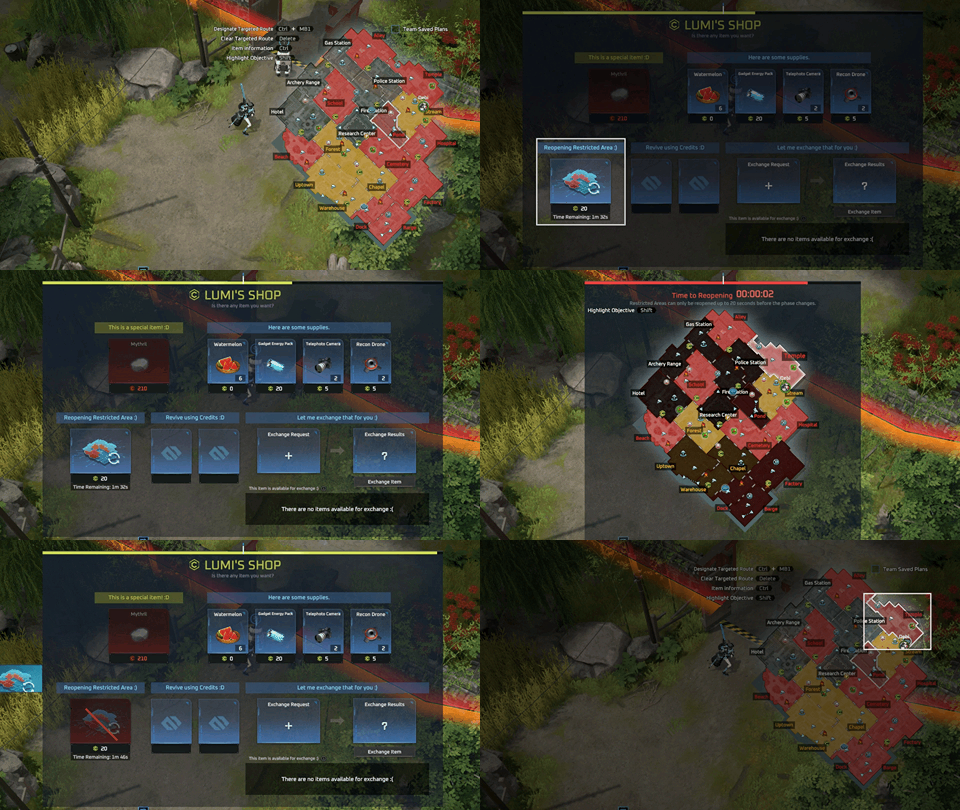
Additional Restricted Area Reopen Features
Upon purchasing the item, you immediately gain CCTV vision for the selected Restricted Area and upcoming Restricted Area.
Mutant wild animals spawning for the first time in a reopened Restricted Area have a 10% increased spawn chance.
Does not apply to upcoming Restricted Areas.
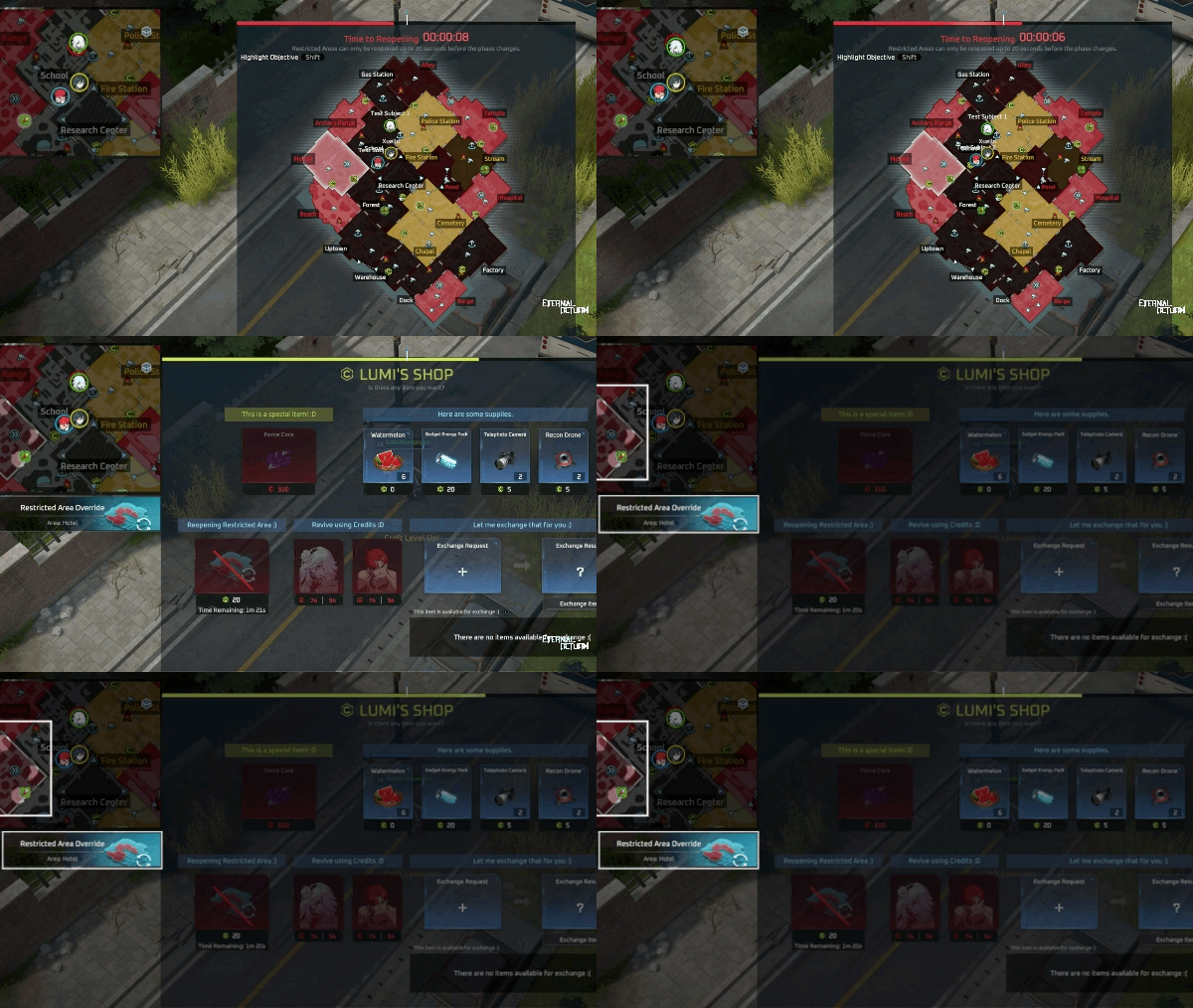
S12 Spotlight 4 - Test Subject Records
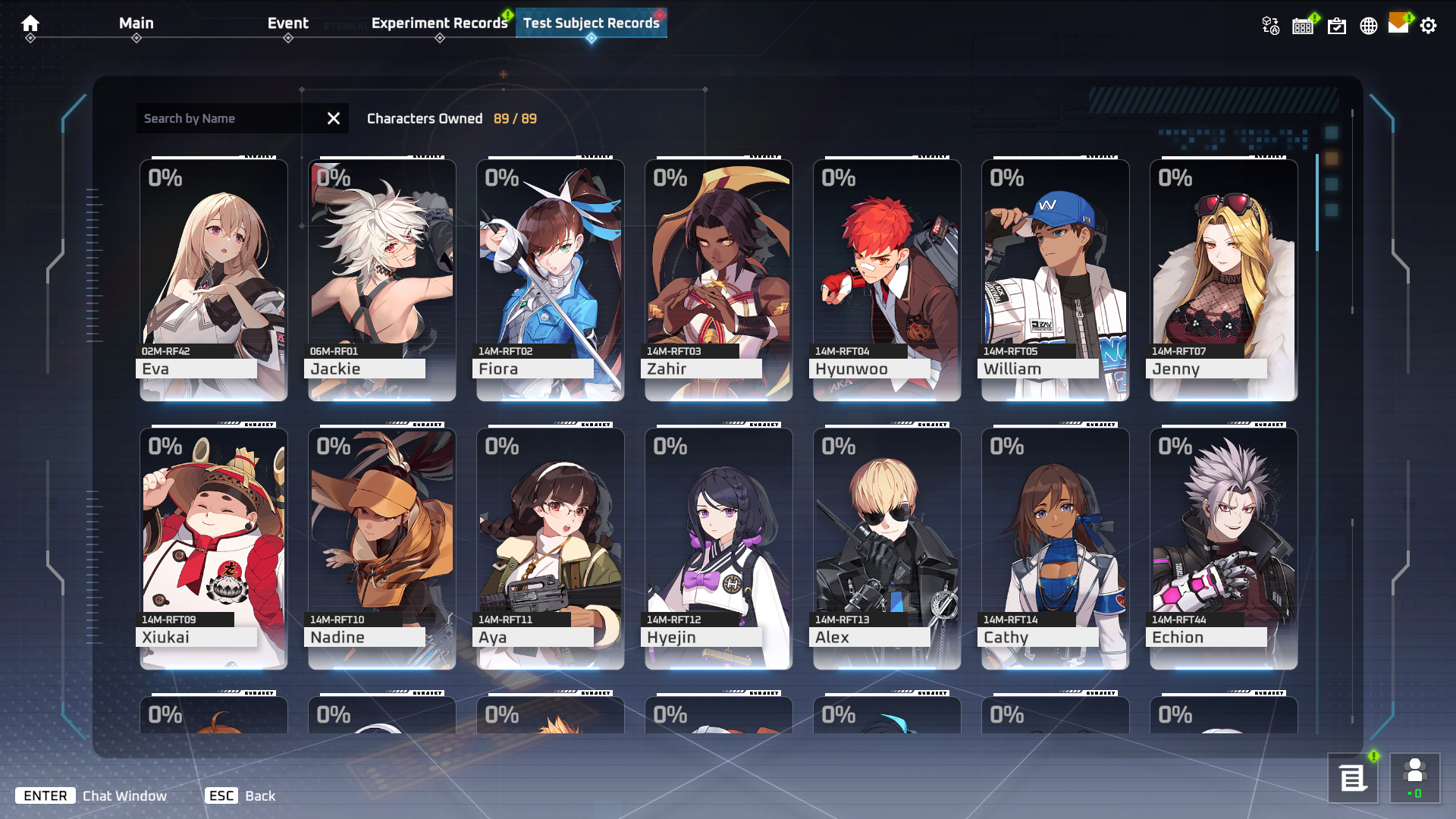
We're adding a new tab in Archive: Test Subject Records.
This new menu features a variety of lore and information about our test subjects, something you've been asking for!
This content was translated using an automated tool and will be improved in upcoming patches.
Unlocking & Accessing Content
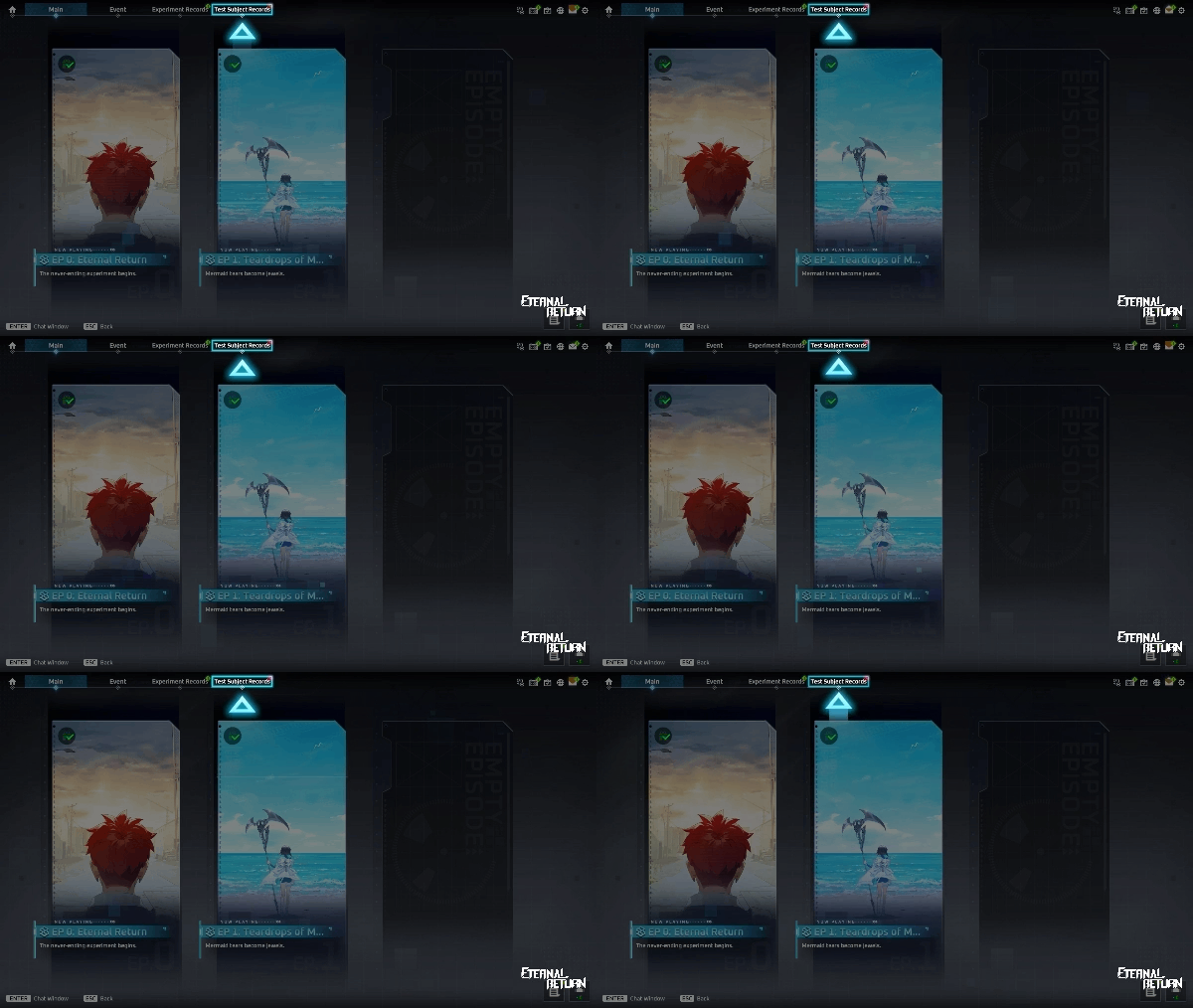
Completing Tutorial 1 (unlocking the character Hyunwoo) and watching all scenarios in the Main Episode Ep.1 Teardrops of Mermaids will unlock the Test Subject Records content.
Players who meet these conditions will receive a dedicated content tutorial popup upon returning to the game lobby for the first time.
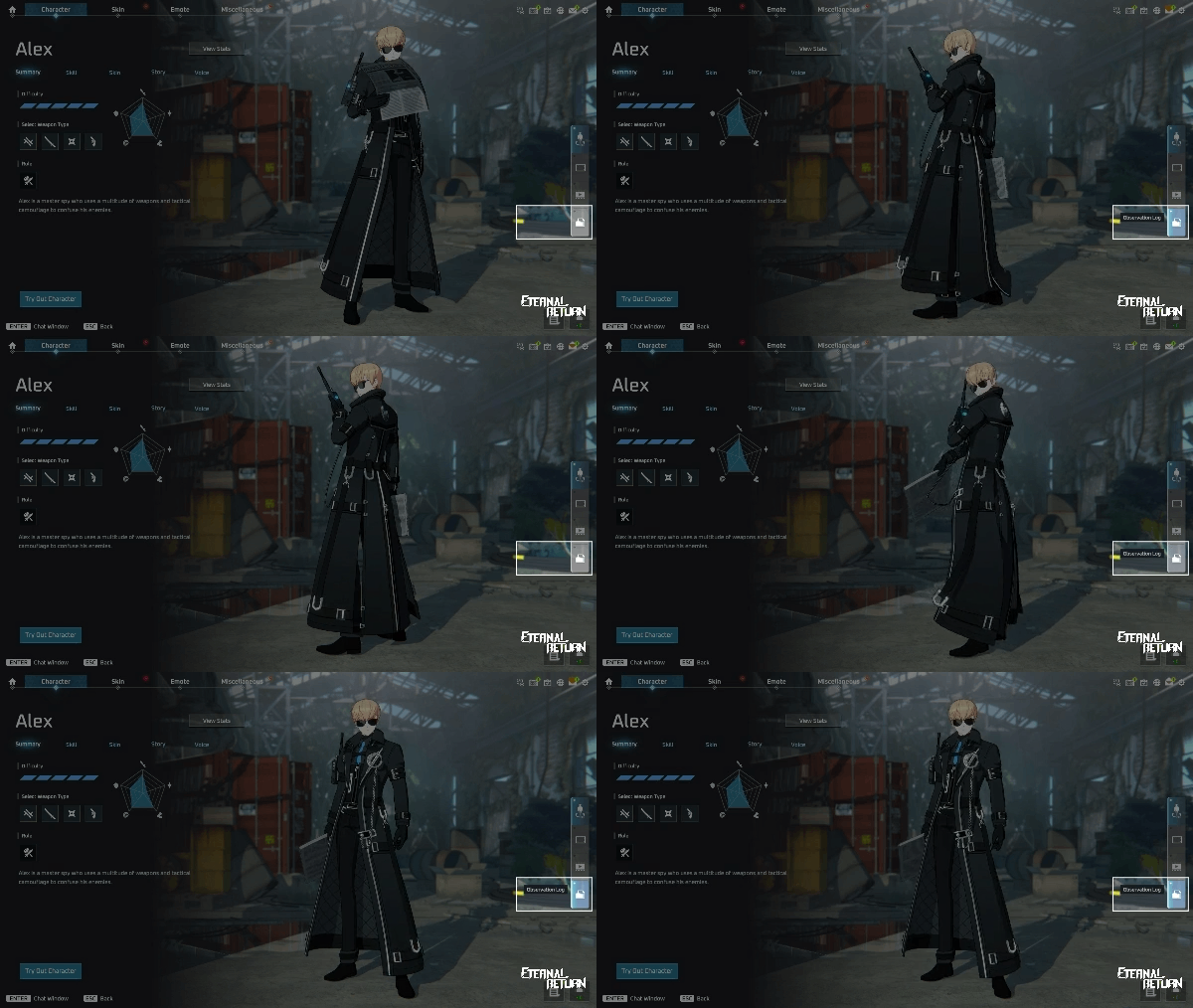
You can access Test Subject Records by clicking the Test Subject Records tab at the top of the Archive menu, or by clicking the Test Subject Records button on the right side of the Character Overview tab.
Contents
Character List
Browse the full character list to easily view all your owned characters and their respective Analysis Progress at a glance.
Characters are ordered based on their test subject code number.
Character Details
Access detailed data collected by Aglaia, including real names, family background, VF abilities, and more.
Character details are divided into 5 distinct sections: Overview, Records, Audio Records, VF Report, and Observation Logs.
Overview, Records, and Audio Records are fully accessible as soon as you own the character.
Unlocking individual entries within VF Report and Observation Logs requires reaching specific Analysis Progress milestones for each respective section.
Analysis Progress
Analysis Progress represents how deeply you have studied and observed a specific character.
Analysis Progress caps at 100%, and can be increased either by playing Normal or Ranked matches with that character or by purchasing progress using Data Fragments.
S12 Spotlight 5 - Terrain & CCTV Adjustments
Terrain Adjustments
Uptown ↔︎ Beach Entrance Expansion
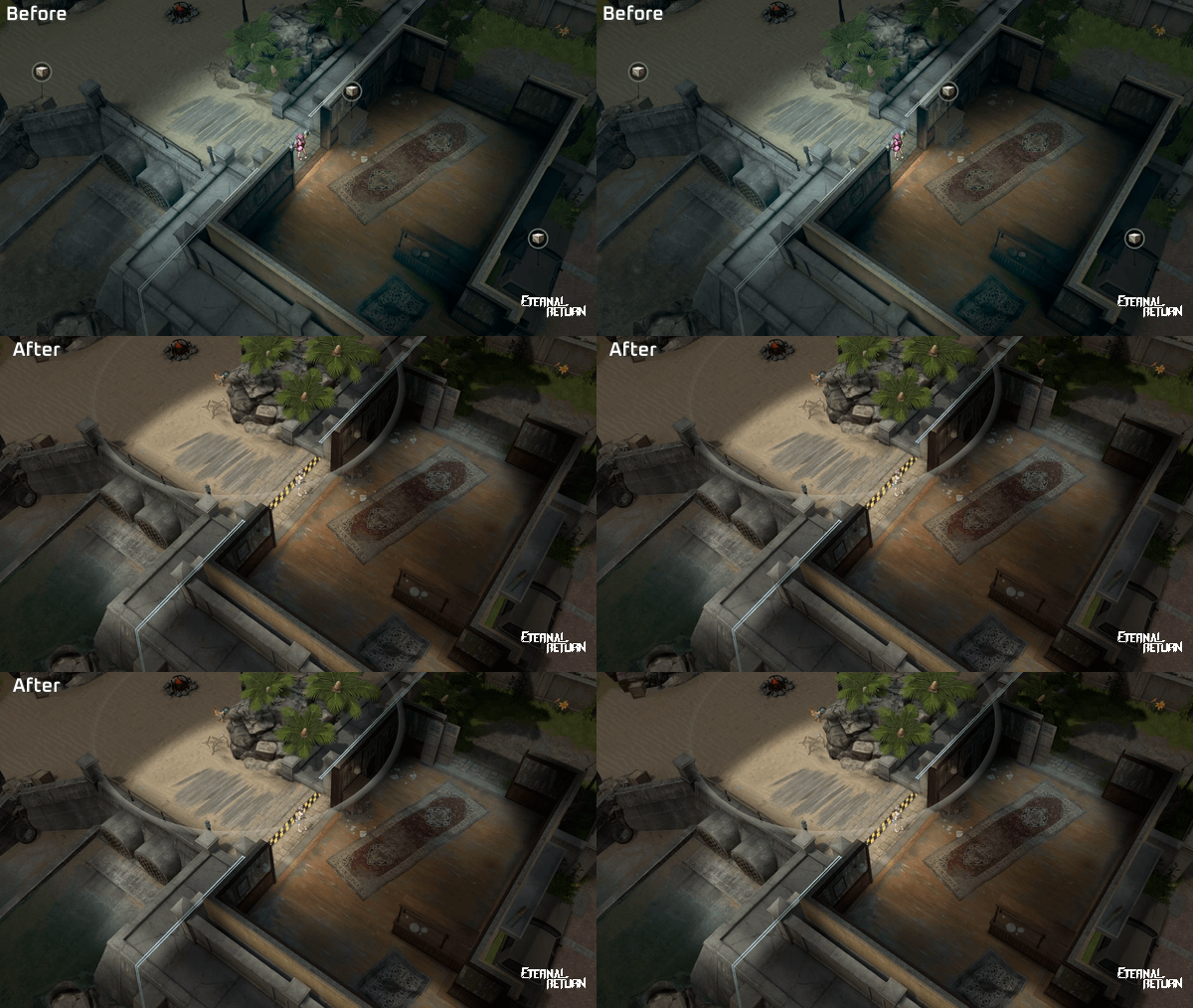
Pond’s Boxes Relocation
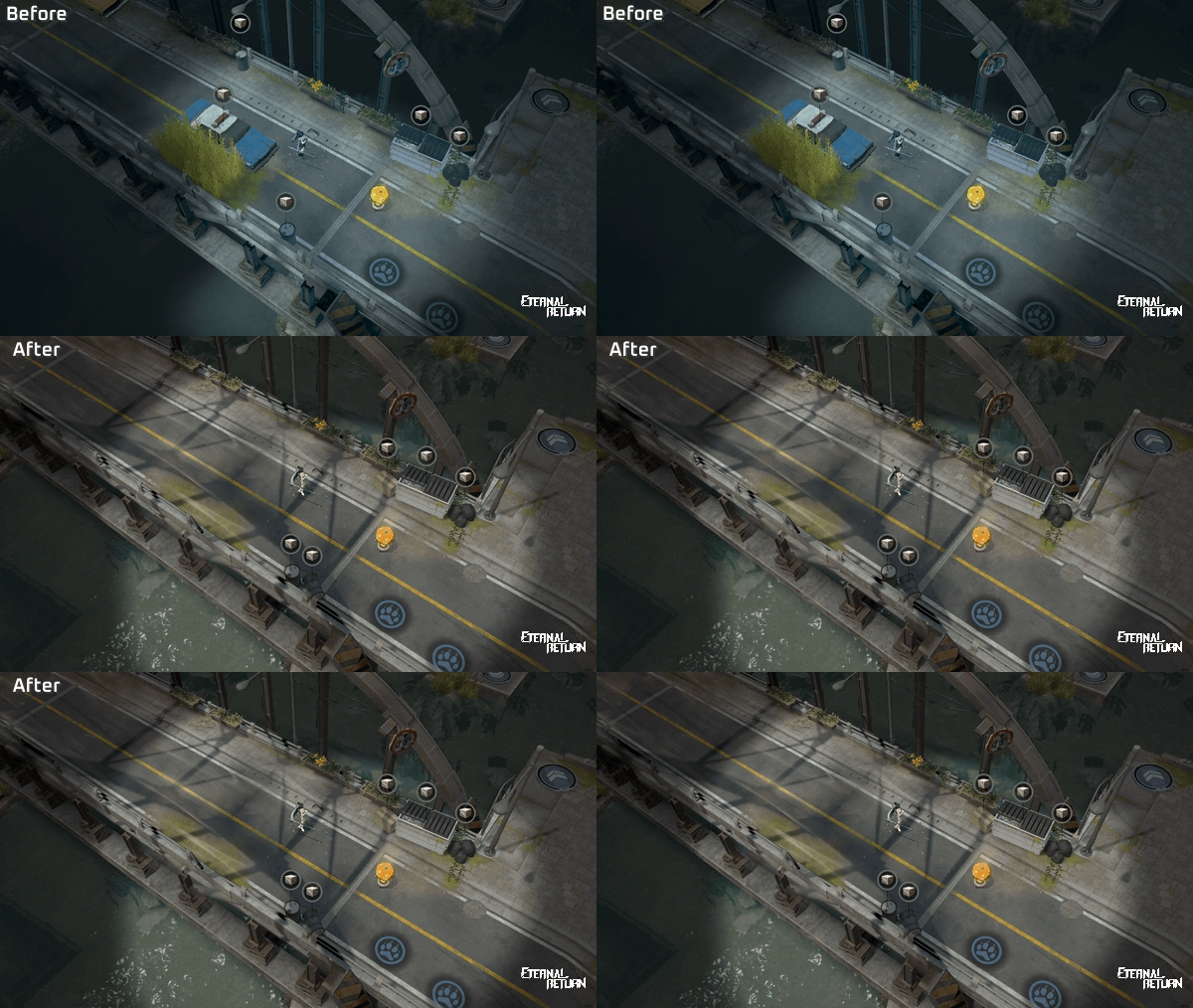
CCTV Adjustments
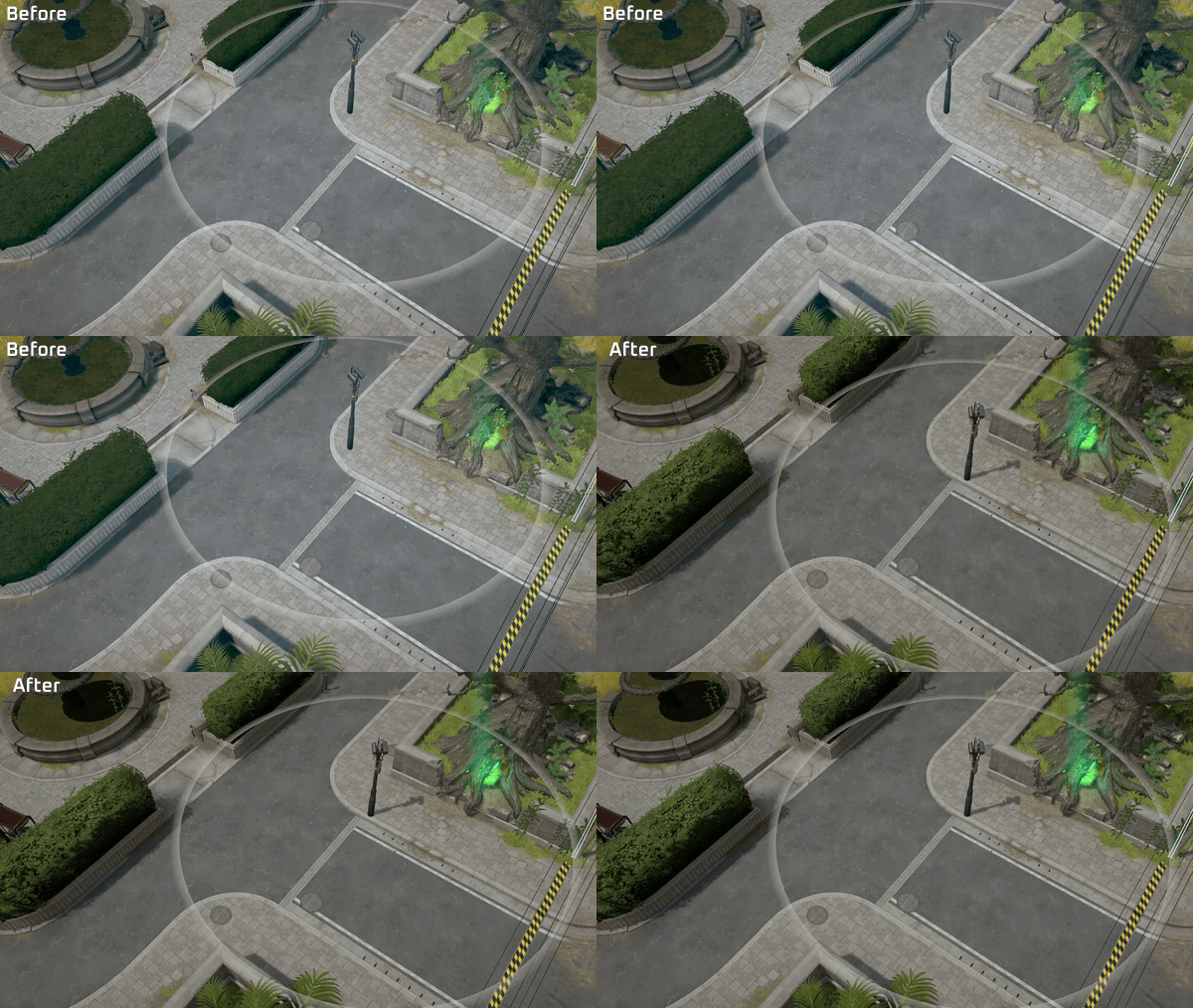
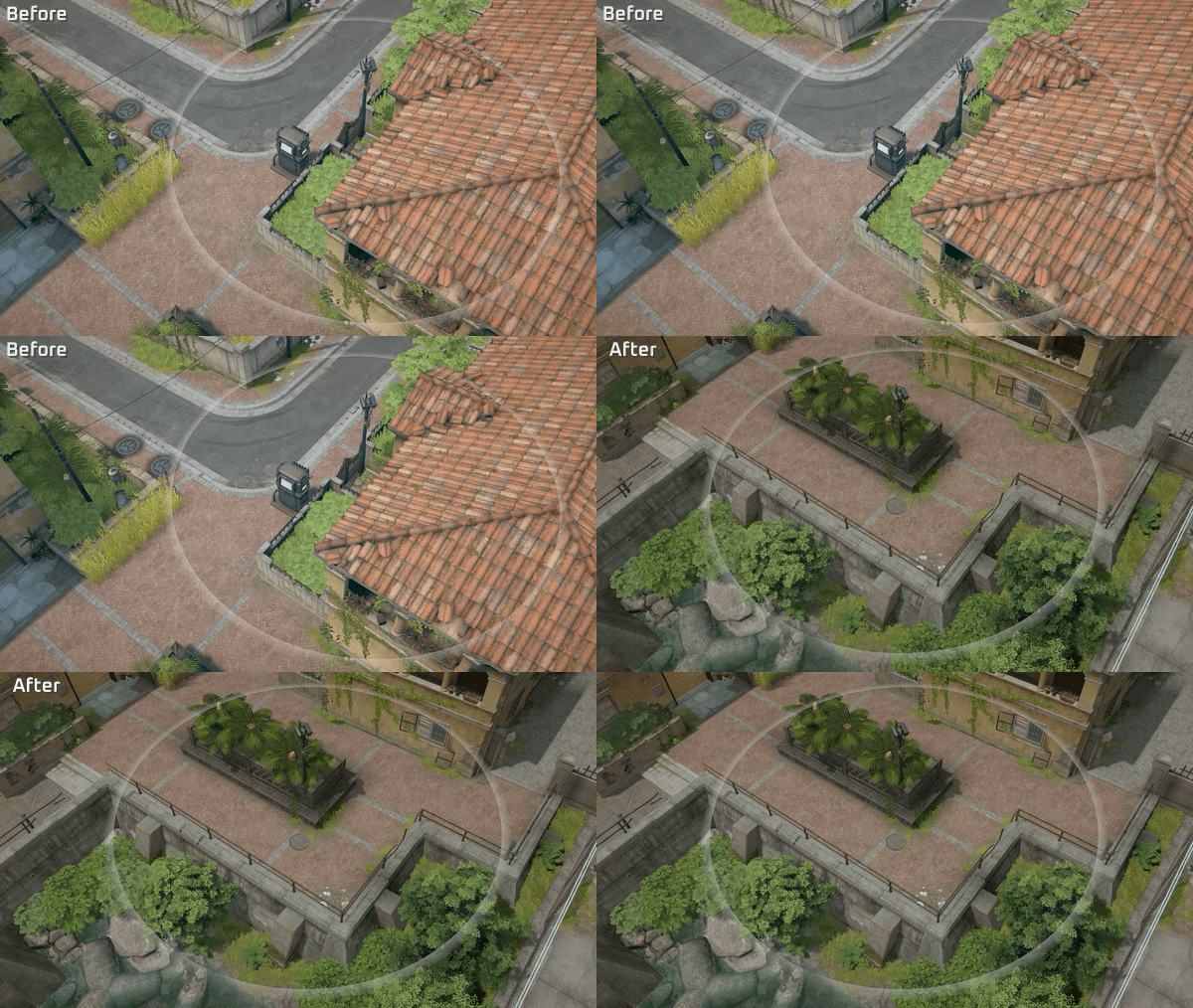
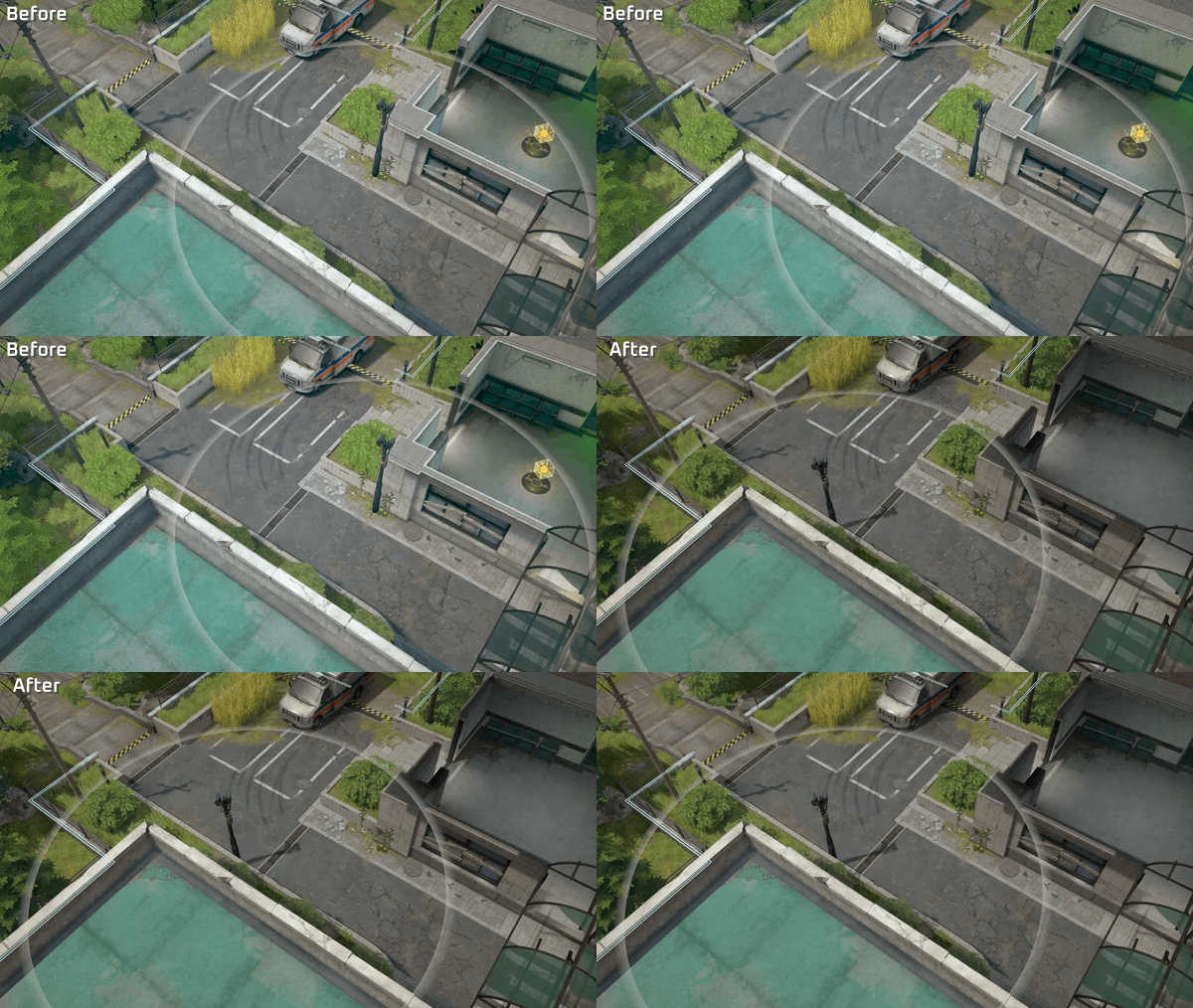
We are tweaking CCTV coverage in specific areas where the only path connecting two areas was completely blocked off (forced detection), as well as areas with unintended blind spots outside the intended radar range:
Hospital
Stream Entrance
Security Console Surroundings
Chapel
Forest Entrance
Kiosk Surroundings
Archery Range
School Entrance
Mutant Wolf Spawn Point Surroundings
Temple
Security Console Surroundings
Forest
Uptown Entrance
Uptown
Security Console Surroundings
Launch Pad Surroundings
Warehouse
Chapel Entrance
Hotel
Forest Entrance
Some Examples
S12 Spotlight 6 - Kill Feedback Improvements
We are improving kill feedback during combat and refining the Kill Announcer Pack framework to resolve clipping issues and lingering UI artifacts on screen. Additionally, we’re adding a new combat log UI to help observers and replay viewers track fights more easily.
Kill Announcer Pack Trigger Adjustments
If a Wipe, Terminated, or Clutch occurs while an individual Kill Announcer Pack is playing, that takes priority and plays immediately.
Any pending Kill Announcer Packs will be cleared instead of playing afterward.
This change ensures team wipes(Wipe, Terminated, Clutch) receive maximum visual emphasis.
Kill Announcer Pack Visual & Design Enhancements
We are upgrading the visuals and overall layout of the Kill Announcer Pack bar:
Left: Cumulative kill count, killer's portrait
Center: Kill Announcement Icon
Right: Killed Character’s portrait, Killed Character's team number
The killer's nickname is no longer displayed on the Announcer Pack bar, the killer is identified solely by their portrait on the left.
Streak title text (e.g., "Legendary") will no longer be displayed.
We’re also updating the kill thresholds for displaying Kill Announcement Icons.
3 / 5 / 7 / 8 Kills → 1 / 4 / 7 / 10 Kills
Cobalt Protocol double, triple, and quadra kill text display triggers remain unchanged.
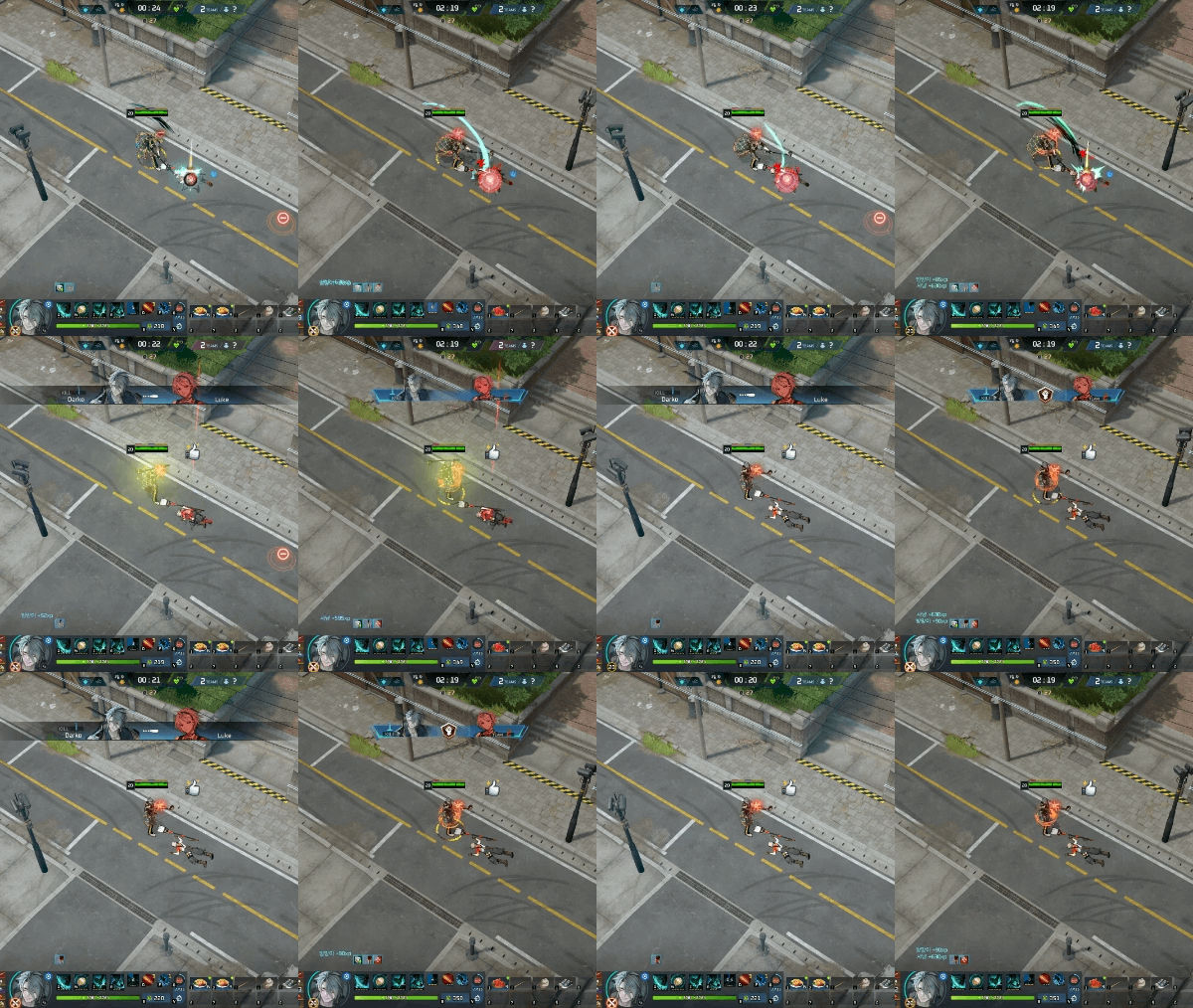
(NEW) Observer Combat Log UI
We’re adding a combat log UI to check combat results in real time.
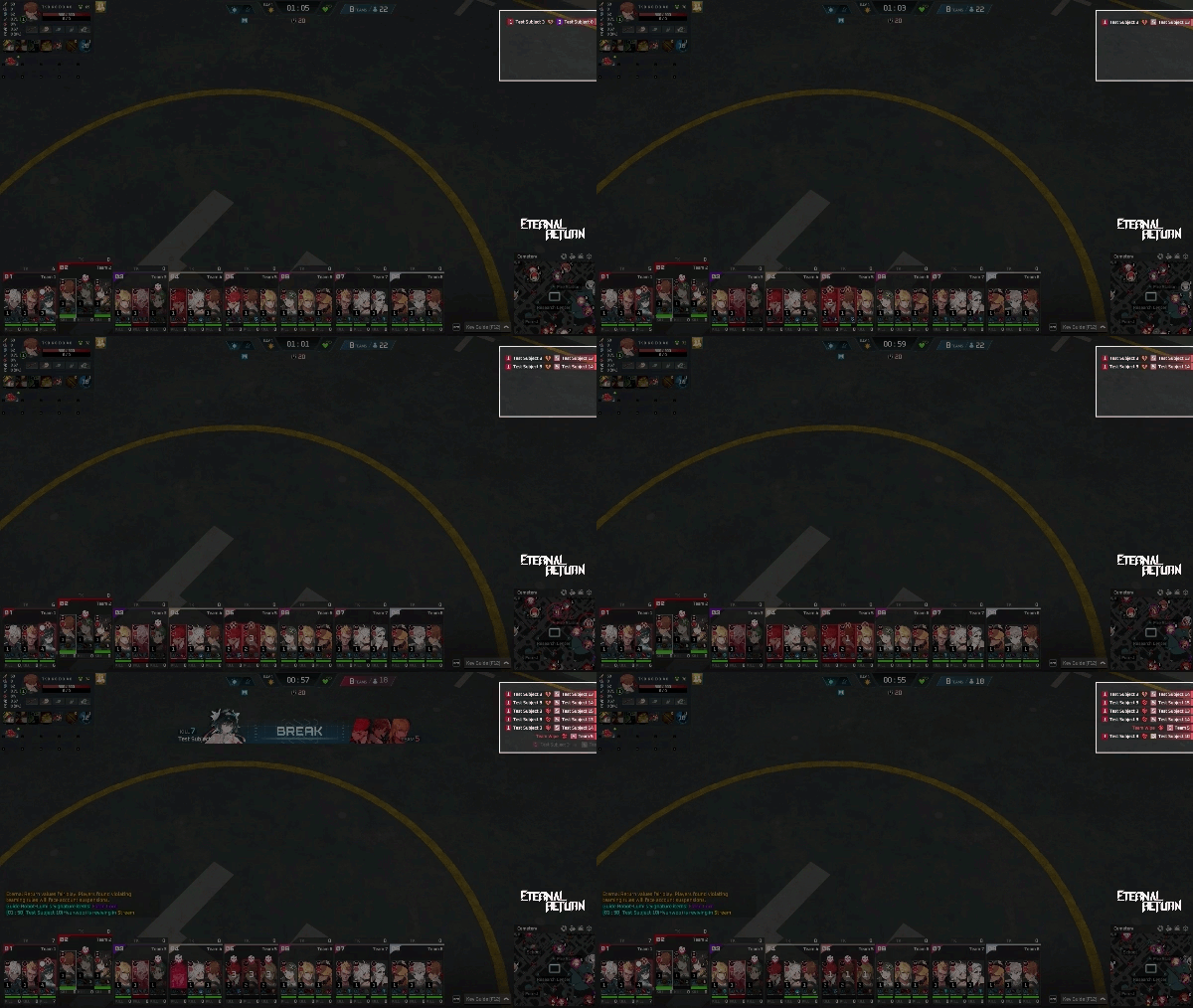
System
Vision Item Improvements
We are making improvements to reduce the information asymmetry surrounding vision items, allowing for clearer decision-making during both installation and reaction.
Surveillance Camera - Brush Installation Detection Improvements
When installing a Surveillance Camera, a cursor highlight effect now lets you verify whether your mouse cursor is over a brush before clicking.
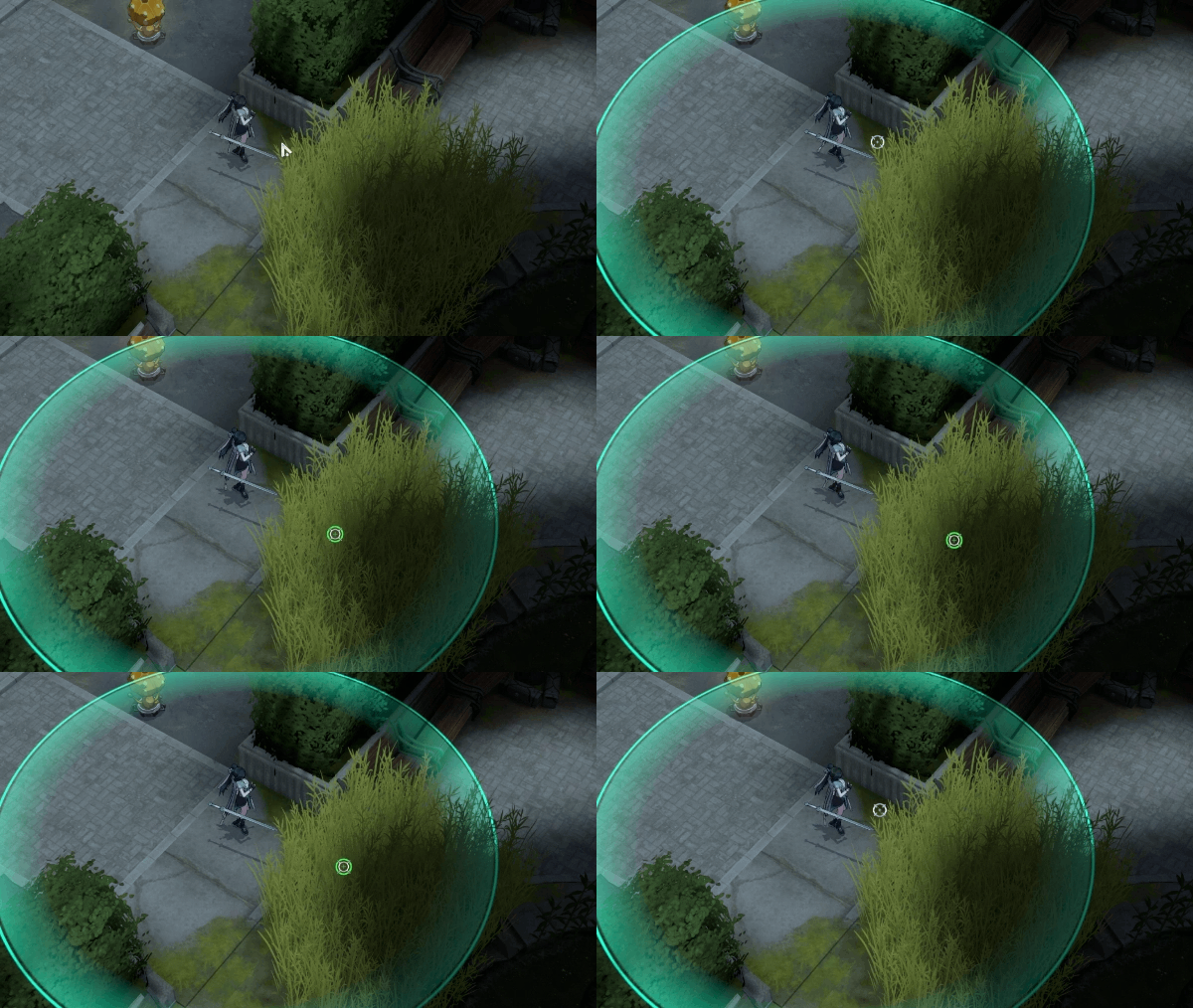
Surveillance Camera - Brush Installation Transparency
Once installed inside a brush, the Camera appears semi-transparent, visually confirming that it is hidden in the bush. (Applies to basic Cameras and all Camera skins)
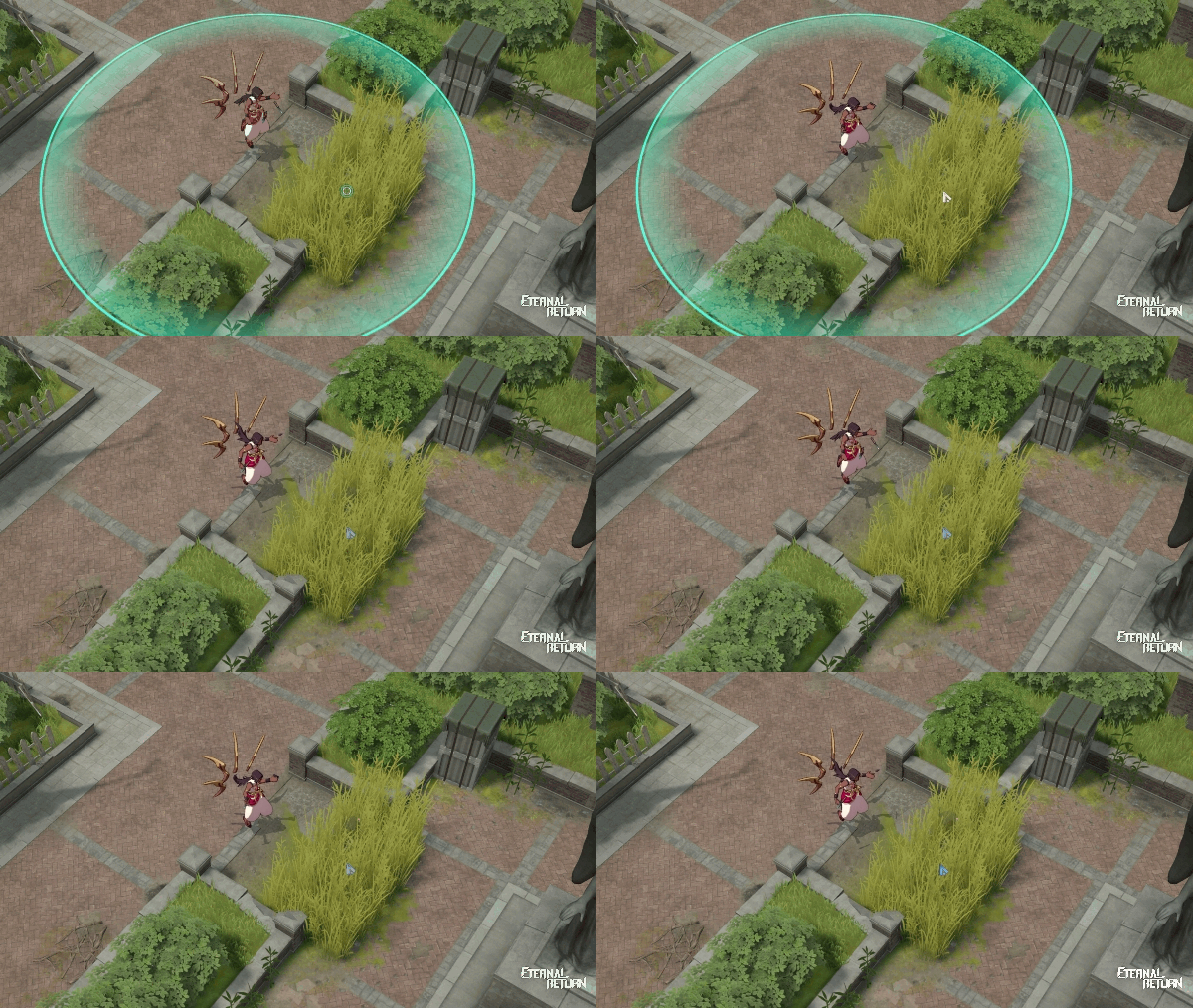
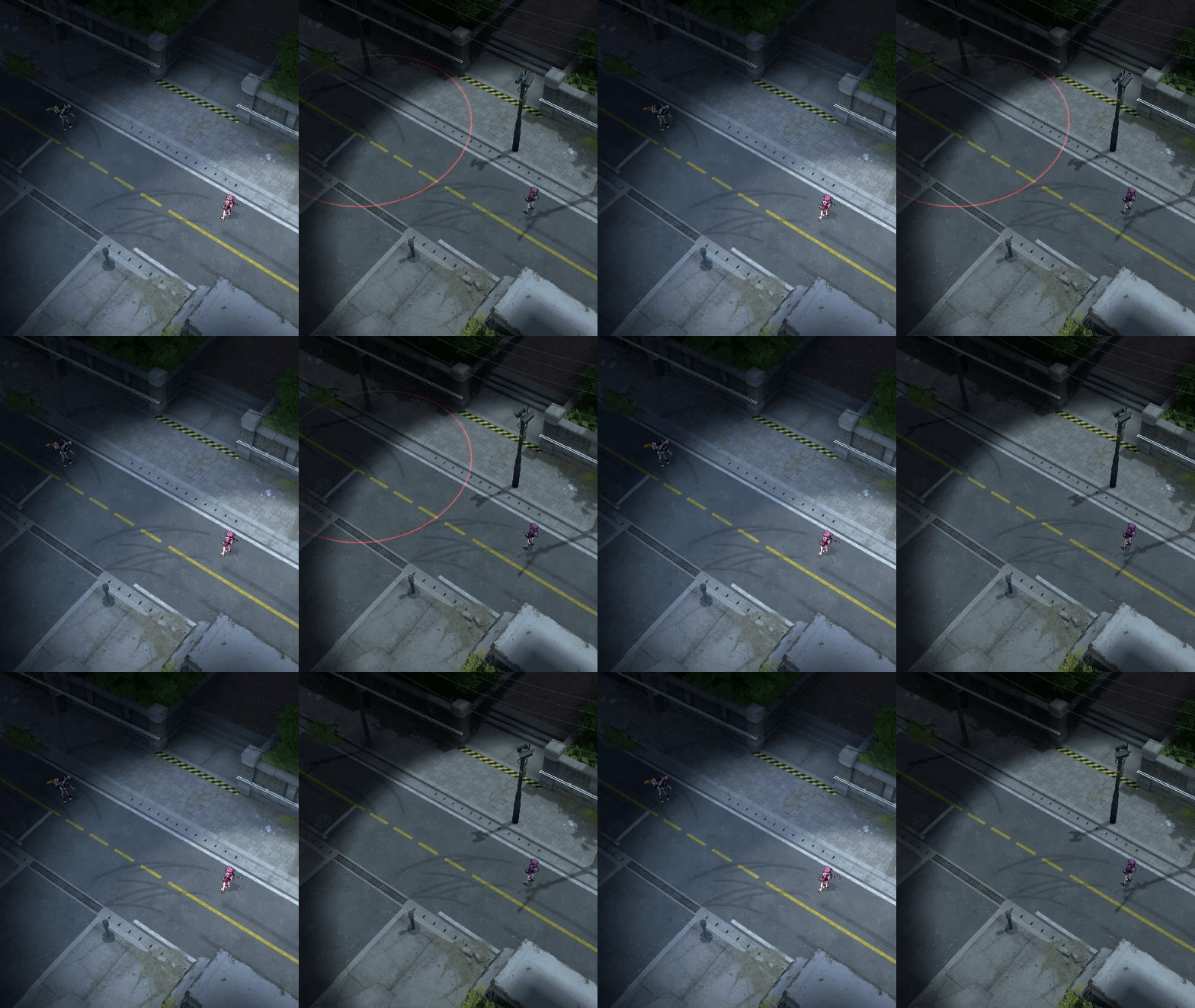
Drone - Area Effects Improvements
The vision range requirement for displaying Drone area effects has been updated:
Before: The Drone itself had to be within your vision range for its area effect to be visible.
After: If any part of the Drone's area effect falls within your vision range, the area effect will always remain visible.
HUD Improvements
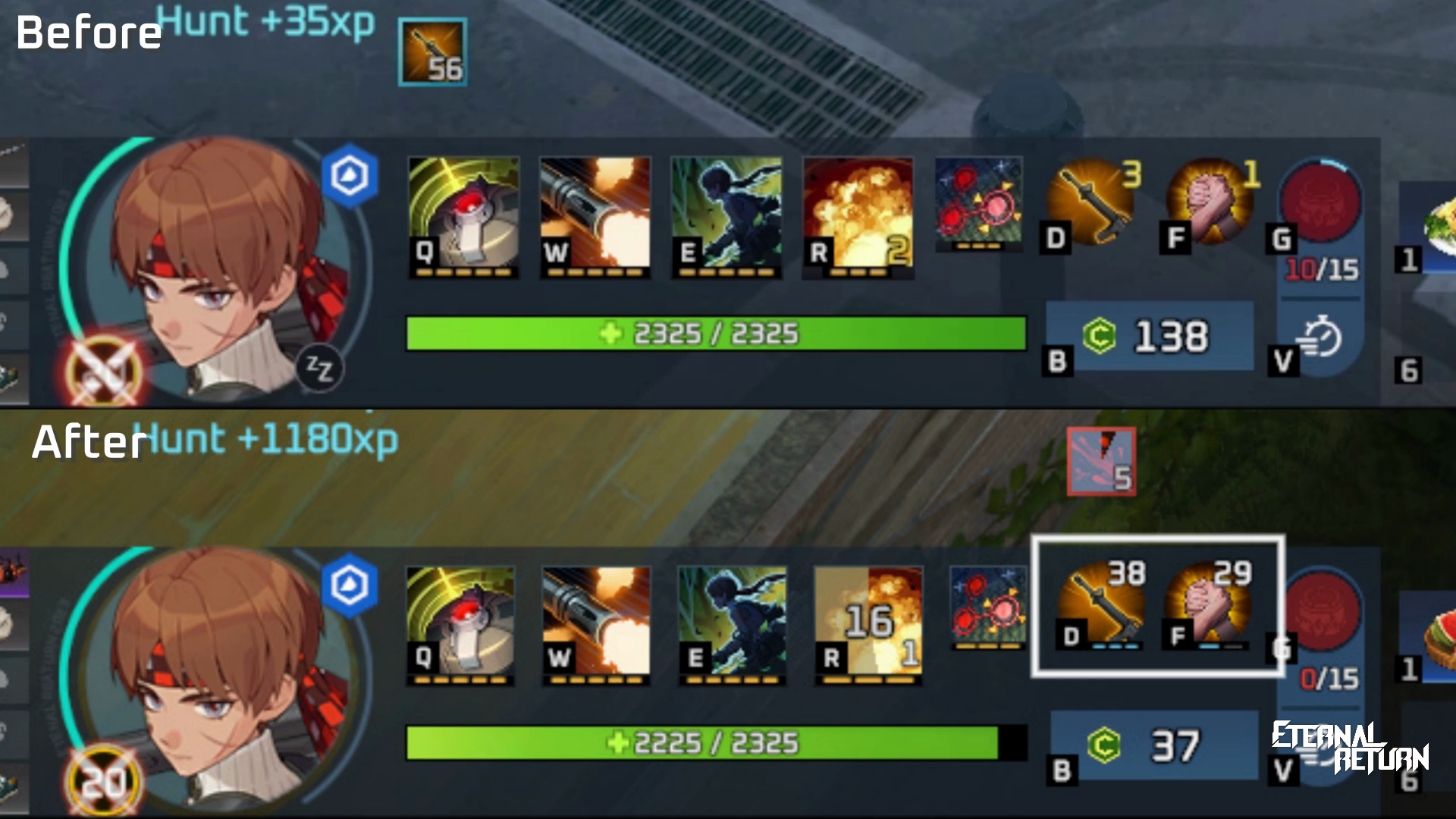
The level indicators for Weapon Skills and Tactical Skills have been redesigned to match the standard skill level display.
Stack counts for Weapon Skills and Tactical Skills now appear in the top-right corner of their respective icons:
Weapon Skill: Assault Rifle Weapon Skill (Overheat) stacks
Tactical Skill: Soul Stealer Rage stacks
Gameplay
(NEW) B0-R1 - Mythic Rarity Box
If a high number of teams remain during late game, B0-R1 will spawn carrying a Mythic Box.
Random Reward:
1 of the following
Portable Crafter - Head
Portable Crafter - Chest
Portable Crafter - Arm/Acc
Portable Crafter - Leg
Game Phase
Day 7: 150s → 200s
Night 7: 50s → 60s
Special Gimmicks per Area
Barrels will no longer spawn in Barge.
Cubes
We’re removing all cubes, except for those in the Research Center.
Where: Police Station, Uptown, Hotel, Hospital, Chapel, School
Gadget
CNOT Gate(REMOVED)Portable Safe Zone
Duration 7s → 5s
Gadget Energy Cost 40 → 50
Starting Item
Omurice 3(REMOVED)(NEW) Watermelon 3
HP Regen 660
Food Air Supply Box
Omurice(REMOVED)(NEW) Watermelon
Guide Robot Lumi
Item in Store Changes
Omurice 6 → Watermelon 6
Rapid Reconstruction (Revival)
Revival HP 50% → 60%
Doesn’t apply to ally revivals.
Elimination Prevention Penalty
Revival Time 3s → 5s
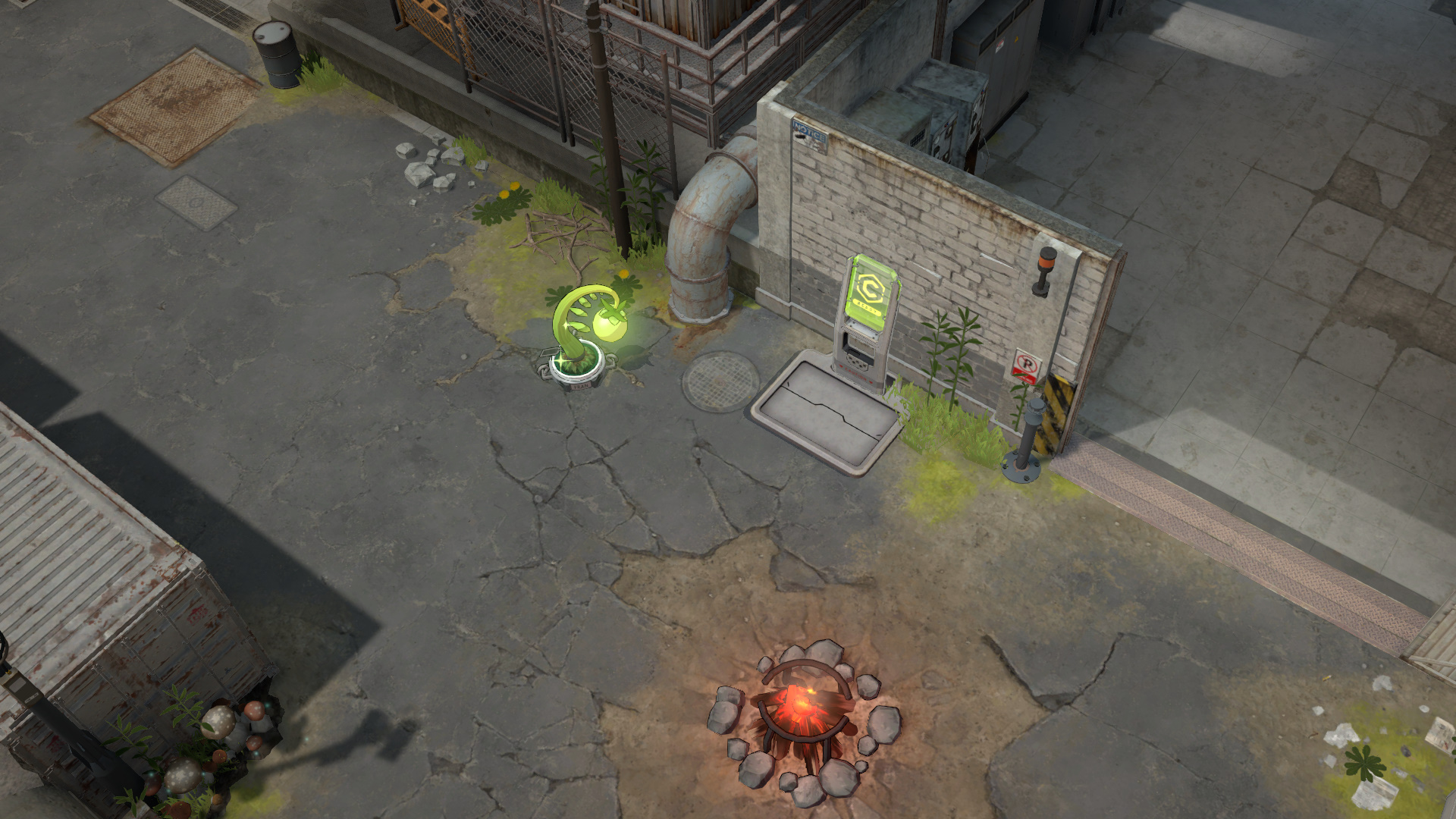
Kiosk
To balance zone value and optimize the distance between Kiosks, the Kiosk previously located in the Alley zone has been relocated to Factory.
Wild Animal
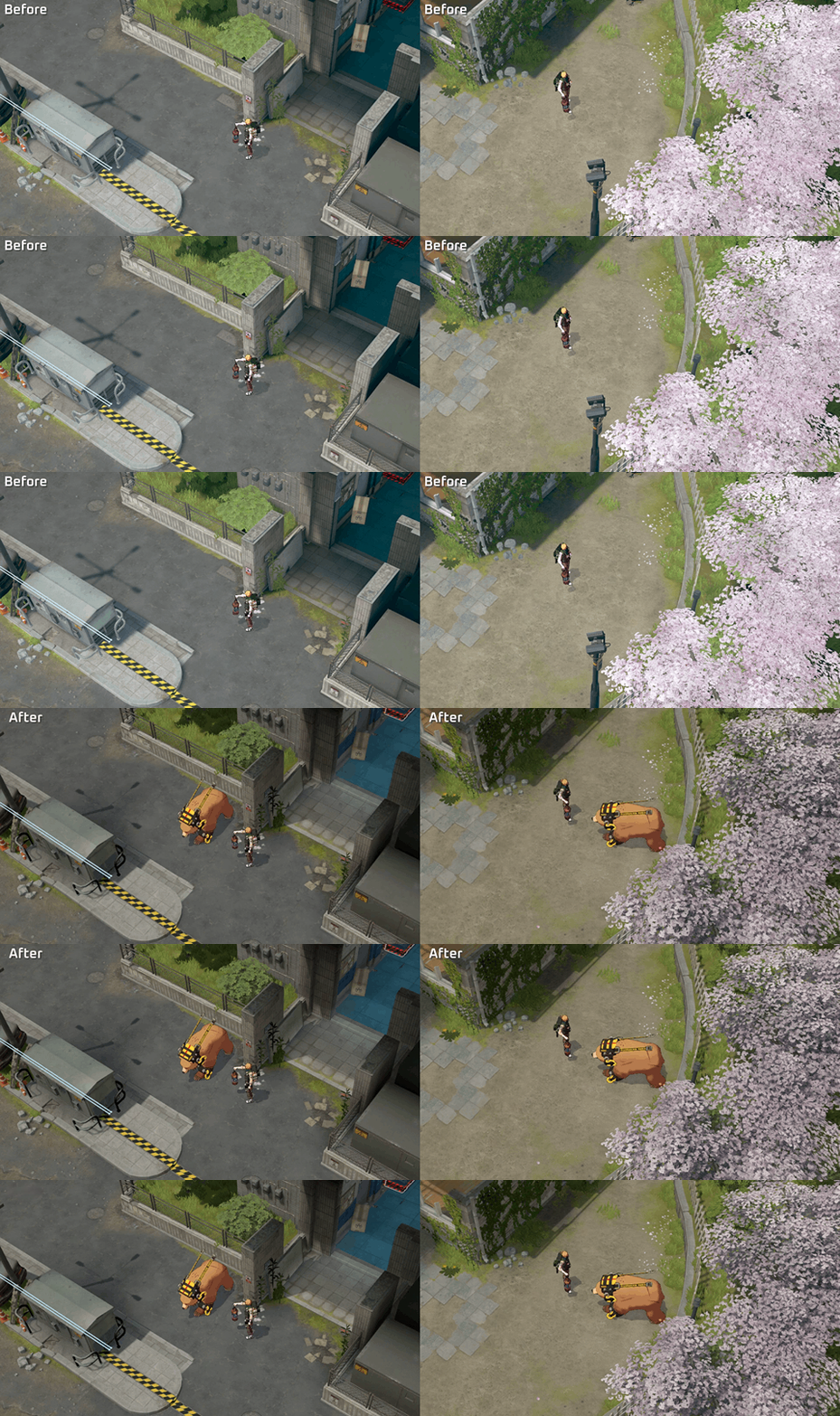
We are modifying a few spawn points to adjust Chicken populations following changes to Leather acquisition and to rebalance Wild Animal value across different zones.
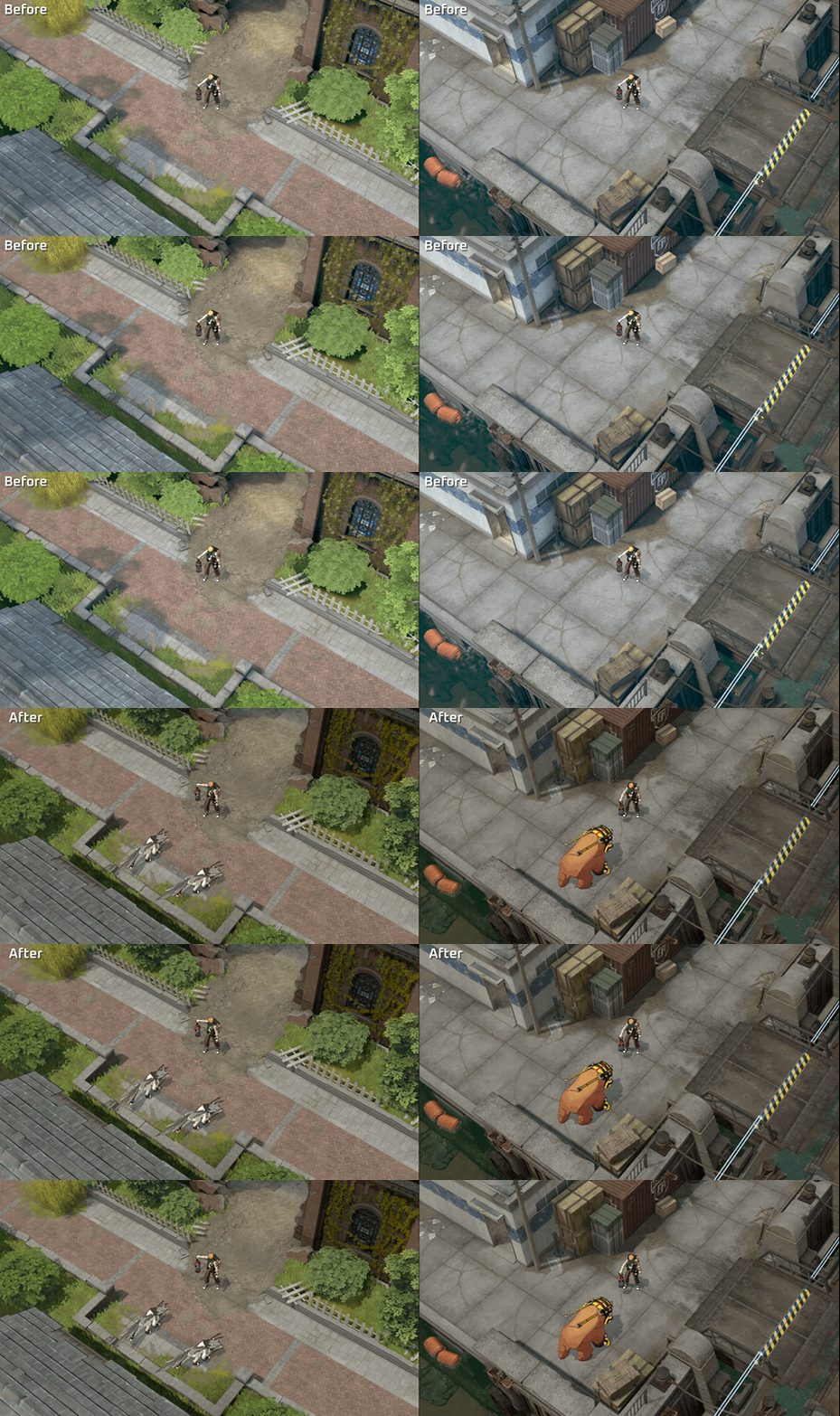
Mutant Chicken Herd
Number of Chicken 7 → 6
Dock
Boar: 1 Removed
Bear: 1 Added
Stream
Chicken: 1 Removed
Sandy Beach
Chicken 2 Removed
Uptown
Chicken: 1 Removed
Alley
Chicken 2 Removed
Boar: 1 Added
Gas Station
Wild Dogs: Relocated
Chicken: 1 Removed
Bear: 1 Added
Hotel
Chicken: 1 Removed
Bear: 1 Added
Police Station
Bear: 1 Added
Hospital
Bats: Relocated
Chicken: 1 Removed
Boar: 1 Added
Archery Range
Bat: 1 Removed
Bear: 1 Added
Cemetery
Chicken 2 Removed
Boar: 1 Removed
Wild Dog: 3 Removed
Bear: 1 Added
Factory
Chicken: 1 Removed
Chapel
Chicken: 3 Removed
Bat: 1 Removed
Wolf: 2 Added
Boar: 2 Added
School
Chicken: 1 Removed
Bear: 1 Removed
Wolf: 2 Added
Wild Dog: 3 Removed
Barge
Chicken: 1 Removed
Bear: 1 Removed
Boar: 1 Added
Items Dropped
Bat
Leather(REMOVED)
Wild Animal Stats
Chicken
Basic Attack Power 20 → 18
Attack Power per Level 21 → 19
Bat
Basic Attack Power 34 → 30
Attack Power per Level 22 → 20
Boar
Basic Attack Power 30 → 27
Attack Power per Level 23 → 21
Wild Dog
Attack Power per Level 19 → 17
Wolf
Basic Attack Power 38 → 35
Attack Power per Level 14 → 13
Bear
Basic Attack Power 100 → 90
Attack Power per Level 17 → 16
Raven
Basic Attack Power 75 → 68
Attack Power per Level 15 → 14
Mutant Chicken
Basic Attack Power 30 → 27
Attack Power per Level 28 → 26
Mutant Bat
Basic Attack Power 48 → 44
Attack Power per Level 31 → 28
Mutant Boar
Basic Attack Power 50 → 45
Attack Power per Level 30 → 27
Mutant Wild Dog
Attack Power per Level 20 → 18
Mutant Wolf
Basic Attack Power 80 → 72
Attack Power per Level 20 → 18
Mutant Bear
Basic Attack Power 170 → 155
Attack Power per Level 21 → 19
Mutant Raven
Basic Attack Power 110 → 100
Attack Power per Level 21 → 19
Augments
Support
Blast Cactus
Secondary Augment → Core Augment
(NEW) The cactus explodes, increasing the ally's movement speed by 15% for 2s.
Damage 10~150(+Target's Max HP 5%) → 8~160(+Target's Max HP 4%)
Cactus Lock On Duration 3s → 4s
Cactus Cooldown 8s → Per Target Cooldown 8s
Lock On Target: Enemy → Enemy Character
Healing Factor
Core Augment → Secondary Augment
Targets shielded or healed by you gain Adaptability.(REMOVED)Shield & HP Recovery Increase 8% → 5%
Lone Wolf
Game Phase
Day 7 Duration 60s → 120s
Bug Fixes & Improvements
Gameplay Improvements
We adjusted Drone skin effects so they no longer display at an enlarged size.
Characters are no longer partially hidden when moving through specific spots in Warehouse.
AI bots should now be able to craft items normally.
We improved AI bot behavior to make their movement and actions more natural when moving to the Chronosphere.
Bots in vs. AI matches no longer use the Blink Tactical Skill instead of their selection.
We removed the blank space appearing in enemy character name fields when the name display option above the HP bar is turned off.
We corrected boundary line rendering between certain areas on the Strategy map.
AFK teammate portraits no longer appear dimmed while still alive.
Corpse box sizes no longer change based on the number of items inside.
Ultimate skills in spectator and replay will now be displayed with a unified symbol icon.
We’ve made Lumi's dialogue a friendlier tone instead of the rigid term "Credit Revival."
We added a movement speed increase visual effect when triggering the Streamlined item skill.
We added missing information for damage-over-time effects in certain item skill tooltips.
Character & Weapon Improvements
Character weapon and accesory animations will now display correctly.
Luke: Animation and effect timing now match when using Bat Weapon Skill - Full Swing (D) while wearing skins.
Rio:
Hair no longer overlaps with the body during the lobby animation of 3rd Anniversary Rio Dolce.
: Hair no longer overlaps with the body during the lobby animation of 3rd Anniversary Rio.
Markus: Fearless Assault (E) knockback direction now applies correctly under all conditions.
Mirka: Impulse Gauge (P) is now properly granted when killing Fenrir with an enhanced skill.
Arda: Relic Quest (P) tooltip now includes separate skill limits for acquiring Essence of Antiquity.
Jan: Semi-transparency inside brushes now applies properly when holding 5 or more Unyielding (P) stacks while wearing the Capo Jan skin.
Yumin:
Idle animation now plays correctly upon completing interaction with the vertical launch device (VLS).
Cloud animations during Rest now display properly.
Justyna: Astra Energy (P) transfer damage now applies correctly.
Irem: Catitude (P) voice lines in Cat form while wearing the Festive Neko Irem skin now properly use the skin's voice lines instead of default Irem’s voice lines.
Eva: We’ve adjusted the position of her drink during lobby animation while wearing the Summer Bliss Eva skin.
Zahir: Gandiva (W) cooldown now properly ends upon reaching max Chakram charges.
Jenny: Persona (E) skill preview video quality has been improved.
Coraline: Refracted Afterimage (R) tooltip now correctly includes separate skill limits on cooldown reduction.
Tazia: Lobby animation will now be correctly displayed.
Fenrir: Barge movement dialogue when using English voice settings now plays in English instead of Japanese.
Fiora: Idle animation now plays properly when equipped with Two-handed Sword.
Piolo: Lobby animation will now be correctly displayed.