Servers will be temporarily offline for an estimated time of 4 hours on Thursday, November 12th from 2 AM to 8 AM (UTC) to update Patch 13.0.
⚠️Saved Plans Reset⚠️
Due to changes in item spawn locations and new items, existing Saved Plans will be reset.
Be sure to set your Saved Plan before starting the game!
Season 13 Preseason Begins
After Season 12 wraps up, we're diving into a one-week preseason for Season 13!
Season 12 Ranked Rewards (including the Cadet Jan Skin) will roll out at the start of Season 13, based on your final Season 12 RP.
For Immortal & Titan, rewards will be calculated based on your assigned server and will be distributed accordingly.
Season 12 Ranked Season will end on Wednesday, November 12th (UTC) 23:59 (UTC).
Season 13 Ranked Season will start on Thursday, November 19th (UTC) after maintenance (13.1 Update).
At the start of Season 13, your ranked history during the preseason will get a soft reset based on your final scores.
Season Login Event
A new login event will be available during Season 13! Make sure to log in and collect all the special rewards we’ve prepared for you.
Rewards are given based on cumulative login days.
Attendance resets daily at 20:00 (UTC).
After getting the rewards for all 28 days, you’ll receive additional daily rewards whenever you log in to the game.
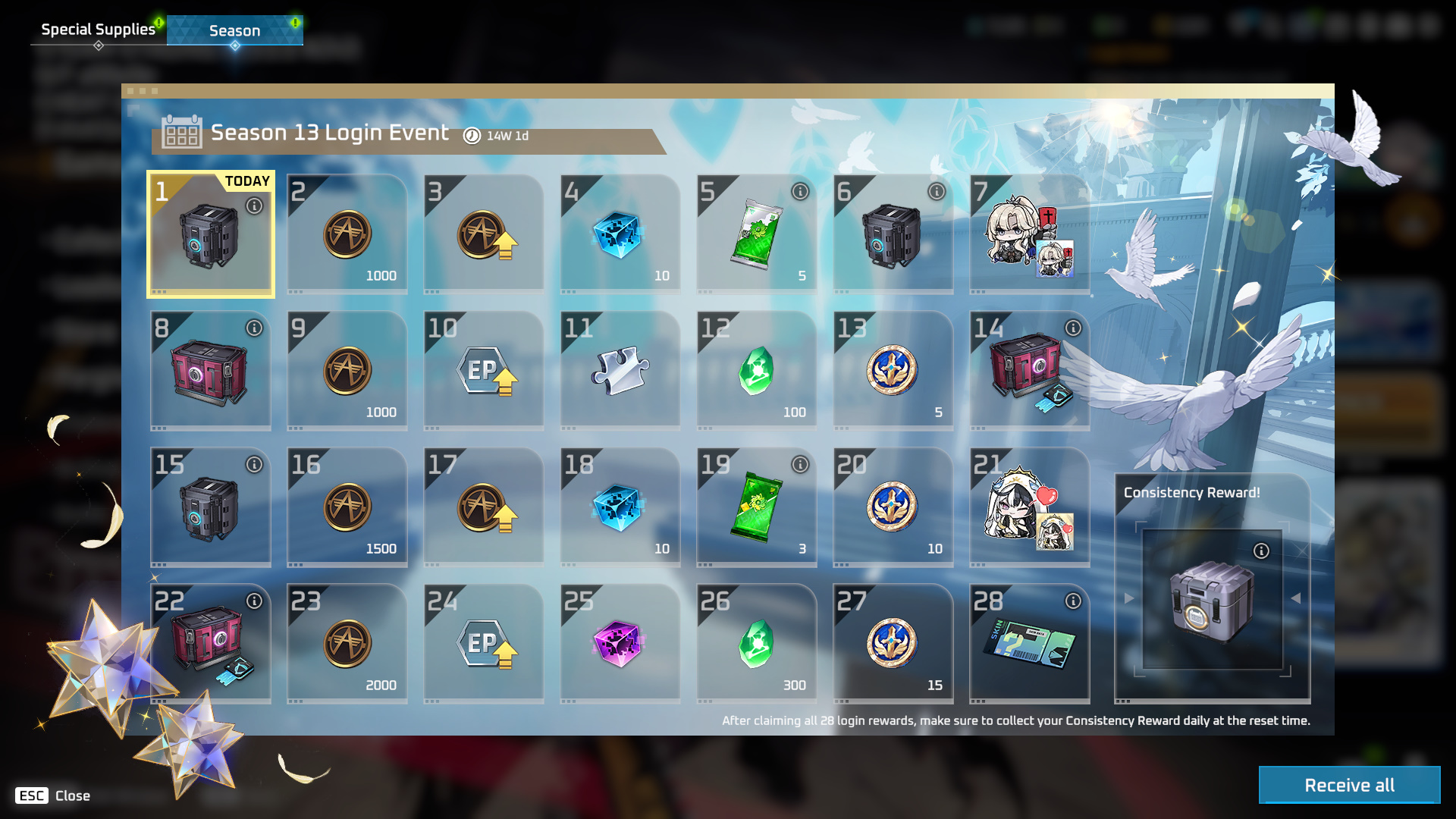
*Reward types are subject to change.
Season Pack: Sailing - Early Bird Sale
The sale for [S12’s Pack: Sailing] comes to an end while the new [Season Pack: Glory], featuring content from Season 13, enters the Store at a discounted price!
Sale Period & Price
Thurs, Nov 12th after maintenance to Thurs, Nov 26th (UTC) before maintenance: 11,645 NP → 5,300 NP (about 54% off)
Thurs, Nov 26th (UTC) after maintenance until the End of Season 13: 11,645 NP → 5,900 NP (about 49% off)
Contents
Season Pack: Glory Exclusive Items
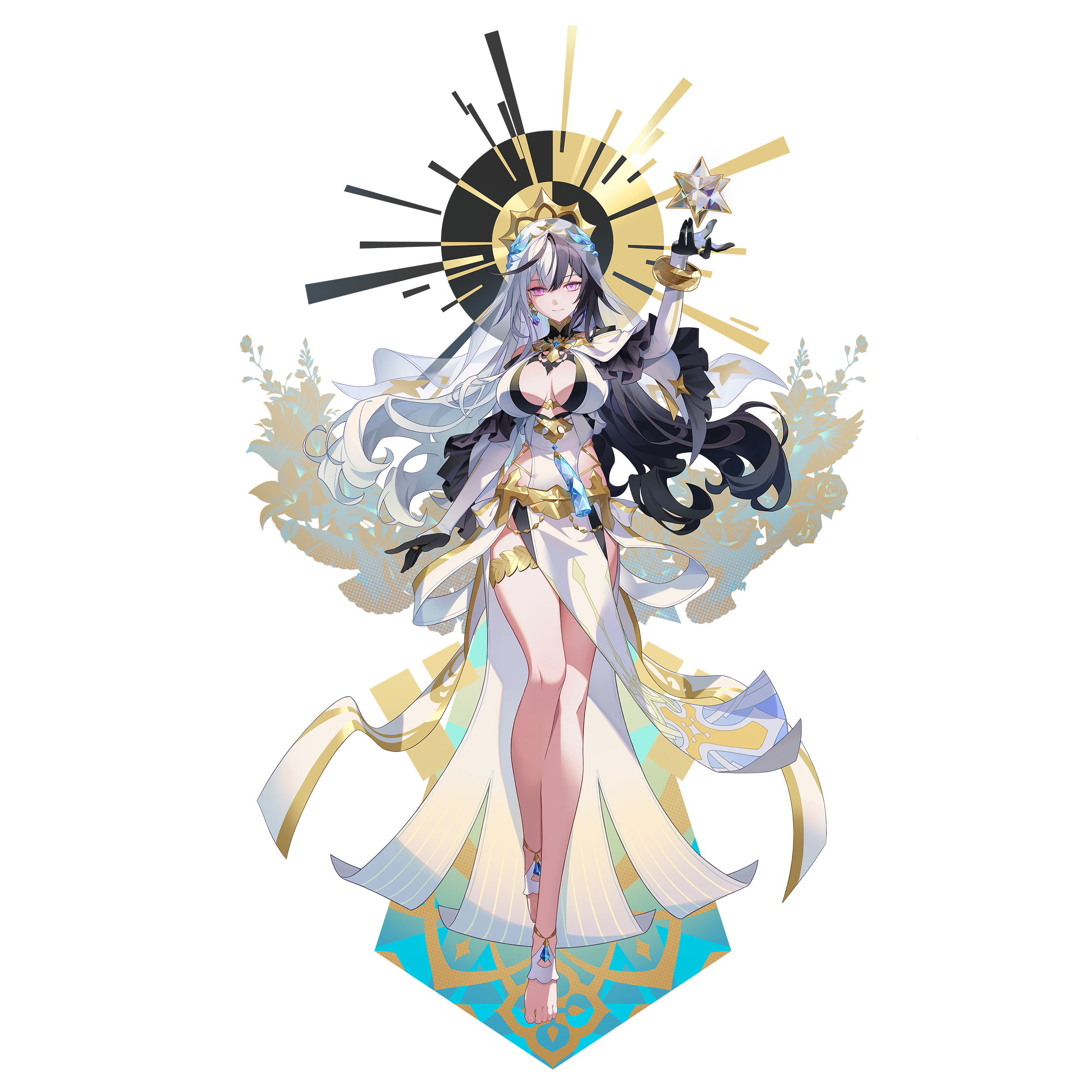
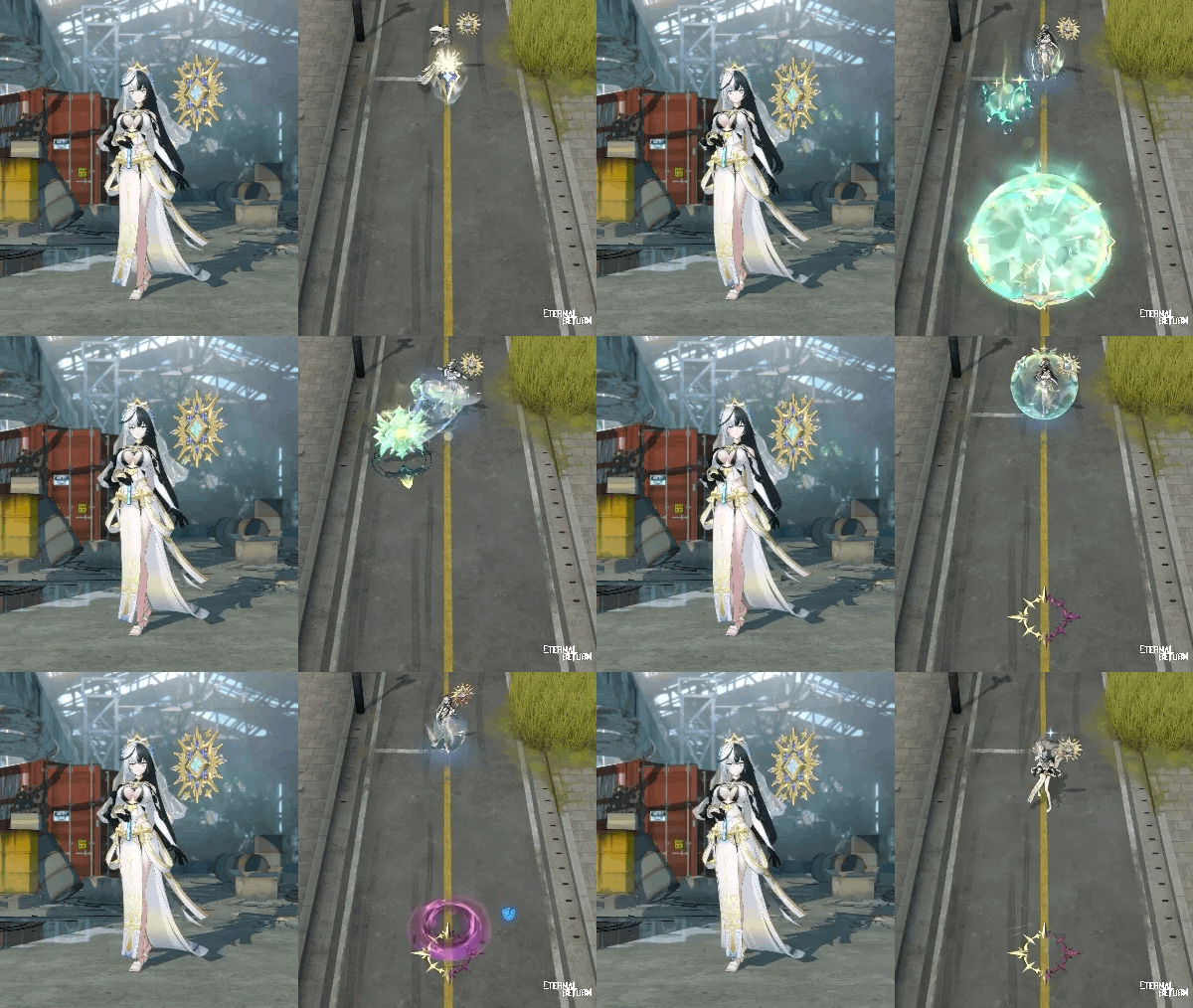
This Pack's Skin: Divine Salvation Coraline (Epic)
Divine Salvation Coraline Hmm Emote
Praying Statue Tombstone
1 New Character released during Season 13
Meissa
5 New Skins released during Season 13 (*Skin names are subject to change)
After School Karla
Teatime Lady Lucia
Wonder Rabbit Seres
Maid Jackie
Royal Envoy Johann
100 Glory Tokens and ER Point Boost (14 Days)
Access to the Speech-to-Text (Beta) feature
ER Pass (Level 1)
3 New Skins (including 1 Epic skin)
2 New Drones
3 New Tombstones
3 New Sprays
2 New Cameras
3 New Kill Announcement Icons
10 New Emotes
1 New Lobby Screen
3 New Profile Backgrounds and Borders
6 New Profile Icons
6 New Announcer Packs
Other goods and boost items, including 100 Glory Tokens, 900 NP, 8,000 A-Coin, etc.
[Season Pack - Glory: See More]
Purchase the Season Pack to get Divine Salvation Coraline (Epic)!
“The Holy Kingdom is always open to those who seek the truth.”
ER Pass “Glory”
Purchasing a Season Pack during the Season 13 preseason will grant immediate access to the ER Pass.
Claim the Glory ER Pass from your mailbox after purchasing the Season Pack to activate the new ER Pass.
Individual ER Pass purchases will not be available during the preseason. They will become available when the Early Bird period begins on Thurs, Nov 19th after maintenance.
Gain ER Points (XP) by playing, purchasing, and clearing missions! Gathering ER Points will help you level up your pass to unlock various rewards, including up to 900 NP, skins, emotes, and 100 Glory Tokens.
Sales Period & Prices
Glory ER Pass Early Bird Period: Thurs, Nov 19th after maintenance to Thurs, Dec 10th (UTC) before maintenance.
ER Pass: 890 NP (1,250 NP after Early Bird ends)
ER Plus: 1,750 NP (2,550 NP after Early Bird ends)
Upgrade: 1,050 NP (1,450 NP after Early Bird ends)
ER Pass missions are divided into a total of 8 weeks. New weekly missions unlock every Thursday at 03:00 (UTC).
Players who do not purchase the ER Pass can complete 5 missions per week.
Players who purchase the ER Pass can complete an additional 5 missions.
Even if the ER Pass is purchased late, credit for any previously completed additional missions will be granted.
Don't miss out on all the rewards the ER Pass has to offer!
Glory ER Pass Skins
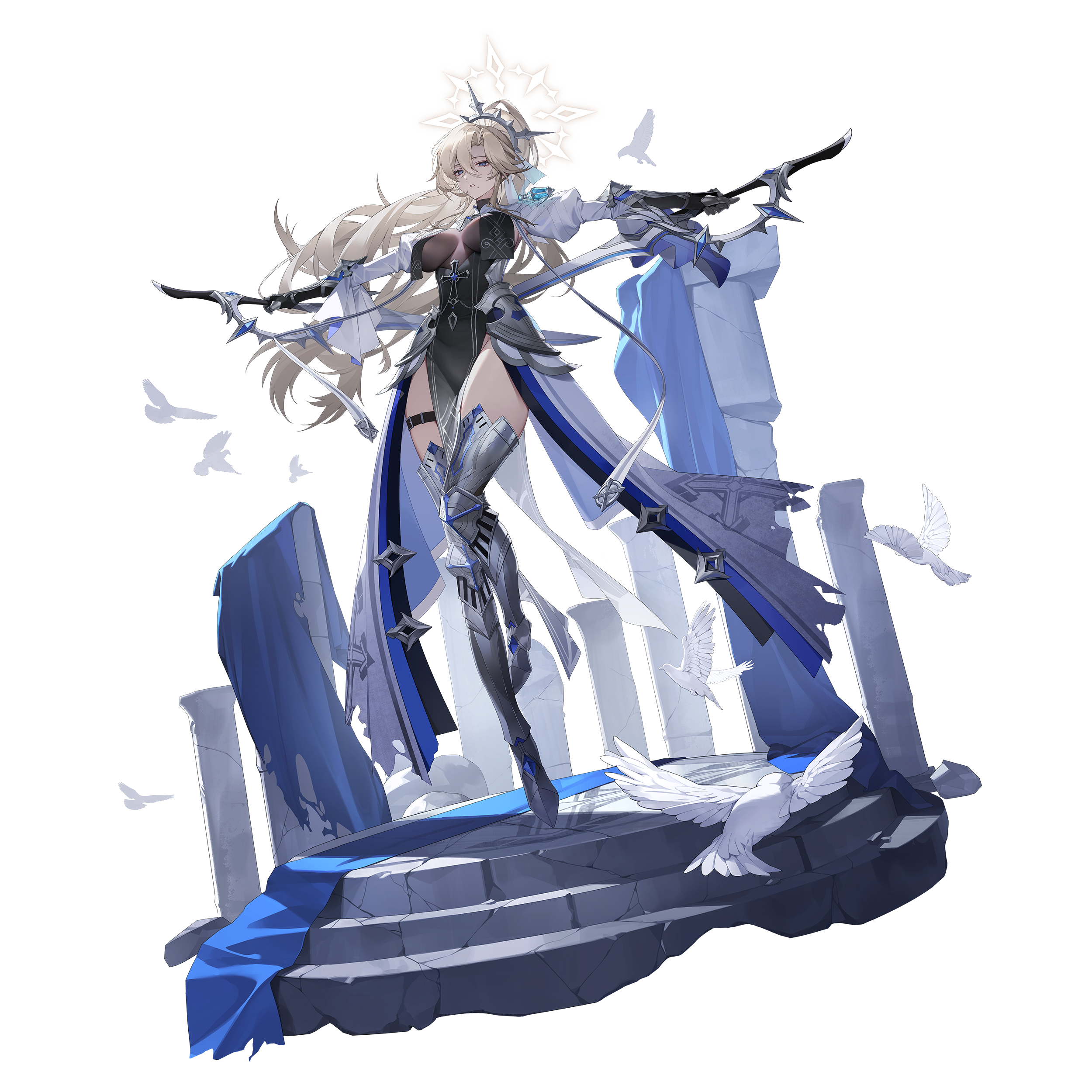
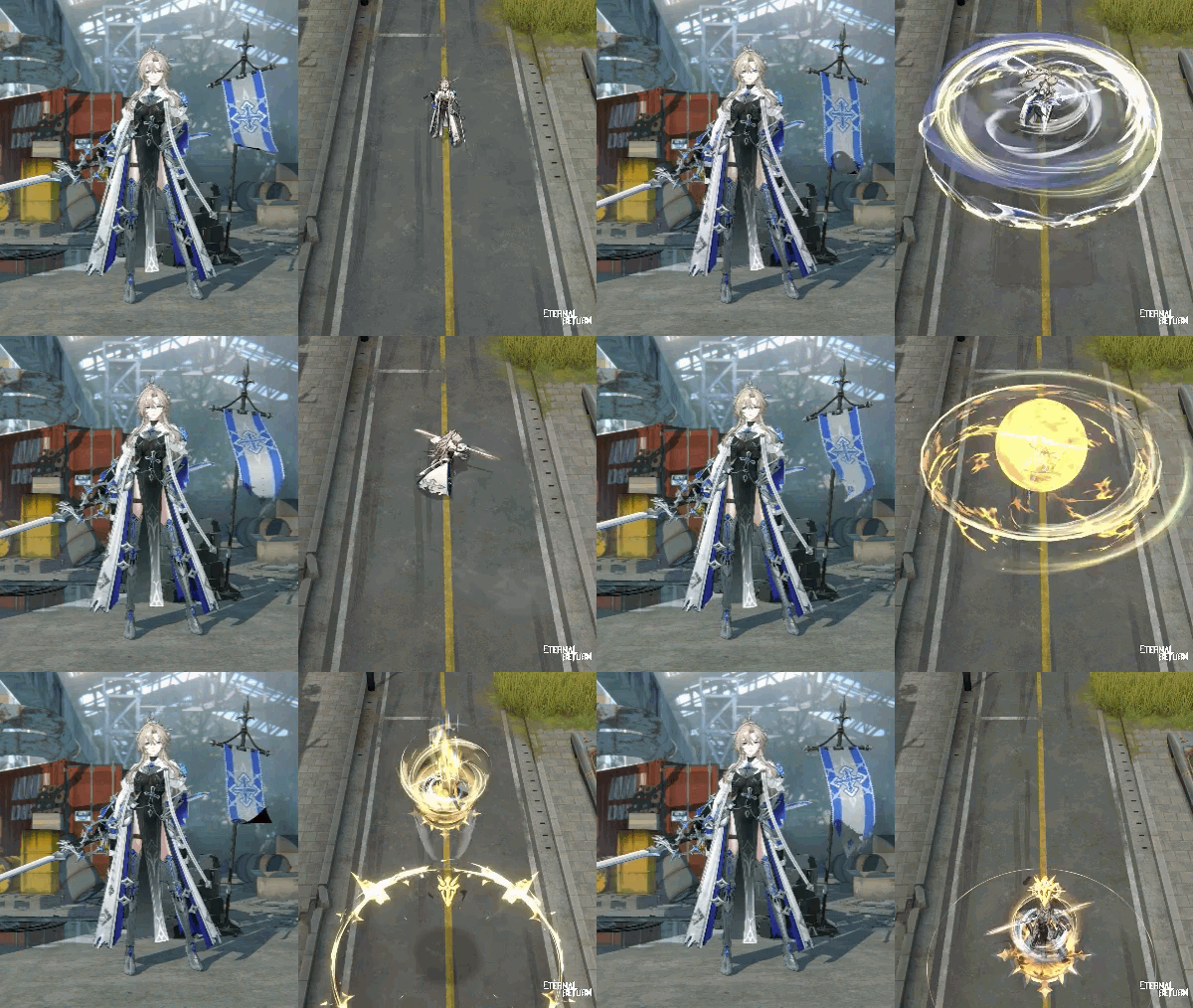
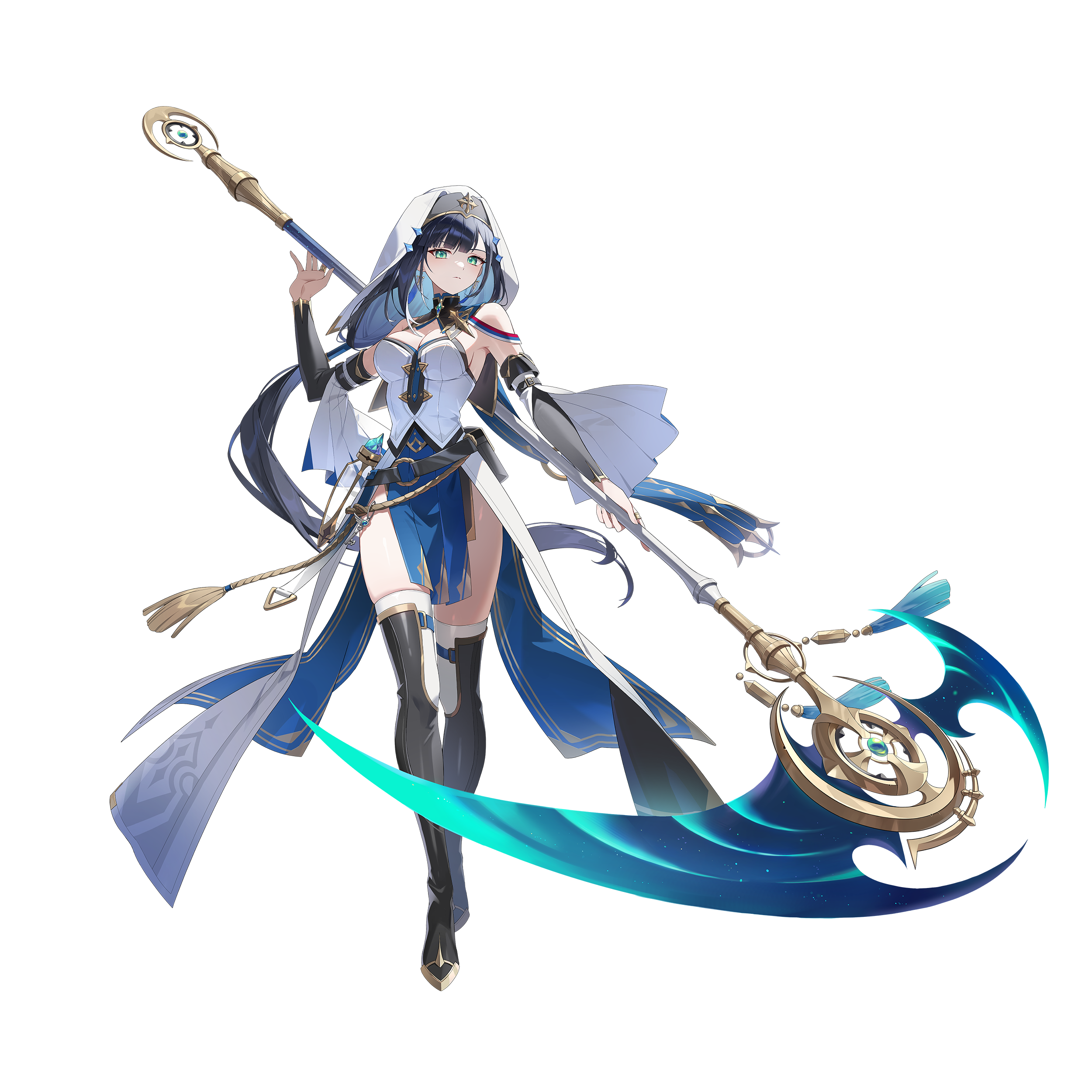
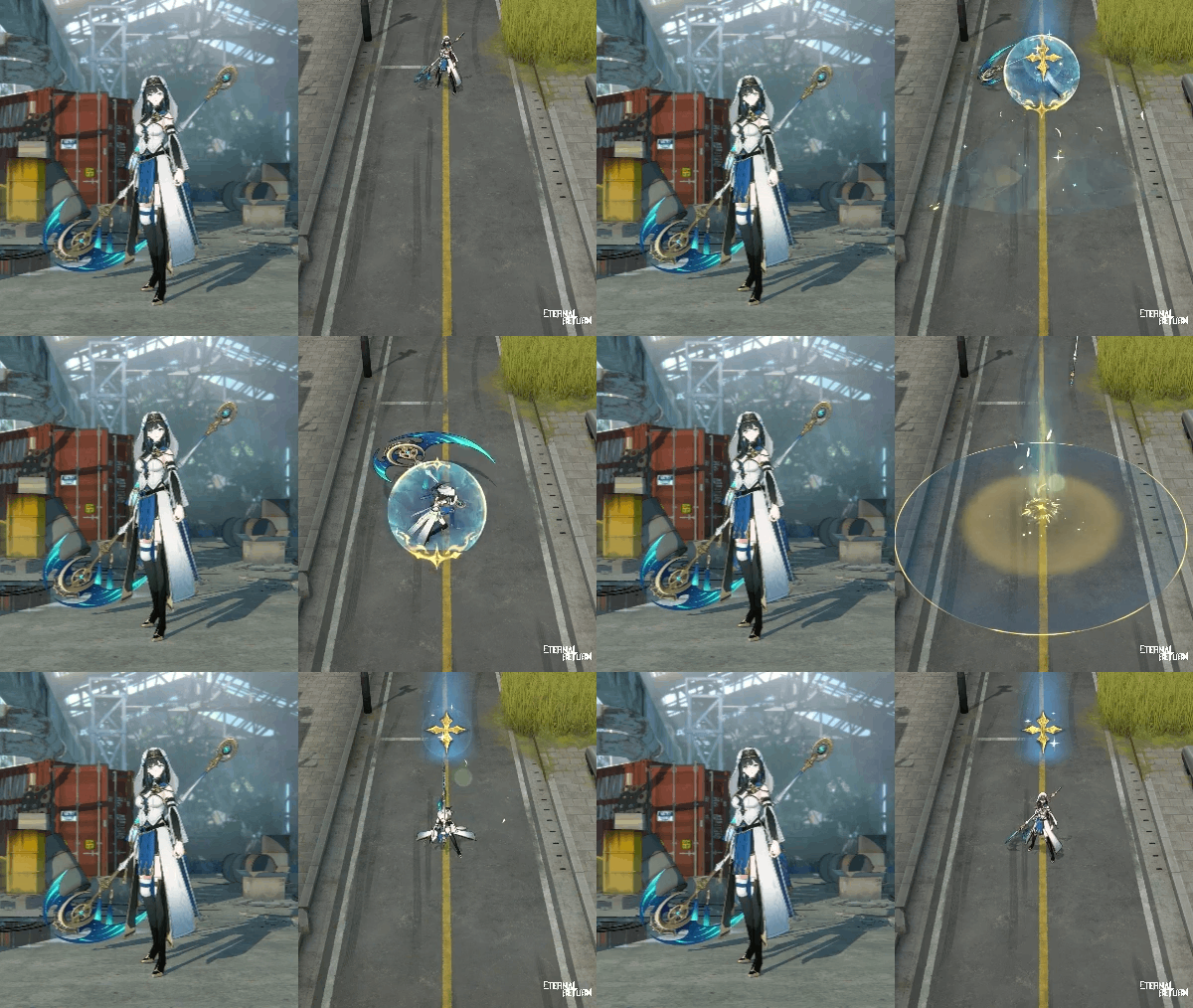
3 ER Pass Skins will be available!
Blade of Judgement Blair (Epic) - ER Pass Glory Level 80 Reward
“Those who defy the natural order shall face my sword's judgment.”
Light of Devotion Abigail (Rare) - ER Pass Glory Level 20 Reward
“What light guides you on your path?”
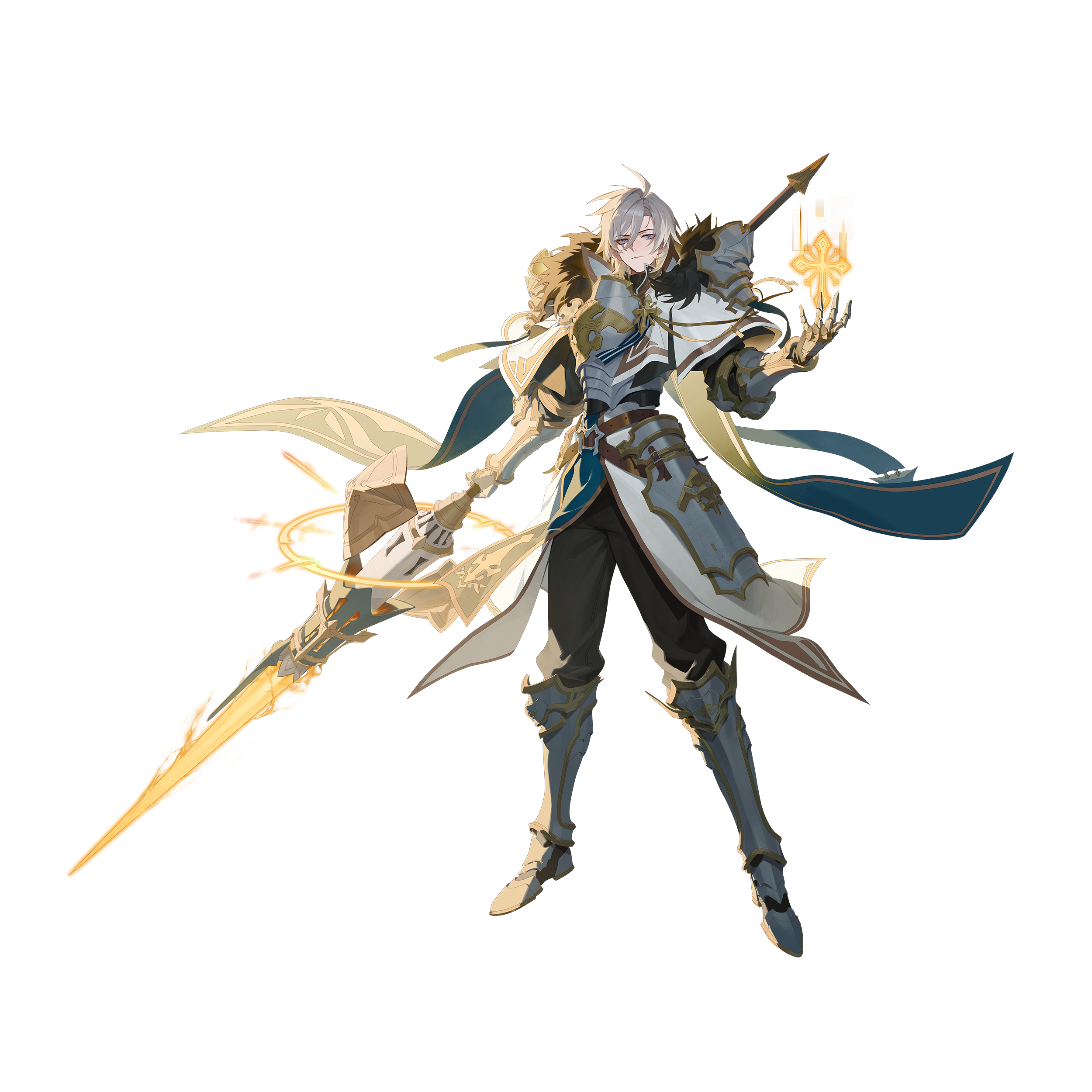
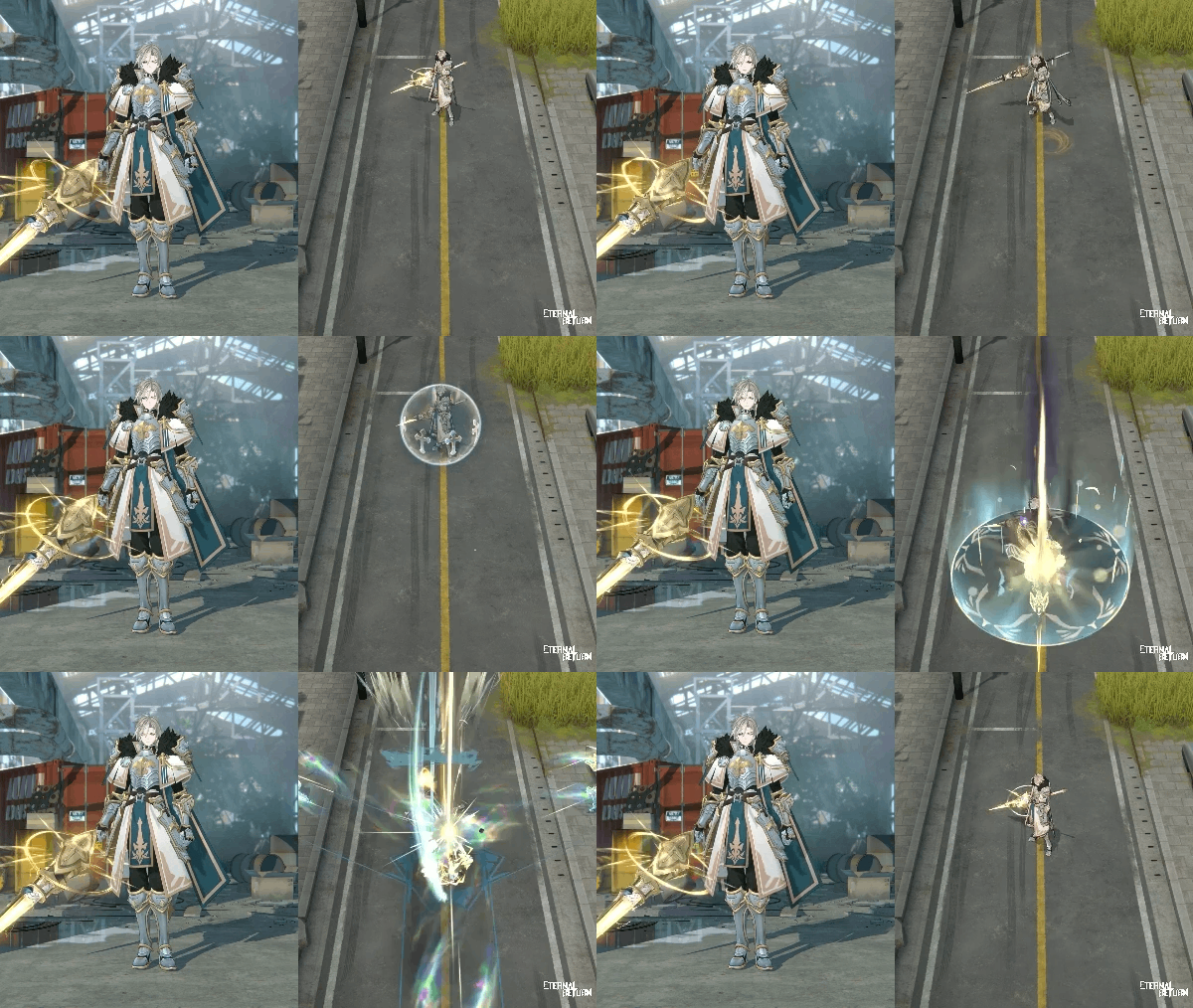
Spear of Conviction Istvan (Rare) - ER Pass Glory Level 40 Reward
“By sacred law, I shall pass judgment upon sinners.”
Box/Disassemble/Personal Store Probability & Item Changes
Season Tokens that you can get at a probability through Daily Boxes, Season Token Random Boxes, and by disassembling complete items will be switched to Glory Tokens on Thursday, November 12th during the 13.0 maintenance.
Check out the Box/Disassemble probabilities below.
Box To-Be Probabilities [See More]
[13.0] Daily Box, Season Fragment Pack, Common Season Fragment Pack, and Uncommon Season Fragment Pack Fragment Pack Items Update
Tokens and Fragments received at a probability to Glory Tokens and Glory Fragments Update
Disassemble To-Be Probabilities [See More]
[13.0] Tokens provided through disassembly of complete items to Glory Tokens Update
*These probabilities will be applied on November 12th.
Store Item Changes
ER Pass Petit Mignon Ending Notice
The ER Pass Petit Mignon will expire on Thursday, November 12th during the 13.0 maintenance.
For those who are eligible for rewards but haven’t received them, we will send them to your in-game mailbox on Thursday, November 12th during the 13.0 maintenance.
Mailbox Claiming Period: Until Friday, February 12th, 2027, 14:59 (UTC)
Valid thru: Within 90 days after logging in
Petit Mignon Tokens Ending Notice
Products available for purchase with Petit Mignon Tokens will be discontinued on Thursday, November 12th during the 13.0 maintenance.
Make sure to use all your tokens to purchase different items in the Exchange menu before they expire.
The following bundles will no longer include Season Tokens:
Eternal Wraith Bianca Collection Bundle
Festive Neko Irem Collection Bundle
Bihyung Release Bundle
Sailing Collection Ending Notice
A new Season Collection will be added and the previous Season Collection will be removed from the game on Thursday, November 12th during the 13.0 maintenance.
S12 Season Fragment Points & Exchange Fragments
The Season 12 Collection will only be available before the start of the 13.0 Update.
After the update, the collection will no longer be available and any unused Season Fragment Points & Exchange Fragments will no longer be available either.
Sailing Collection Rewards
Unclaimed Season Collection Rewards will only be available for claiming before the 13.0 Update starts. After, they will all expire.
Make sure to claim all your rewards before the start of the 13.0 Update!
Fragment Packs (Fragment Vouchers)
Owned Season Fragment Vouchers & Packs, Common Season Fragment Vouchers & Packs and Uncommon Season Fragment Vouchers & Packs will still be available after the 13.0 Update.
Fragment Packs that are opened after the 13.0 Update will include currently ongoing season fragments.
*NOTE: MAKE SURE TO USE YOUR SEASON FRAGMENT POINTS AND EXCHANGE FRAGMENTS, AND CLAIM ALL YOUR SEASON COLLECTION REWARDS BEFORE THEY EXPIRE WITH THE START OF THE 13.0 UPDATE.
S12 Premium/Basic Token Books II Availability & Sale Ending Notice
The sale and availability of the S12 Premium/Basic Token Books II will end on Thursday, November 12th during the 13.0 maintenance.
*Rewards that haven’t been claimed will be sent to your mailbox. Log in after maintenance and by Thursday, November 26th at 02:00 (UTC) to collect them.
Season Collection Glory Fragments
You can get Season Collection Fragments through Daily Boxes, Season Fragment Vouchers, Common Season Fragment Vouchers, and Uncommon Season Fragment Vouchers.
You can also receive Season Collection Fragments according to your results in Normals / Ranked / Cobalt Protocol matches.
Emotes
New Laura emotes will be available.

Ranked Matchmaking
Matchmaking Changes
For the Preseason, the Ranked matchmaking range for the Asia 1 server will be significantly expanded. Ranked matchmaking for other servers will be temporarily closed.
Archive: New Episode
We’re adding a new episode with the theme of this season “Glory.”
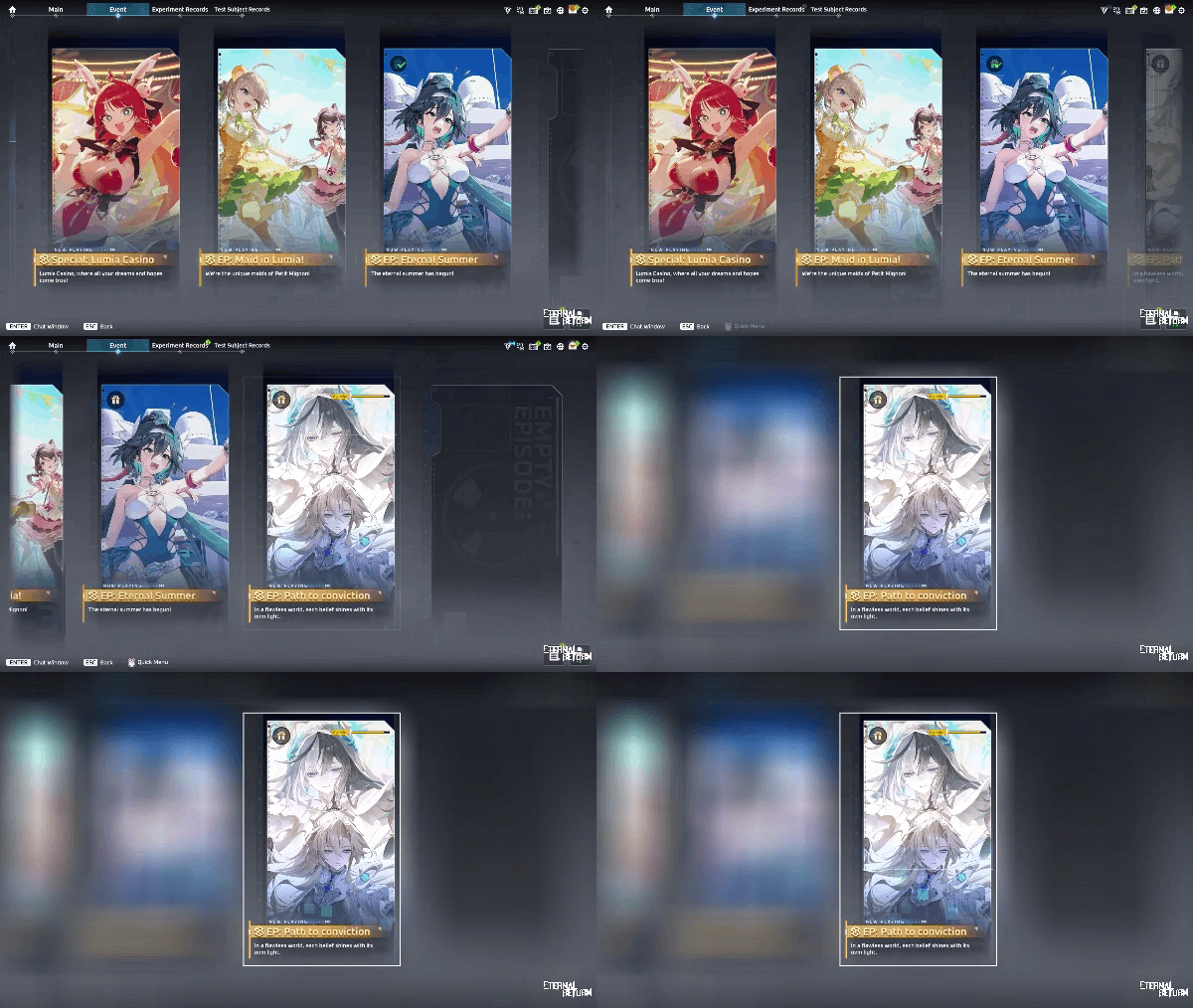
Event Episode - [Ep: Path to conviction]
"In a flawless world, each belief shines with its own light."
Available for free: Until Thursday, December 24th, 2026 (UTC) before the 13.4 maintenance
Price after: 5,000 A-Coin per Chapter
Free Access Period Changes
Starting with the 13.0 Update, all previously released Main Episodes will also have a limited free access period.
Episodes Released Before 13.0
Main Episodes: Free access to all episodes until the 13.4 Update maintenance.
Event Episodes: Existing free access periods will remain unchanged.
Main Episodes and Event Episodes Released After 13.0
If you haven't completed an episode before its free access period ends, you'll need to purchase it to access it afterward.
Individual purchases of unread scenarios will not be available.
Scenario Rewards Removal Notice
Scenario rewards will be removed from episodes added starting with the 13.0 Update.
Rewards from episodes released before 13.0 will remain unchanged.
S13 Highlight 1 - Home Screen Improvements
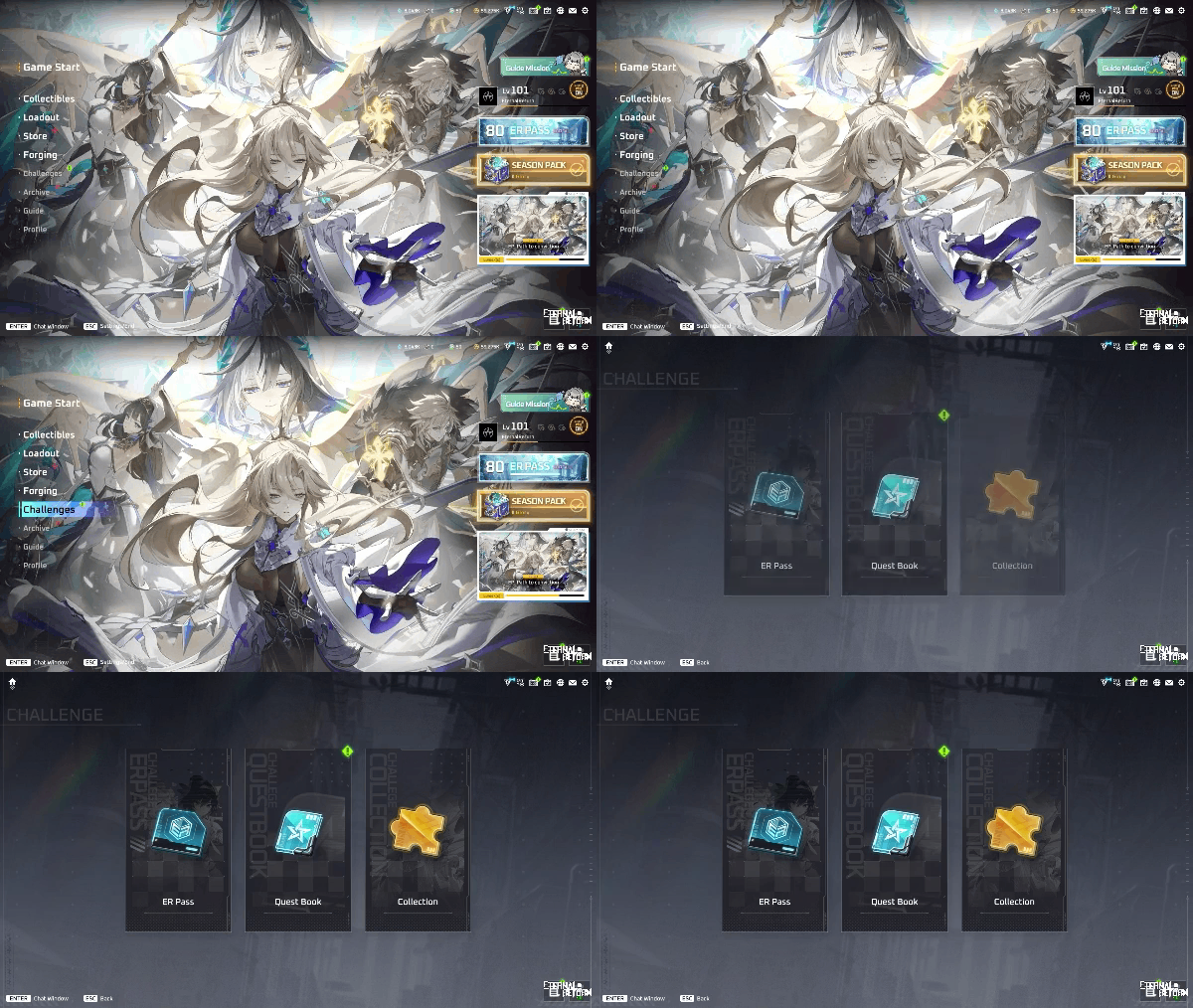
The lobby home screen is getting a fresh look for Season 13! We've reorganized the menus by content type and improved the layout to make key features easier to find.
Menu Changes
A new Challenges menu will be added to the menu list.
You can access ER Passes, Quest Books, and Collections from the Challenges menu.
The existing ER Pass and Collections menus, along with the Quest Book button on the right side of the screen, will be removed.
The existing Archive button will be removed, and an Archive menu will be added to the menu list.
You can access all existing Archive content through this new menu.
Episode banners will remain as they are.
However, episode banners will no longer appear once you've viewed all episodes.
Wild Cards will be moved from Forging to Collectibles.
When you obtain a Wild Card, you can now go to the Wild Card tab in Collectibles to select and claim your desired item.
The Quick Start menu on the home screen will be removed.
Quick Menu
A new Quick Menu will be added, letting you save shortcuts to frequently used content for easy access.
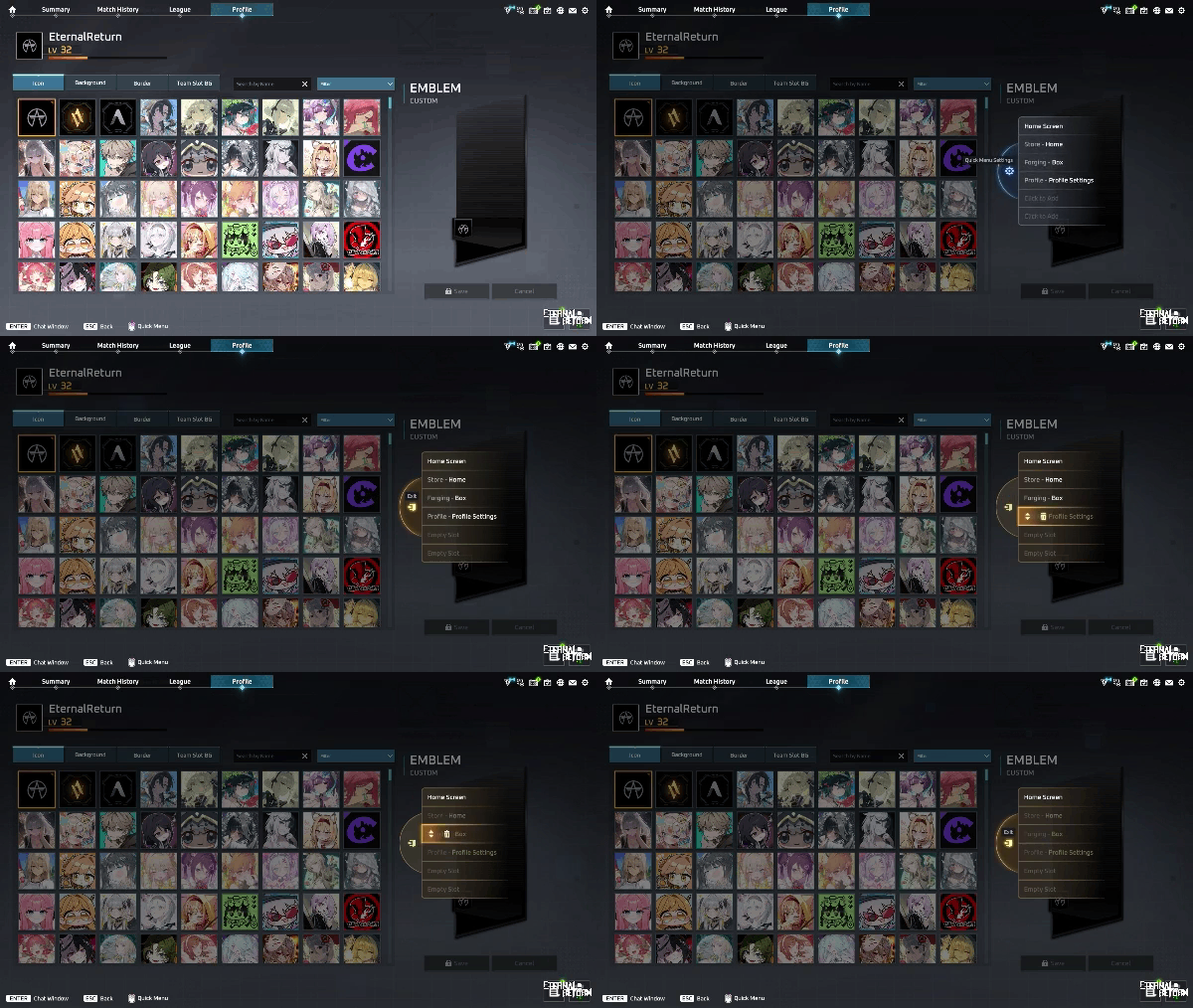
You can instantly navigate to content saved in your Quick Menu.
Right-click anywhere in the lobby to open the Quick Menu, which supports up to 6 slots.
The Quick Menu cannot be opened in certain situations.
If the item under your cursor has its own right-click function, that function will take priority and the Quick Menu will not open.
Click an empty slot in the Quick Menu to add a shortcut to the content you're currently viewing.
Click the Settings button in the Quick Menu to enter edit mode.
In edit mode, you can rearrange or remove saved shortcuts.
You can enable or disable the Quick Menu through Settings > In-Game Lobby Settings > Use Quick Menu.
Store UI Improvements
The Store UI will be improved so you can access the Mileage Shop directly from the Store's home screen.
The existing Mileage Shop button in the NP tab will remain available.
Collection UI Improvements
The Collection UI will be simplified, and new completion notifications will make it easier to see when you have Collection rewards ready to claim.
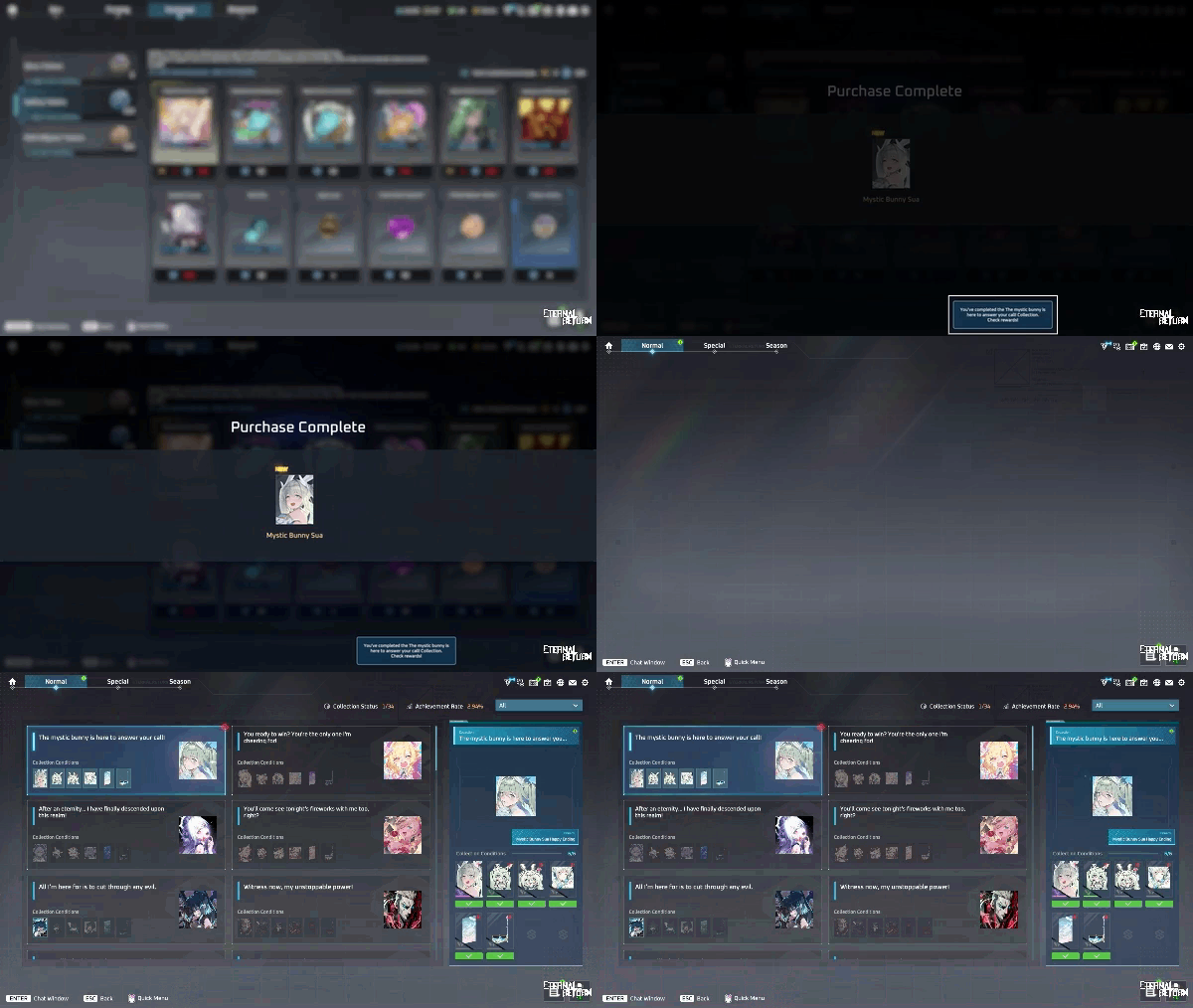
Normal and Special Collections will now appear in a simplified list. Selecting a Collection will display its details on the right.
When you obtain items through Store purchases, mail, coupons, or other sources, a notification will appear at the bottom of the screen if you have a Collection reward available to claim.
Clicking the notification will take you directly to the corresponding Collection page.
S13 Highlight 2 - Weather-Based Changes
Starting in Season 13, our guide robot Lumi will take on new roles depending on the main weather. As Lumi moves around the island, it will place Campfires, Lantern Blooms, or Whirlwinds based on the weather, and drop weather-specific supplies for characters it encounters.
In addition, certain item effects, items sold by Lumi, and night hearing range will change depending on the weather.
Lumi's Environmental Effects
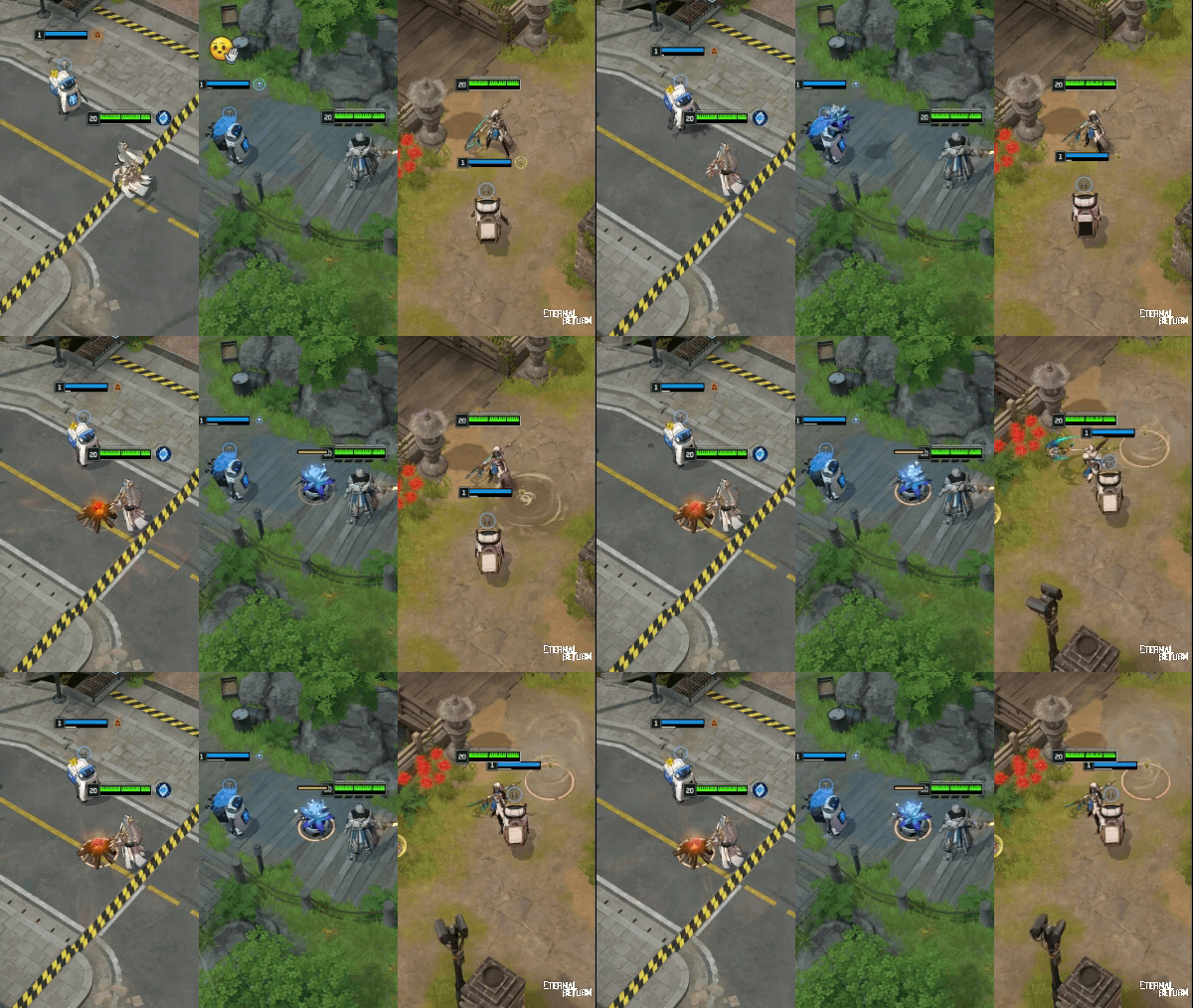
As Lumi moves around the island, it drops weather-specific environmental objectives along its path every 30 seconds. The timer pauses while Lumi is passing through a Restricted Area, and no objectives are placed there.
[Clear] Lumi's Campfire
Installs a Campfire that can be used to cook food.
Using a Hunter's Pot grants Perpetual Stew and removes Lumi's Campfire.
Duration: 90s
[Rain] Lumi's Lantern Bloom
Installs a Lantern Bloom that provides vision in a specific direction.
After use, Lumi's Lantern Bloom recharges over time and can be used again.
Duration: 90s
[Sandstorm] Lumi's Whirlwind
Installs a Whirlwind that launches characters farther than regular Whirlwinds.
Lumi's Whirlwind stays in place and disappears after one use.
Duration: 90s
Lumi's Weather-Specific Supplies
When you encounter Lumi, it drops supplies based on the current main weather.
Picking up the supplies creates an area that lasts for 4s, granting a buff to all characters within it.
[Clear] Shaved Ice
Increases max HP by 8%.
Duration: 90s
[Rain] Umbrella
Increases movement speed by 50% for a short time, then gradually decreases.
Movement speed remains increased by 0.1 afterward.
Duration: 90s
[Sandstorm] Goggles
Increases vision range by 40% for a short time, then gradually decreases.
Vision range remains increased by 15% afterward.
Duration: 90s
Weather-Based Item & Environment Changes
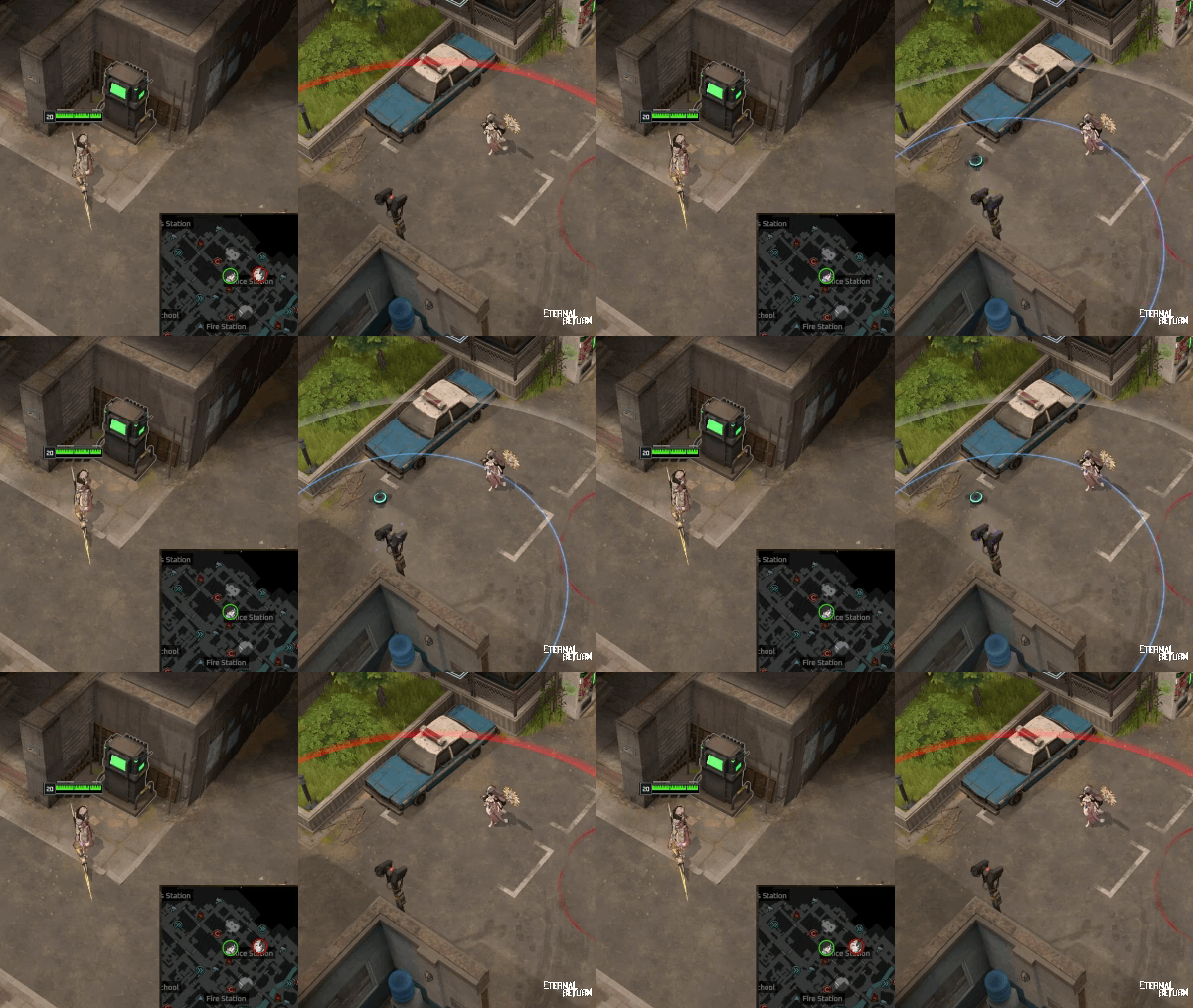
During Sandstorms, EMP Drones will be replaced with EMP-X Drones.
EMP-X Drones temporarily disable vision provided by CCTV cameras as well as enemy-installed Cameras.
Some items sold by Lumi will change depending on the weather.
[Clear] Lumi will sell 6 Mint Choco Ice Creams instead of 6 basic food items.
[Sandstorm] Lumi will sell 2 EMP-X Drones instead of 2 Recon Drones.
During Rain, Night hearing range will be reduced by 25%.
Day hearing range will remain unchanged at a 15% reduction.
Brush Placement Adjustments
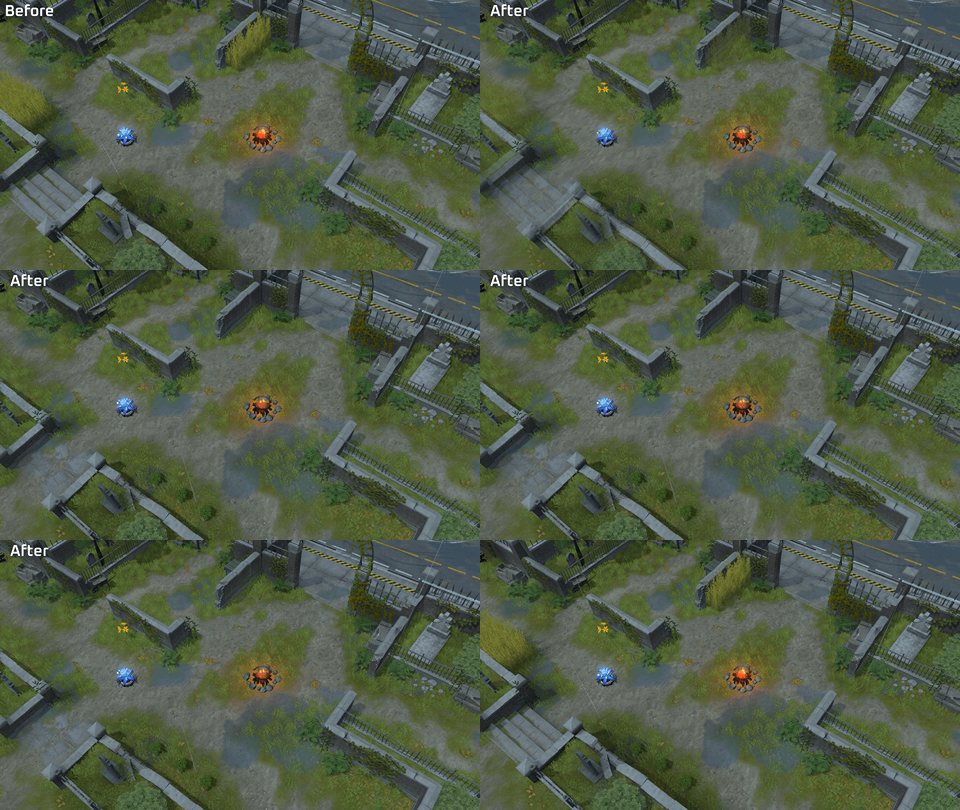
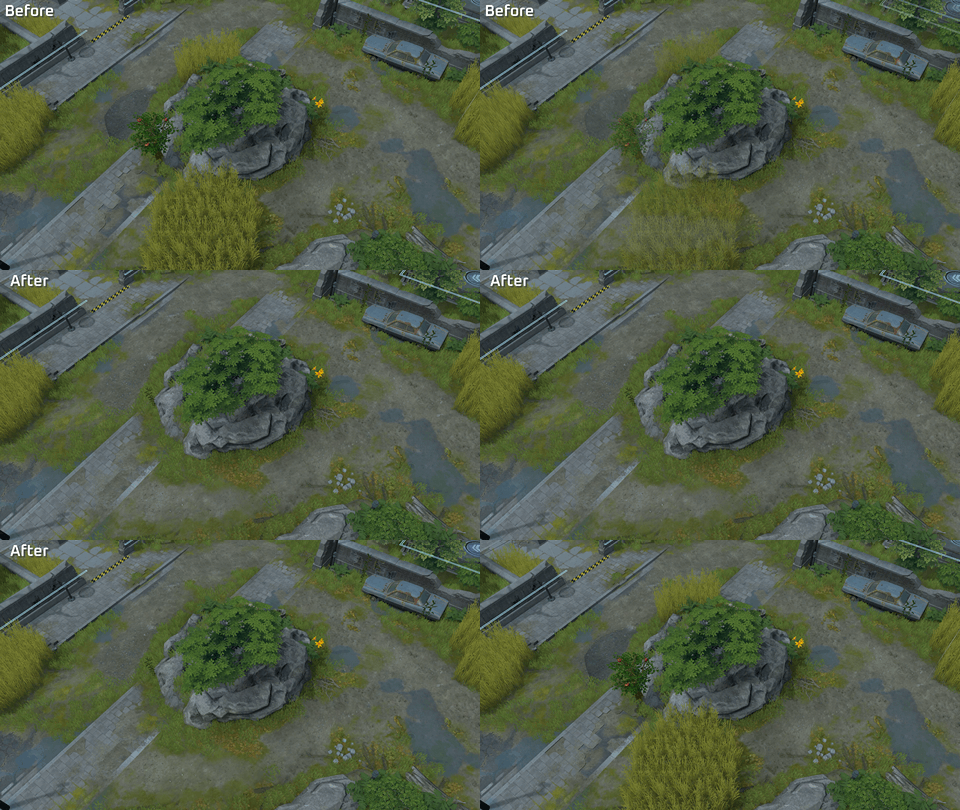
Alongside Season 13 weather improvements, Brush placement will be adjusted across the map. Many overlapping brushes that create excessive areas of obscured vision will be removed to make maintaining vision less demanding. Some smaller brushes that were difficult to use will also be bigger now to improve visibility and usability.
Examples of adjusted areas
S13 Highlight 3 - Research Tasks
Research Tasks, a new team-based objective system where teammates work together to complete tasks and earn rewards, will be added to Normal and Ranked modes.
At the start of each match, your team will receive three Starting Tasks. The first task your team completes will determine which field your team specializes in, unlocking Repeatable Tasks in that same field.
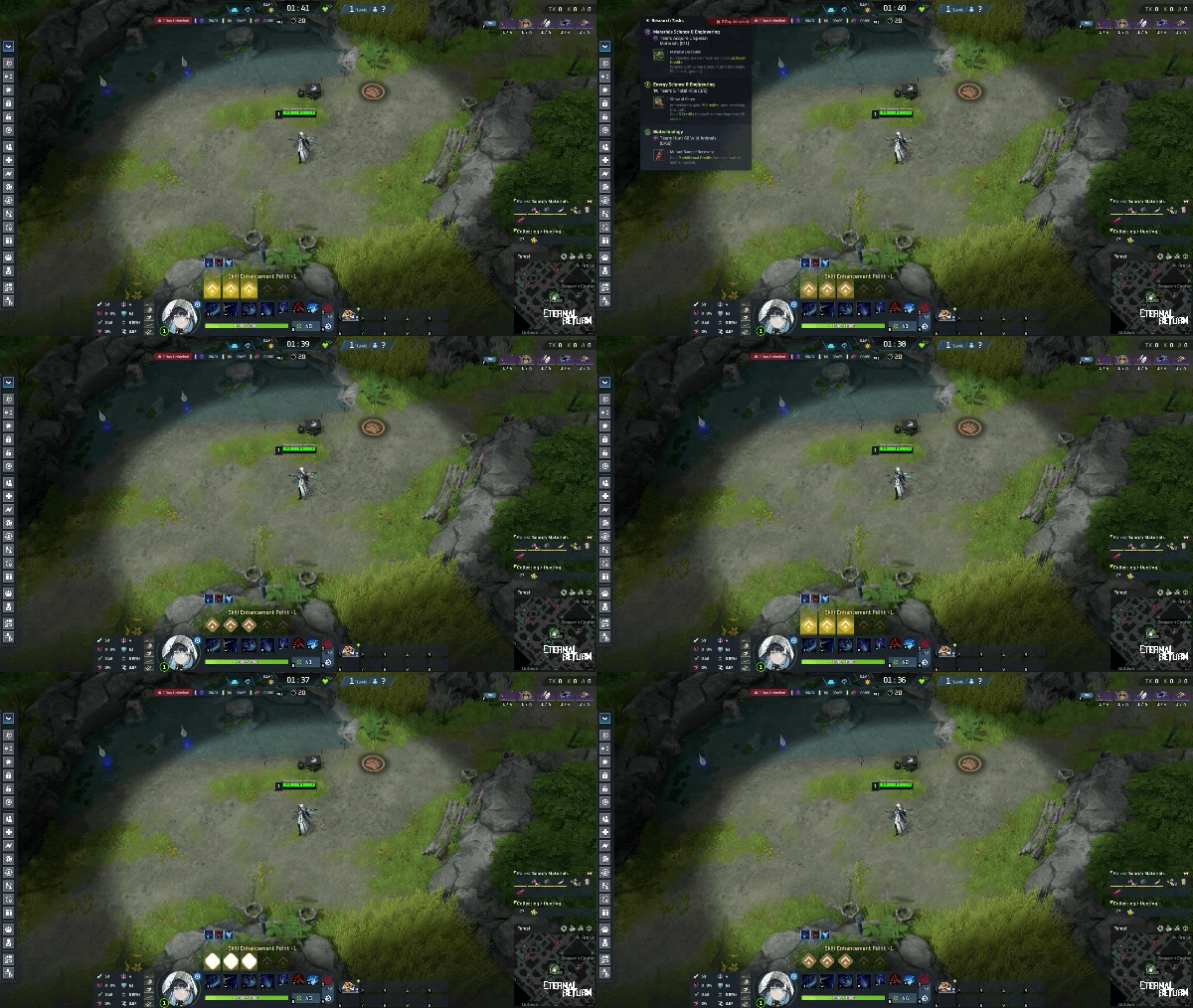
You can track your current task progress through the Research Tasks HUD.
Click the HUD or press the designated hotkey (default: F11) to open a detailed window showing task requirements and rewards.
Starting Tasks
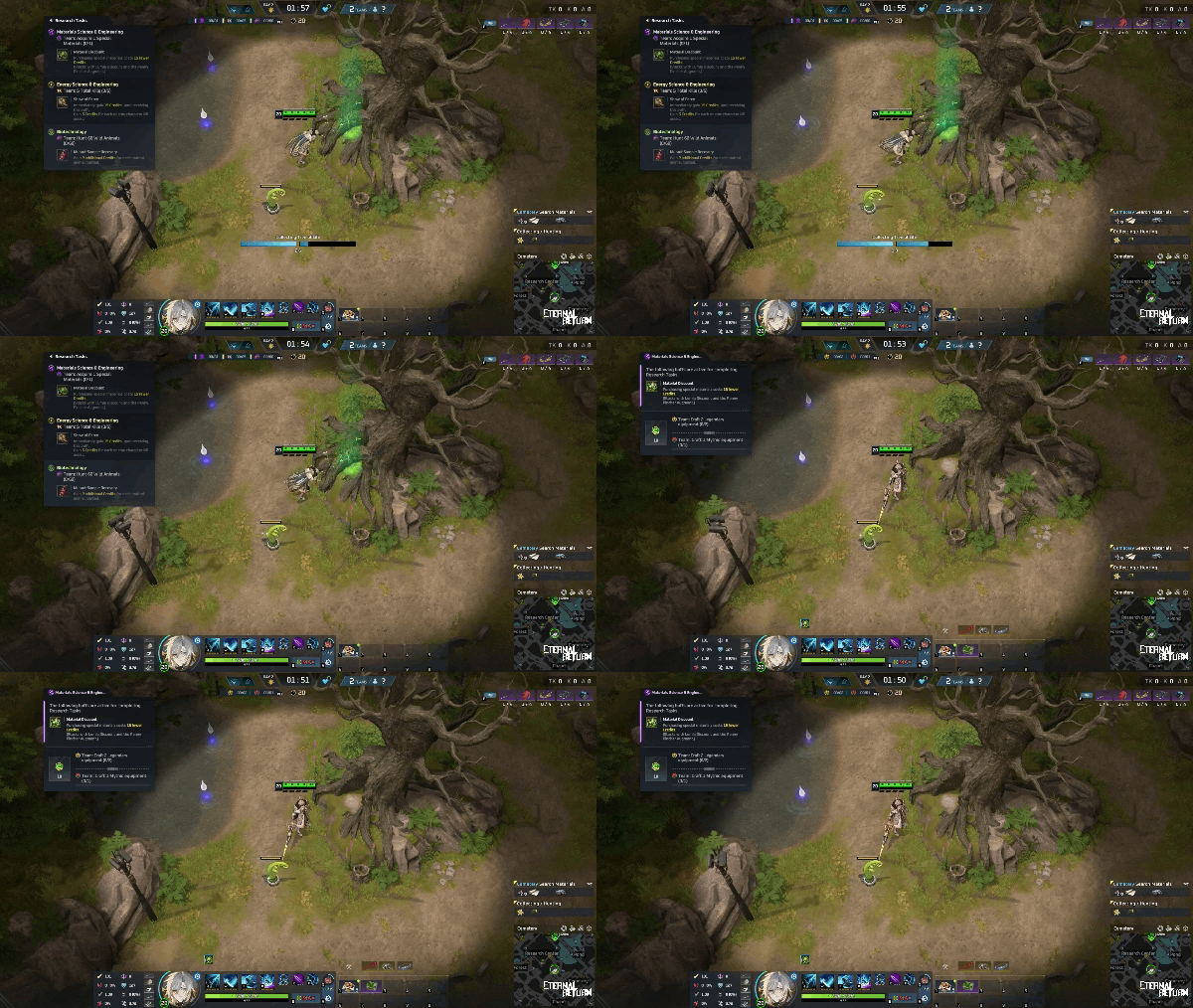
At the start of each match, your team will receive three Starting Tasks, one for each field: Materials Science & Engineering, Energy Science & Engineering, and Biotechnology.
Task progress is shared across the team. Only the first Starting Task to meet its requirements can be completed.
Starting Tasks can only be completed starting on Day 2.
If your team meets the requirements before Day 2, rewards will automatically be granted to all teammates when Day 2 begins.
Starting Task Requirements & Rewards
Materials Science & Engineering
Complete this task by obtaining Special Materials through farming or Kiosk purchases.
Upon completion, gain the Material Discount effect, reducing the cost of Special Materials purchased from Kiosks or Lumi by 15 Credits.
Material Discount stacks with Lumi's Signature Item discounts and the Penny Pincher Augment.
Energy Science & Engineering
Complete this task by killing a certain number of enemy characters.
Upon completion, gain the Show of Force effect and 15 Credits. Afterward, earn an additional 5 Credits for each enemy character kill or assist.
Biotechnology
Complete this task by killing a certain number of wild animals.
Upon completion, gain the Mutant Sample Recovery effect, granting an additional 2 Credits for each mutant wild animal killed.
Repeatable Tasks
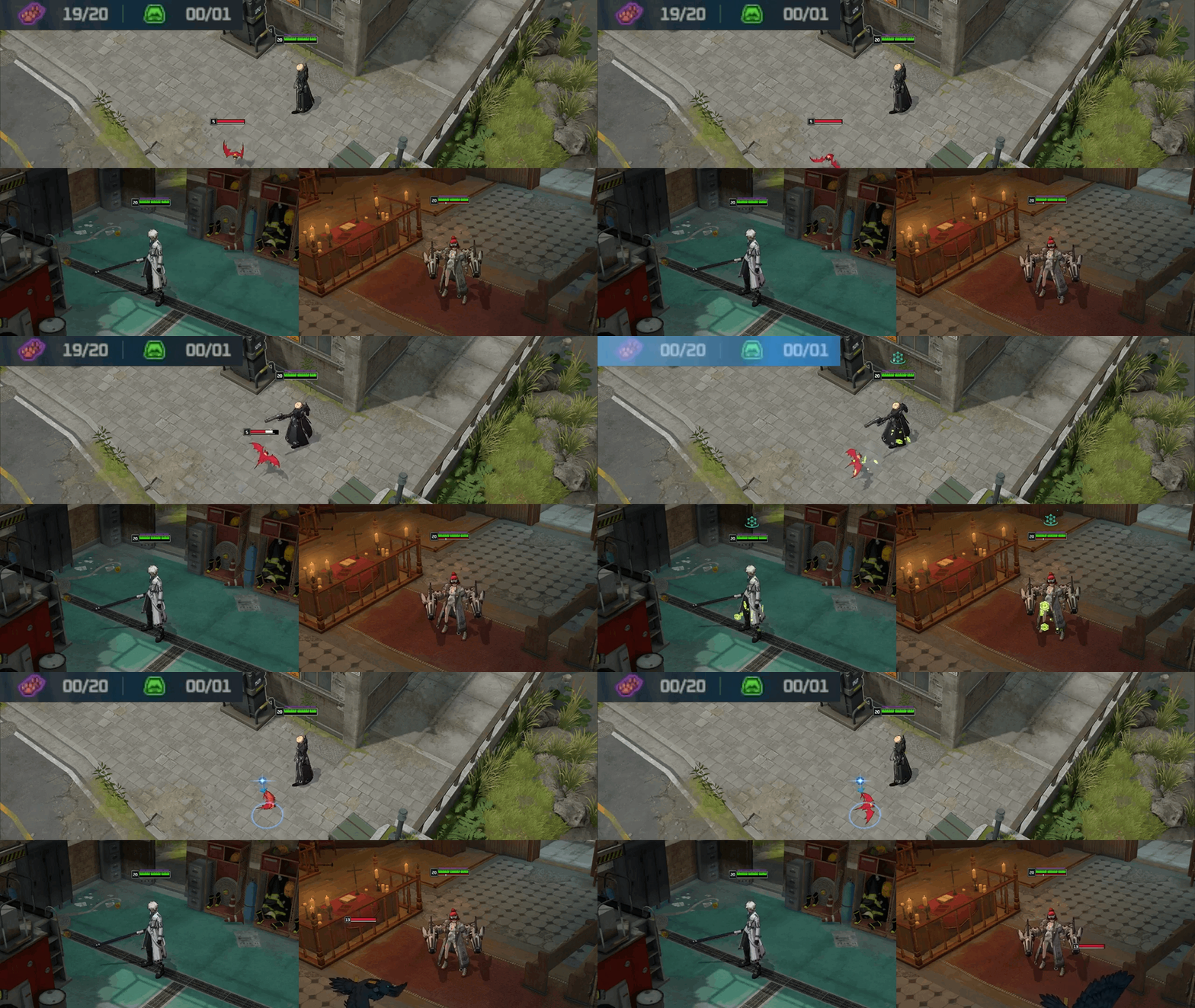
Completing a Starting Task unlocks Repeatable Tasks in the same field.
Each field has two tasks. Completing either one rewards every teammate with 10 Credits.
Materials Science & Engineering: Craft 2 pieces of Legendary equipment as a team OR 1 piece of Mythic equipment as a team.
Energy Science & Engineering: Get 2 enemy character kills as a team OR revive an ally using Credits once.
Biotechnology: Kill 20 wild animals as a team OR kill 1 boss monster.
After claiming a reward, all progress toward the Repeatable Tasks is reset, allowing your team to complete them again.
S13 Highlight 4 - Inventory Item Hotkeys
Four new hotkeys will be added, allowing you to use essential items directly from your inventory without having to click on them, even during combat.
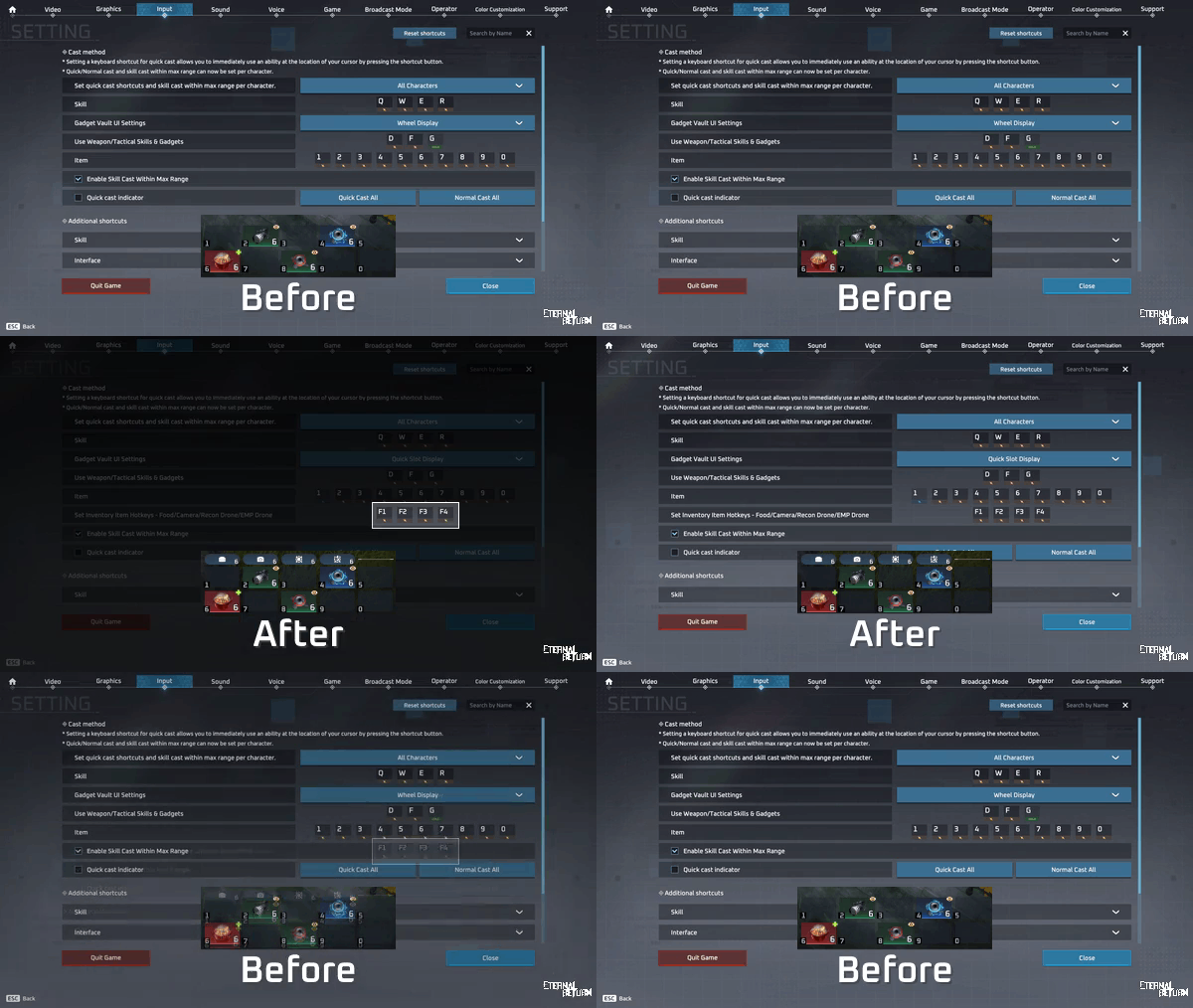
You can assign these hotkeys by going to Settings > Input > Additional shortcuts > Actions.
The new hotkeys will not have any keys assigned by default.
Inventory Assigned Use - Food
Pressing the hotkey consumes food if your current food recovery stacks are not at the maximum. The food used will depend on the following settings.
Auto-consumption' settings determine which food item to use based on your combat status in the 'Food.
When 2 or more items give you the same amount of regen, items are consumed in the "Priority Settings" order
Inventory Assigned Use - Camera
Uses a Telephoto Camera from your inventory.
Inventory Assigned Use - Recon Drone
Uses a Recon Drone from your inventory.
Inventory Assigned Use - EMP Drone
Uses an EMP Drone from your inventory.
S13 Highlight 5 - Vending Machines
Vending Machines will be added throughout Lumia Island, replacing the existing Apple Trees and Food Air Supply Boxes.
Need some food? Attack a Vending Machine to get an Apple. If you're lucky, you might even get a Golden Apple that restores more HP!
Example
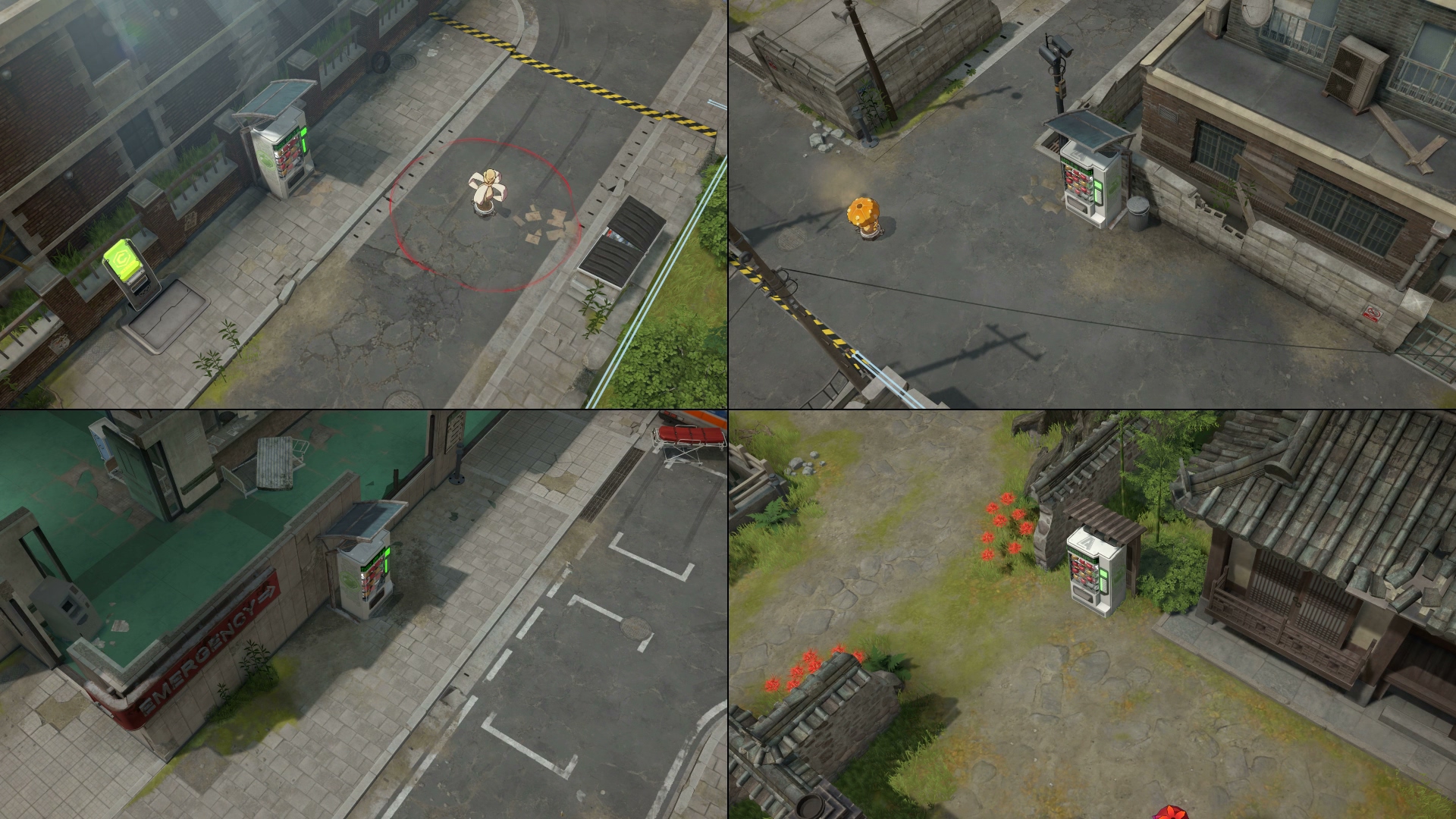
How to Get Food
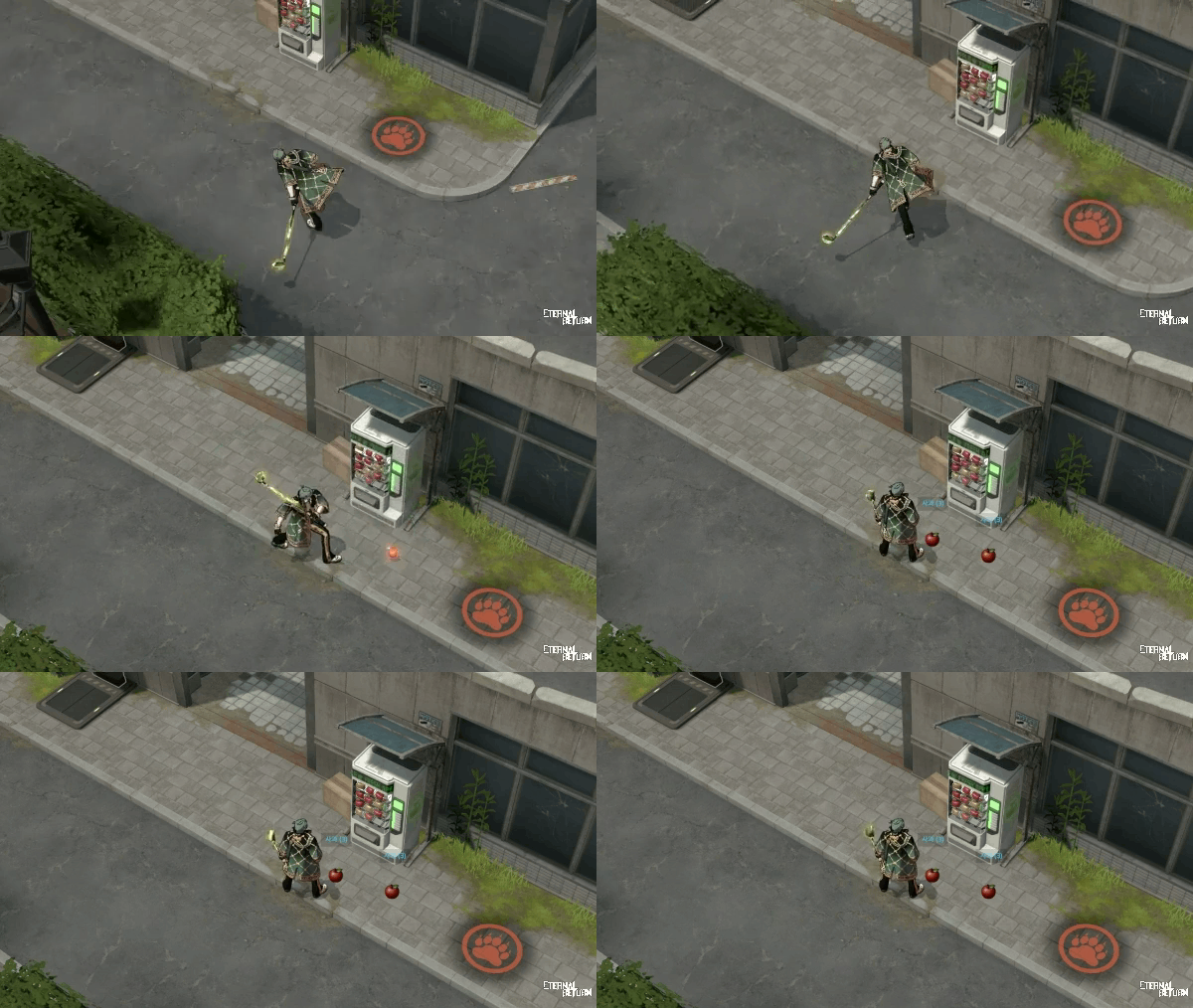
Basic attack a Vending Machine to make an Apple drop in front of it.
You can pick up and use the dropped Apple.
There is a 10% chance of getting a Golden Apple instead, which provides greater HP recovery.
With the addition of Vending Machines, Apple Trees in Temple, Cemetery, Forest, Archery Range, and Chapel will be removed. Food Air Supply Boxes will also no longer be distributed.
S13 Highlight 6 - Vector Gate
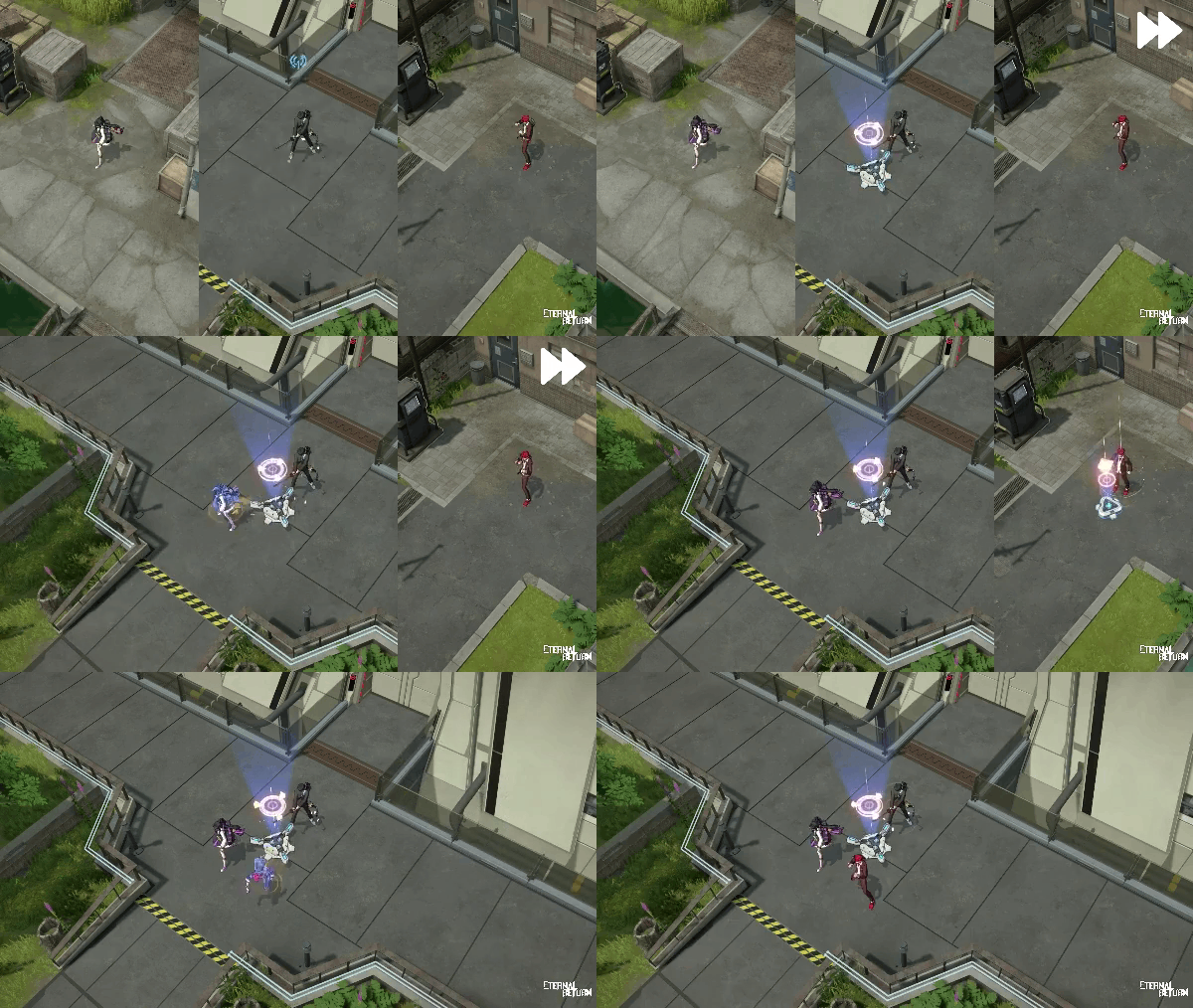
A new Gadget skill, Vector Gate, will be added as an improved alternative to CNOT Gate, making it easier to use without requiring close coordination between teammates.
How to Use
Vector Gate consists of a Rally Point and Departure Points.
If your team has no Rally Point installed, using the Gadget skill will place a Rally Point.
If your team already has a Rally Point installed, using the Gadget skill will place a Departure Point.
Characters can interact with a Departure Point to teleport to the Rally Point.
Departure Point A → Interact → Rally Point ✅
Departure Point B → Interact → Rally Point ✅
Departure Point A → Interact → Departure Point B ❌
Departure Point B → Interact → Departure Point A ❌
Rally Point → Interact → Departure Point A ❌
Destruction Conditions
A Rally Point is destroyed when either of the following conditions is met.
When its HP reaches 0. A Rally Point loses 1 HP whenever:
It is attacked by an enemy team.
An ally uses a Departure Point to teleport to the Rally Point.
When its duration expires.
If a character is interacting with it when its duration expires, it will only be destroyed after the interaction is complete.
Existing Departure Points will remain even if the Rally Point is destroyed.
Notifications
A system chat message will appear when a Rally Point is installed or destroyed.
The time remaining before a Rally Point is destroyed will be displayed in the Gadget Vault UI.
This information will not be displayed while a Gadget skill other than Vector Gate is equipped.
Stats
Rally Point
Duration 70s
HP 3
Gadget Energy Cost 40
Cooldown 2s
Departure Point
Duration 20s
Gadget Energy Cost 0
Cooldown 20s
New Event Mode - Rumble Out
Get ready for Rumble Out, a new event mode where 5 teams of 3 players clash in an all-out brawl across 2 areas of Lumia Island!
In Rumble Out, teams are eliminated when their shared Team Detonation Timer reaches 0, introducing a new survival experience unlike anything you've played before.
Rumble Out Details: PATCH NOTES 13.0 PART 3: Rumble Out - NOVEMBER 12TH, 2026
Gameplay
Noise Ping Indicators
Actions that trigger noise pings will now have visual indicators in-game, making it easier to tell which interactions will reveal your location.
All interactions that trigger noise pings will now display a visual indicator.
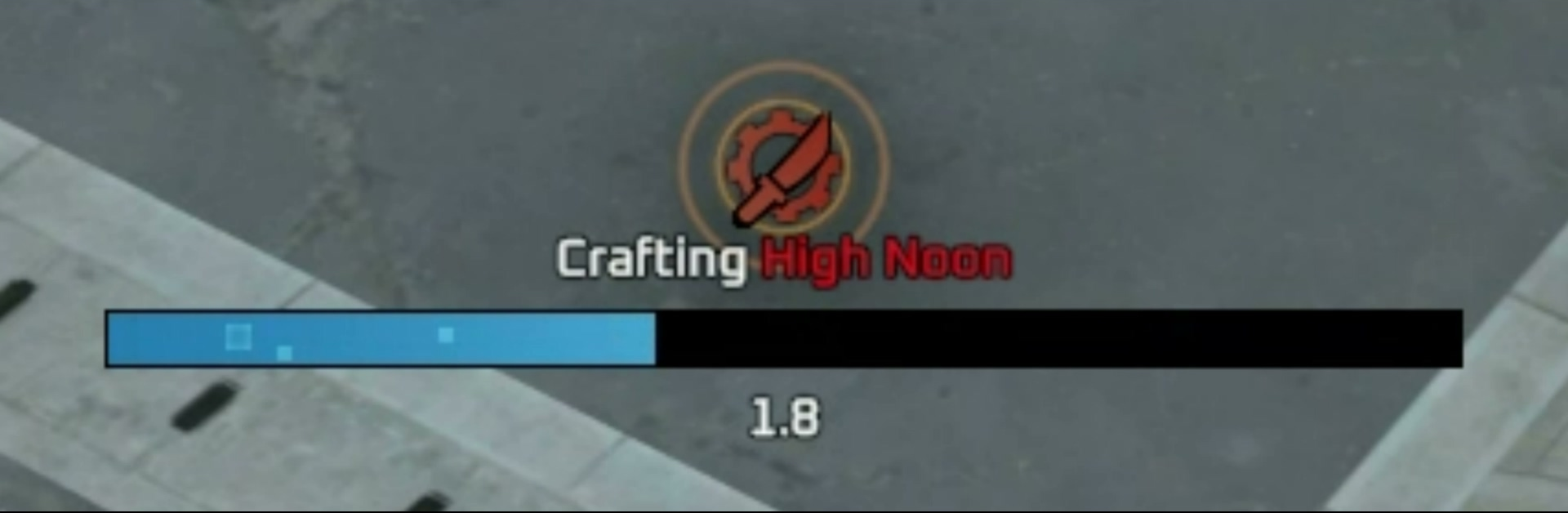
If an action would normally trigger a noise ping but doesn't due to its cooldown, the indicator will appear gray.
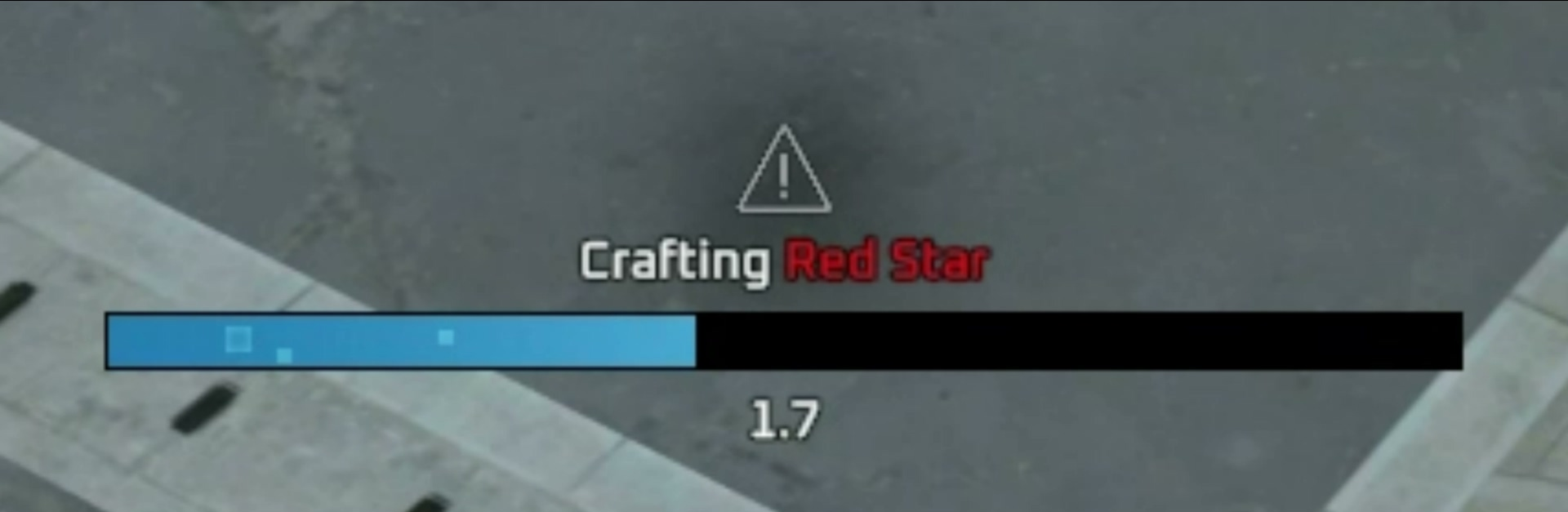
Actions that trigger noise pings immediately without a separate interaction, such as killing wild animals or using Flare Guns, will not display an indicator.
Opening Air Supply Boxes, Kiosk Air Supply Boxes, and B0-R1's Boxes will now always trigger noise pings, regardless of cooldown.
Noise pings from repeatedly crafting equipment below Epic rarity while completing your Saved Plan's starting items will be removed. Crafting weapons and armor below Epic rarity will no longer trigger noise pings.
Kiosk Discount Display Improvements
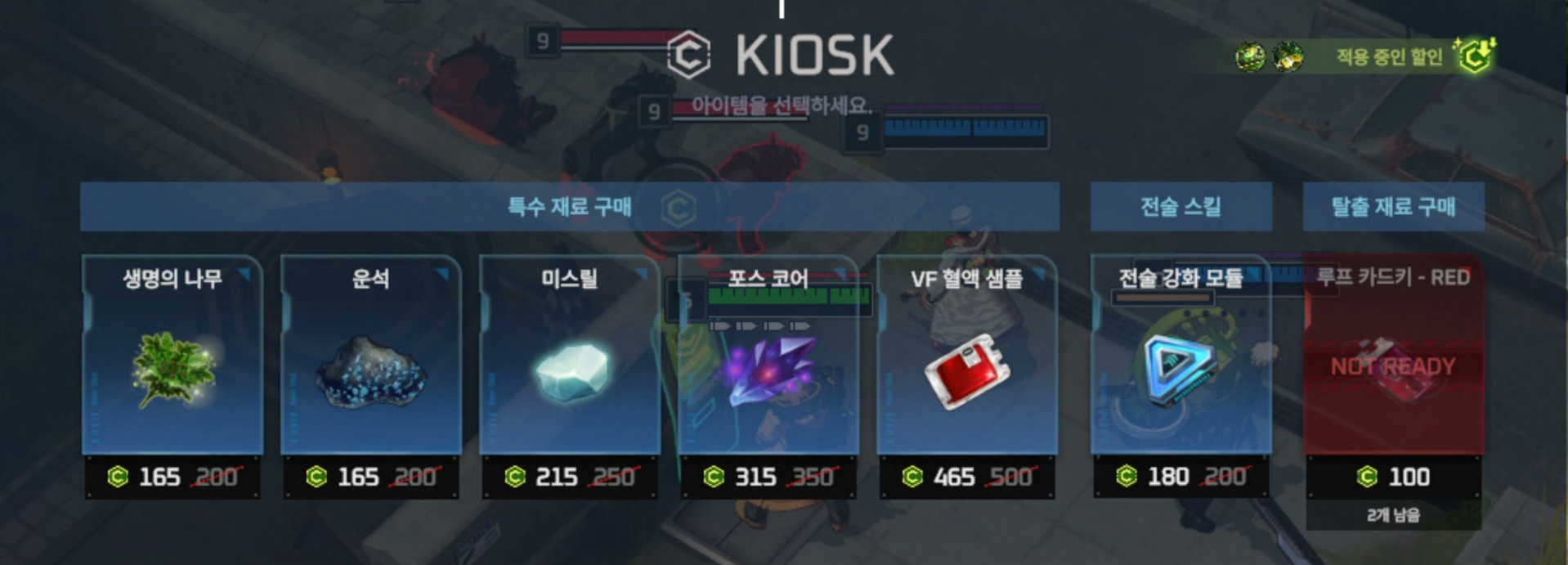
We've improved the Kiosk and Lumi Store displays to make it easier to check active discounts and final prices.
Discounted items will now display both their original price and final discounted price.
Icons in the Store will indicate whether the Penny Pincher Augment and Material Discount effect are applied.
Active discounts will have highlighted icons, while inactive discounts will appear gray.
In the Lumi Store, the Penny Pincher icon will remain inactive even if you have the Augment.
Hover over an active discount icon to view a description of its effect.
Credits
Naturally Earned Credits
Night 1: 1 Credit every 1.45s → every 1.5s
Day 2: 1 Credit every 1.65s → every 1.75s
Night 2 Onward: 1 Credit every 2s → every 2.1s
Chronosphere
Temporary Safe Zone Chronosphere 2nd Shrink Area 4m → 3m
Starting Item
Watermelon 3(REMOVED)(NEW) Pretzel 3
HP Recovery 660
Guide Robot Lumi
Shop Item Changes
6 Watermelons → 6 Pretzels
Bug Fixes & Improvements
Gameplay Improvements
We have reduced the installation radius of Portable Safe Zones from 4.5m to 3.5m and removed the distance restriction for placing them near other deployable objects.
We have added an option to reset Research Tasks progress in Practice Mode.
Shortcut key indicators will no longer appear in inventory slots when no shortcut key is assigned.
We have adjusted the terrain in certain parts of Cemetery to prevent characters from getting stuck while moving or having their escape routes blocked when taking cover.
Item Skill Ultra Focus's basic attack damage increase will no longer apply to targets other than characters.
Gadget Vault UI settings will now update properly when restoring default settings.
Flame effects will now display properly when using the default Hunter's Pot skin.
Blue Lab Gamma will now display in the correct color.
Tactical Skills selected on the Practice Mode Strategy map will no longer change to Blink upon entering the game.
Typing in English in the Character & Skin selection search bar in Practice Mode will no longer trigger in-game shortcuts.
The Advanced Tutorial for Gadget Vault can now be completed properly in all situations.
Guidance text will now display properly after selecting an Infusion at the Cobalt Protocol Synthesizer.
Character & Weapon Improvements
Character voice lines will now play properly in all situations.
We have corrected parts of Eva, Echion, Felix, Irem, Theodore, and Debi & Marlene's stories in Collectibles that differed from their Test Subject Records.
Martina: Fast Forward (Q)'s visual effects and hit detection will now align properly when she is knocked airborne during casting.
Markus: Fearless Assault (E) will now properly knock targets airborne when a knocked-back enemy collides with them at maximum range.
Vanya: Dream of a Butterfly (P) will no longer grant stacks on Extermination skill damage hit.
Blair: The Dual Swords sound effect will no longer play on enhanced basic attack with Blade Shift (P) while in Double Bladed Sword form.
Bihyung: Her hair will now display properly in all situations when using the Teen Spirit Bihyung skin.
Sua: Don Quixote (E)'s effects will no longer appear through Fog of War when using the Mystic Bunny Sua skin.
Adina: Luminary (Q)'s projectile hit detection will now work properly when she is knocked airborne during casting.
Abigail:
Her hair will now display properly when using the Tropical Dimension Abigail skin.
Quantum Leap (E)'s effects will now display properly when using the Tropical Dimension Abigail skin.
Ly Anh: The ghost's transparency will now display properly during the Folktale Ly Anh skin lobby animation.
Jackie: Effects will now display properly during lobby animations for skins.
Jenny: Parts of her model will no longer appear stuck to the ground when transforming while using her default skin.
Katja: Voice lines will now play properly when calling a Remote Drone while using her default skin.
Priya:
Her lips will now display properly during idle lobby animations for her skins.
Her top will now display properly during the Singer-songwriter Priya skin lobby animation.
Jan: We have replaced his existing English and Japanese voice lines.
Lobby Improvements
We have added new Test Subject Records related to Season 13 content.
We have added the "The Undertaker Is Coming" Lobby Screen to the Cemetery Challenge rewards. Players who have already completed the Challenge will receive the reward through their in-game mailbox.
We have moved Apple Tree-related Test Subject Records to the Archive following the removal of Apple Trees.
We have updated the food guide and Tutorial to reflect the addition of Vending Machines.
Premade team restrictions for Ranked Matches will now apply properly in all situations.
The Season Pack purchase button will no longer remain visible after purchasing the Season Pack while waiting to claim the ER Pass.
Already released skins will no longer appear as upcoming in the New Skins tab of the Season Pack purchase pop-up.
Screen transitions will now display properly after the victory animation ends in the Season Pack purchase pop-up.
Currency amounts will now update properly in all situations.
Perfect Bundle item descriptions will now display properly.
Mission tab highlights will now switch properly.
Items will now align properly in ER Pass and Quest Book Point purchase pop-ups at all resolutions.
Tooltips will now display properly when hovering over the Play Phase Transition Effects option in Settings.